
Native in-app forms
Fillo lets you place forms directly inside your product instead of sending users to a separate page. The homepage says your route and components render the form directly, and the rendered form keeps your interface in place.

Fillo is a form layer for products and websites that keeps forms inside the app while handling validation, uploads, responses, exports, and delivery. It supports both editor-based and code-defined workflows, with a free tier and a paid plan for higher volume and priority support.
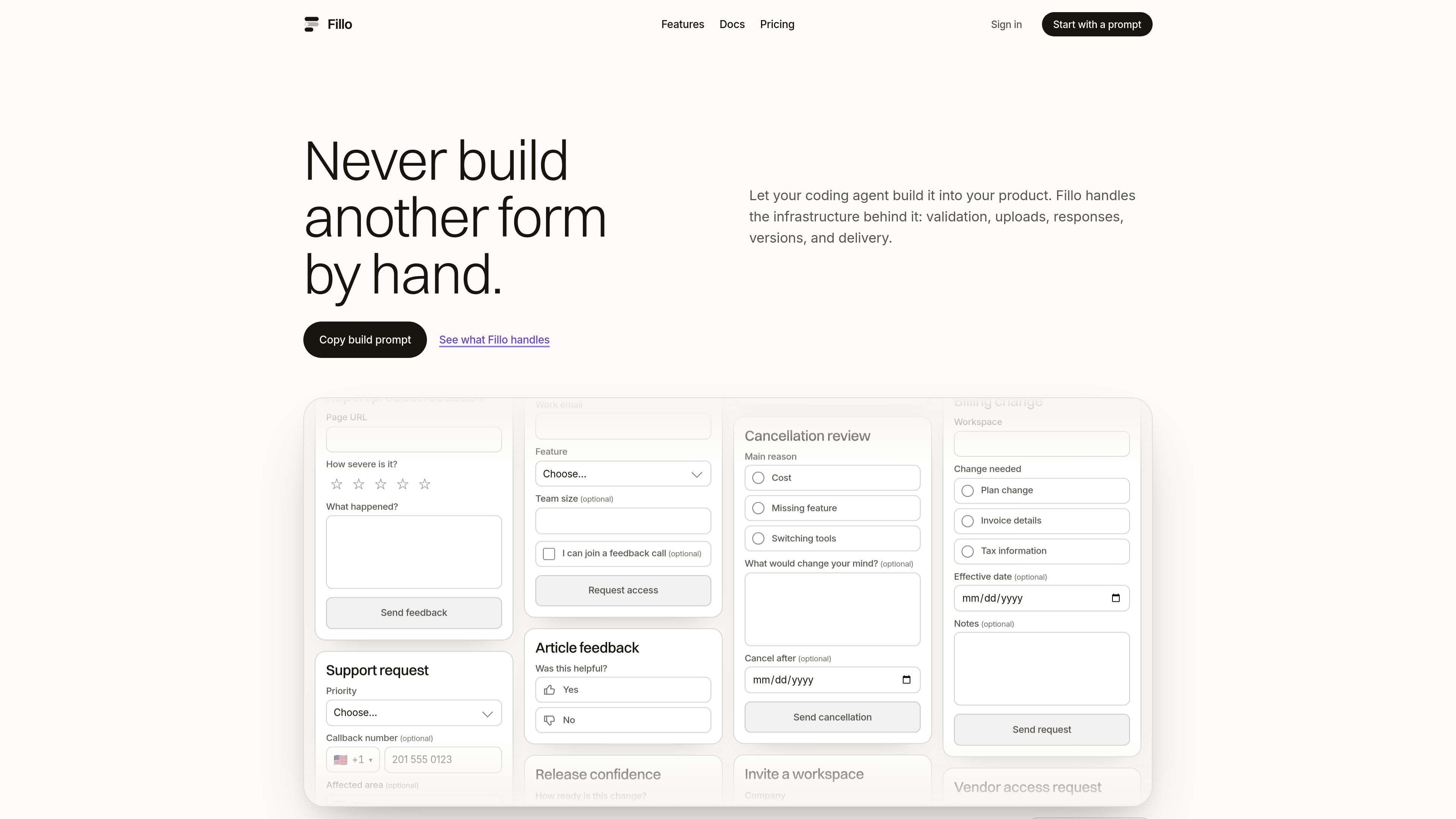
Fillo is a form layer for products that need native forms inside an app or website. Rather than building form handling, validation, uploads, response storage, and delivery from scratch, teams can use Fillo to provide those pieces in one system.
The product is aimed at workflows where the form should stay connected to the product experience: onboarding, support, feedback, intake, file requests, approvals, and other cases where route context, user context, and ongoing edits matter. The site also shows both visual-builder and code-defined approaches, so it can fit teams building in the editor or from an application codebase.
Fillo lets you place forms directly inside your product instead of sending users to a separate page. The homepage says your route and components render the form directly, and the rendered form keeps your interface in place.
Forms can be built in the editor or in code. The site mentions a React and framework-agnostic DOM renderer, plus support for custom fields and headless composition.
Supported form behaviors include validation, conditional logic, answer piping, multi-page forms, URL prefill, hidden fields, signed-in respondent identification, and optional server verification.
Uploaded files can go directly to connected storage such as Google Drive, Box, Amazon S3, or Cloudflare R2, with Fillo keeping the response and durable file reference together.
Responses include a grid view, detail view, CSV export, signed webhooks, and delivery into tools such as Google Sheets, Notion, Slack, HubSpot, Zapier, and email notifications.
Published forms keep their schema history as they change. The site says new versions can change fields while older responses retain their original schema context.
Use Fillo for onboarding flows that need to live inside the product and carry account or page context without pushing users into a separate form tool.
The product is suited to support forms that collect issue details, severity, attachments, and routing information while staying inside the app experience.
Teams can use it for feedback and review forms, including quick ratings, comments, and contextual fields tied to a page or account.
It can handle approval, access-request, or internal workflow forms where the request needs response history, signed webhooks, and delivery into tools the team already uses.
The file-upload flow is designed for requests that involve large or durable uploads, with files stored in connected services such as Drive, Box, S3, or R2.
Yes. The Free plan is €0 with no time limit and no card required. It includes unlimited visual-builder forms, up to 200 code-defined forms per workspace, and 200 completed responses per month.
One completed submission to one of your forms counts as a response. Building, previewing, and partial entries do not count.
Free includes 200 completed responses per month. Everything includes 5,000. Above that, additional responses are billed at €0.007 or $0.008 each, depending on currency, and the forms keep collecting.
Yes. Export to CSV is available on every plan, and the form setup and responses remain yours.
Fillo runs on EU servers, and form responses are stored there. Uploaded files go to the storage you connect, such as Google Drive, Box, or an S3-compatible bucket.

ByteAsk is a terminal-first AI coding agent for C and C++ that edits repositories and verifies changes with the real compiler, debugger, sanitizers, and tests before showing a diff. It offers a free tier plus paid plans, with editor connectors and zero-retention handling described in the source.

CreateOS Sandbox is an isolated compute environment for running code and agent workloads inside Firecracker micro-VMs. It is designed for workflows that need machine-level isolation, private networking between sandboxes, and programmatic control through SDK, CLI, or MCP.

GitBot is a local browser-based workspace for creating reusable coding bots powered by Claude Code, Codex, or OpenCode. It helps developers run those agents across repository folders with persistent threads and configurable permissions.

hob is an independent workspace for coding agents that keeps agent sessions, terminals, history, and follow-up work organized around the tools and providers you already use. It is aimed at developers who want local control over routing, history, and workspace structure rather than a bundled model stack.

Ably Chat is a chat API platform for building custom realtime chat applications. It supports room-based messaging, typing indicators, presence, reactions, and message updates, with usage-based pricing options for different deployment stages.

Make Real is a Next.js app that turns hand-drawn wireframes into working HTML prototypes using the tldraw SDK and AI models. It helps users sketch on a canvas, generate code, and review the result in an embedded preview.