
First-screen message
Compose the text that appears immediately on the locked Mac before someone scrolls, including a return prompt or owner-contact teaser.

LockLines is a macOS utility for designing plain-text lock screen messages with separate first-screen and scrollable sections. It helps Mac owners, teams, and equipment managers add return instructions, contact details, asset labels, or operational notes before a locked computer reaches the desktop.
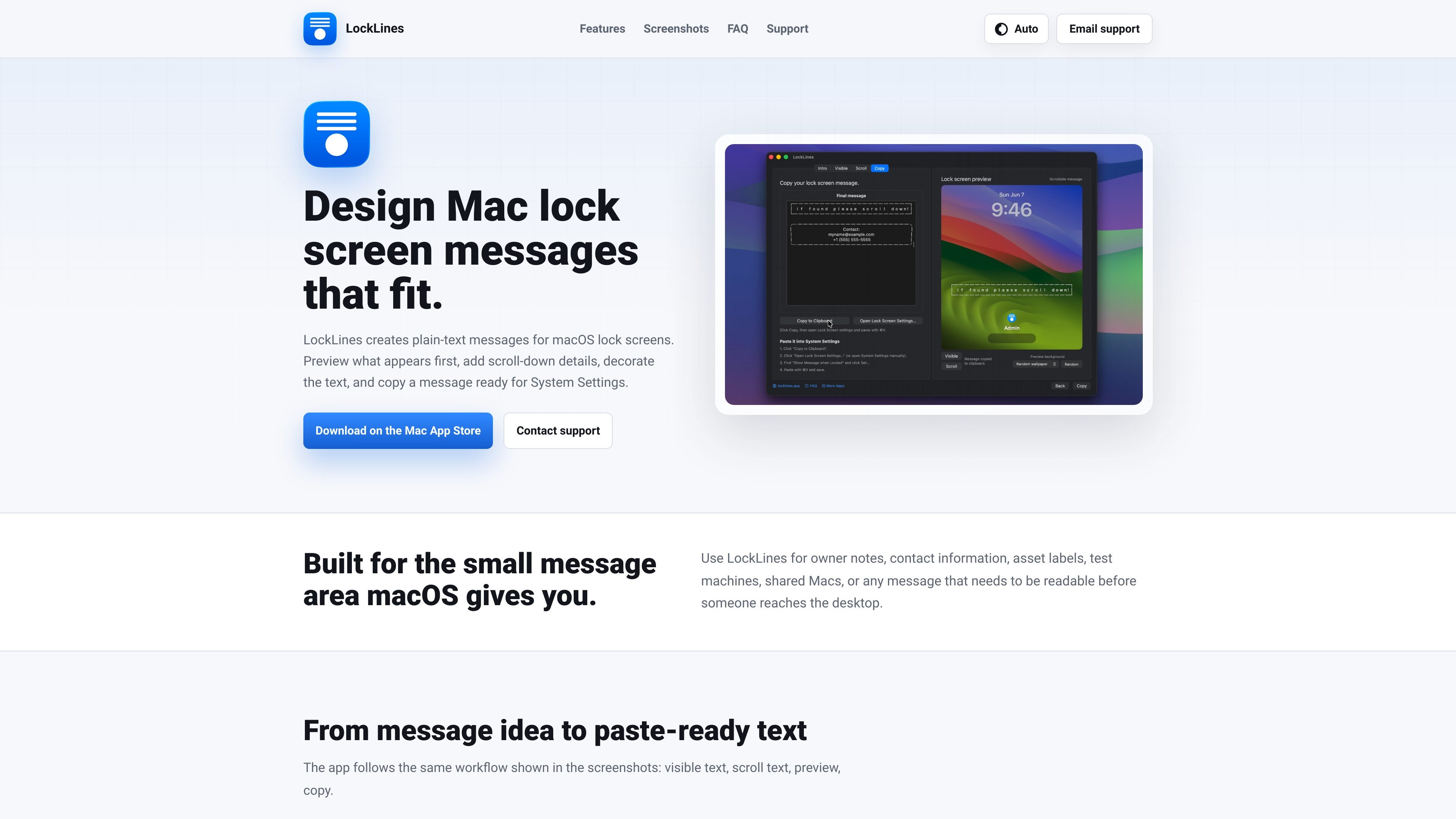
LockLines is a macOS app for designing plain-text messages for the small message area on a Mac lock screen. It separates the text visible at first glance from additional details that appear after scrolling, then previews both states before the message is copied.
The app is intended for situations where a locked Mac needs useful context before anyone reaches the desktop, such as return instructions, owner contact information, asset labels, or notes for shared, test, repair, lab, conference, and demo machines.
Compose the text that appears immediately on the locked Mac before someone scrolls, including a return prompt or owner-contact teaser.
Add longer owner notes, pickup instructions, asset labels, or test-machine details that appear after scrolling.
Switch between visible and scroll previews to inspect both lock screen states before copying the message.
Use repeated-character border controls and styled plain-text boxes to decorate and organize the message without leaving the plain-text workflow.
Copy the complete message in a form intended for pasting into macOS Lock Screen settings.
Place a return prompt and owner contact teaser on a locked computer, with longer instructions available below the first screen.
Label school, office, or other shared equipment with ownership or asset information that remains visible while the device is locked.
Give visitors or colleagues context on conference, demo, or shared Macs without requiring access to the desktop.
Add intake, pickup, or handling instructions to repair and lab devices so their status is understandable at the lock screen.
Keep test-machine details or scroll-down prompts available on locked Macs used for development and testing.
After copying from LockLines, open System Settings, go to Lock Screen, enable “Show Message When Locked,” choose “Set,” paste the message, and save.
LockLines creates plain-text messages with a separate first-screen message and scrollable details. It previews both states before copying the complete message for use in macOS Lock Screen settings.
The source identifies LockLines as a macOS app and directs users to download it from the Mac App Store. A specific macOS version requirement is not provided.
The app supports messages for owner contact information, return instructions, asset labels, shared Macs, conference or demo machines, repair intake, lab devices, and test machines.
For help, email [email protected]. Support requests should include your macOS version, LockLines version, relevant typed or copied text if comfortable sharing it, and a screenshot of the preview or System Settings message dialog.

MacSpoof es un cambiador de MAC para macOS: cambia o aleatoriza tu MAC Wi‑Fi para reconectar y reducir el registro de identidad en redes públicas.

DemoTV is an audience-ranked station for discovering and comparing independent product demos. Founders can submit videos, embed approved demos on their websites, collect viewer inquiries and optionally commission demo production or labelled promotion without buying ranking.

NomNak es una app gratuita para iPhone para descubrir restaurantes con recomendaciones de amigos, guardar lugares, crear tu pasaporte gastronómico y buscar ciudades.

CAPTA is a mobile GPS waypoint app for quickly saving, organizing, and revisiting locations. It supports offline use, camera-based coordinate capture, optional cross-device synchronization, and GPX export for fishermen, explorers, and field professionals.

Ctrl+Shift+3 is a calm, text-first community platform with a chronological feed, profiles, RSS, and private groups called Clicks. It is built for reading, posting, and joining smaller communities without algorithmic ranking or vanity counts.

Hexel Editor is a macOS hex editor for opening, searching, inspecting, and editing binary files. It is aimed at developers, reverse engineers, and security researchers who need structured byte-level analysis on the Mac.