
Organization-level analytics
Shows coding-agent adoption, activity, token volume, and estimated spend across an organization, giving teams a shared view of usage rather than isolated individual sessions.

Opaline provides team-wide analytics for coding-agent sessions, including message-level token cost, time, and skill usage. It helps organizations review Claude Code and Codex activity, estimated spend, and detailed session traces.
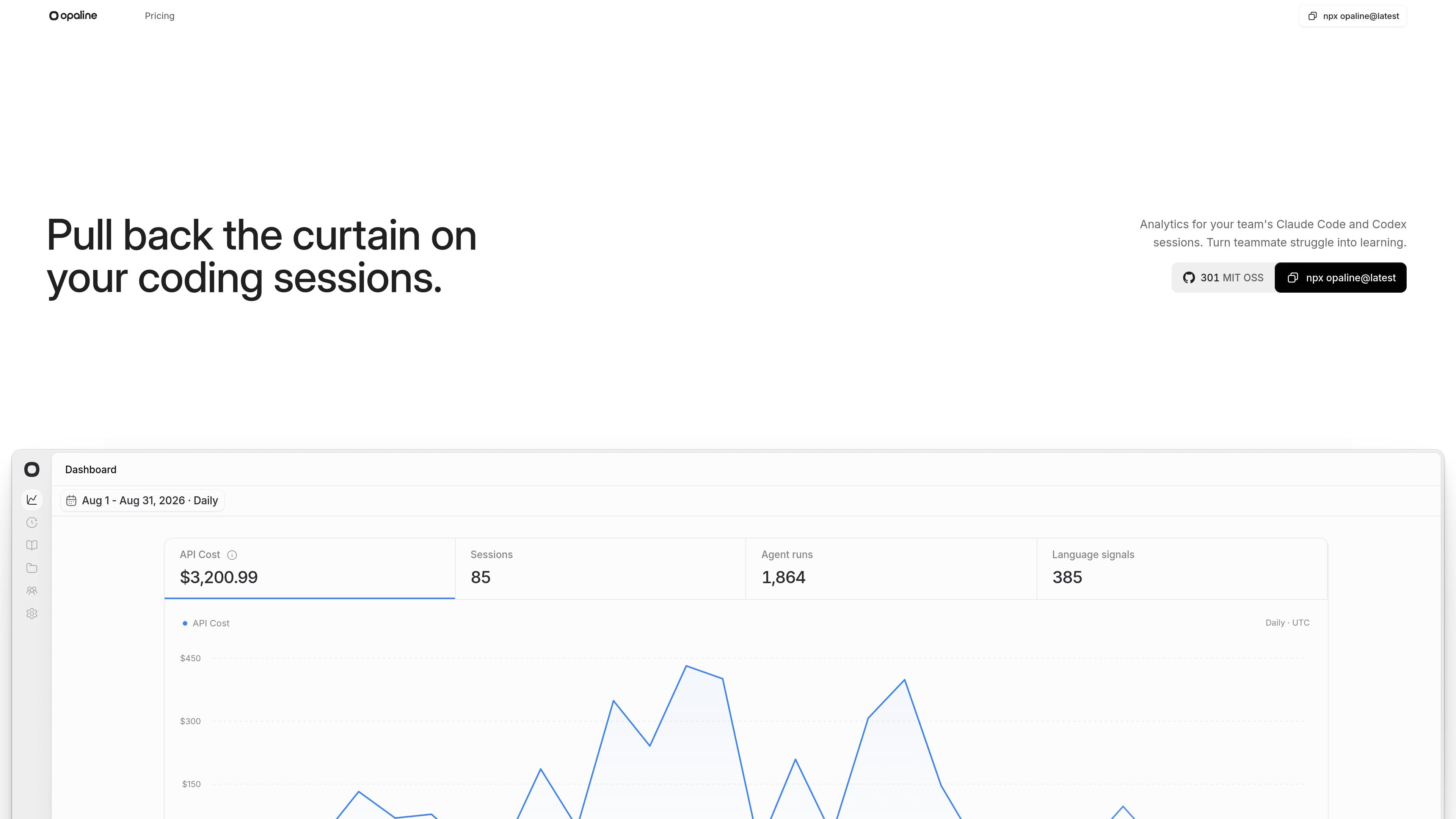
Opaline is a team analytics product for coding-agent sessions. It gives organizations visibility into agent adoption, activity, token volume, estimated spend, and message-level measures such as token cost, time, and skill usage. The homepage specifically positions it around Claude Code and Codex sessions.
Alongside organization-level reporting, Opaline provides a deep session trace viewer. Teams can inspect the sequence of prompts, responses, tool calls, commands, and subagent activity in individual sessions, making the product useful for reviewing how coding agents are being used and where sessions encounter friction. Higher tiers add organization-wide session intelligence and weekly reporting, while the supplied sources do not document the setup or data-handling implementation in detail.
Shows coding-agent adoption, activity, token volume, and estimated spend across an organization, giving teams a shared view of usage rather than isolated individual sessions.
Tracks token cost, time, and skill usage at the message level across team sessions, according to the product description.
Provides a full session timeline covering prompts, responses, tool calls, commands, and subagent activity.
Supports analysis of coding-agent sessions associated with Claude Code and Codex, the two agents named on the homepage.
The Business plan adds Advanced Session Intelligence intended to surface recurring patterns, blockers, failures, and opportunities across an organization’s agent sessions.
The Business plan includes weekly reports covering agent adoption, performance changes, notable sessions, and team trends.
Review adoption, activity, token volume, and estimated spend across a team to understand how coding-agent usage is distributed throughout an organization.
Open an individual session and follow its prompts, responses, commands, tool calls, and subagent activity when investigating a difficult or inefficient coding-agent interaction.
Use message-level cost, time, and skill-usage data to compare how sessions unfold and identify where teams may be spending time or tokens.
Business-plan users can use Advanced Session Intelligence to look for recurring blockers, failures, and opportunities across many sessions rather than reviewing them one at a time.
Business-plan users can receive a weekly view of adoption, performance changes, notable sessions, and team trends for ongoing review.
Opaline provides organization-level analytics for coding-agent adoption, activity, token volume, and estimated spend, along with a deep session trace viewer for individual sessions.
The homepage specifically mentions Claude Code and Codex sessions. The supplied source does not document additional supported coding-agent integrations.
The session trace viewer can show the timeline of prompts, responses, tool calls, commands, and subagent activity for a session.
The Free plan includes up to three workspace members and 50,000 agent runs per workspace each month. Basic and Business list unlimited members and agent runs; the pricing page lists Basic at $21 per member per month billed yearly and Business at $42 per member per month billed yearly.
The supplied source does not describe the setup process, data-import requirements, security model, or whether Opaline requires session instrumentation beyond its stated coding-agent workflow.

PromptScout tracks how ChatGPT, Gemini, Google AI Overviews, and Perplexity mention your brand or competitors, then pairs those results with source analysis and website audits. It helps teams decide what to fix in content, positioning, or site readiness next.

Sleek Analytics is a privacy-friendly web analytics tool with real-time visitor tracking, Core Web Vitals, and revenue attribution. It helps site owners understand traffic and conversions without cookie banners or a heavy setup.

Rectify is an all-in-one SaaS operations platform that combines session replay, monitoring, support, code scanning, roadmaps, and changelogs. It is aimed at founders and product teams, especially non-technical SaaS teams working with AI-assisted development.

SaveMRR is a Stripe retention tool for SaaS teams that scans billing data for churn and MRR leaks, then automates recovery through dunning, cancel-save offers, win-back emails, and onboarding nudges. It is built for founders and bootstrapped teams using Stripe.

Hype is a web tool for finding trending YouTube topics by category, time range, and scoring mode. It helps creators spot emerging ideas, inspect source videos, and decide what to cover next.

Struere is an AI-native platform for turning spreadsheet data into structured operational software with dashboards, alerts, and automations. It is aimed at teams that want to replace manual spreadsheet workflows without building custom tools from scratch.