
Recipe import and nutrition matching
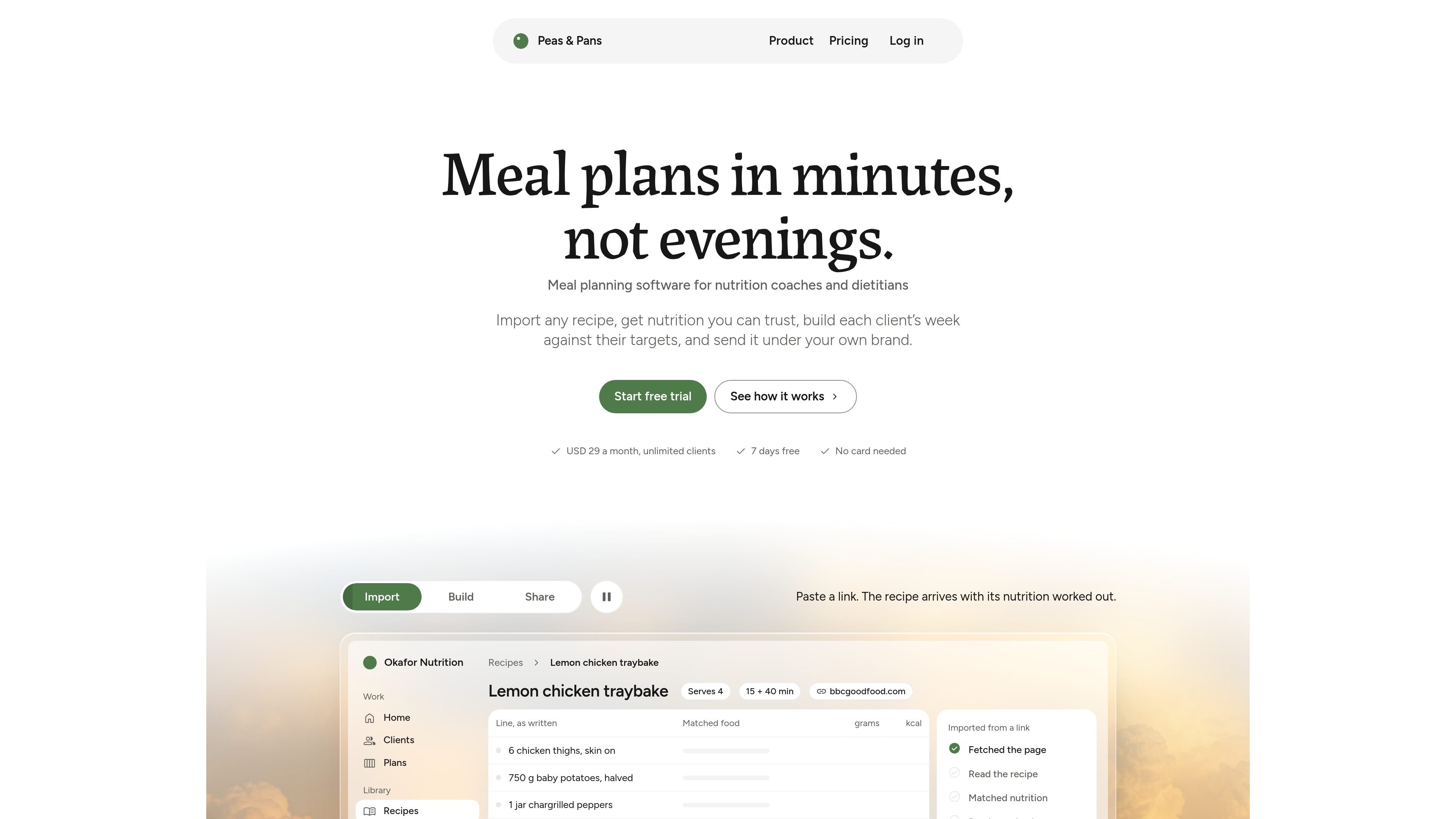
Bring in recipes from web links, photos, PDFs or pasted text. Ingredients are matched to USDA FoodData Central, with uncertain matches flagged for checking.

Peas & Pans is meal planning software for nutrition coaches, dietitians and personal trainers. It imports recipes, matches ingredients to USDA nutrition data, builds target-based weekly plans, and delivers them through branded client pages or PDFs.
Peas & Pans is meal planning software for nutrition coaches, dietitians and personal trainers. It combines recipe importing, USDA-based nutrition data and a weekly plan builder so practitioners can prepare client plans against calorie and macro targets.
A finished plan can be shared through a private branded web page or a print-ready PDF. Clients do not need an app or login, while practitioners can reuse recipes and plans, provide grocery lists, and export their client, recipe and plan data.
Bring in recipes from web links, photos, PDFs or pasted text. Ingredients are matched to USDA FoodData Central, with uncertain matches flagged for checking.
Use a library of 450 checked recipes or build your own collection. Recipes include serving information, nutrition, a method and a macro ring; the library can be browsed by meal, diet and exclusions.
Drag recipes into a client's week, fill empty slots in one action, and track calories, protein, carbohydrates and fat against the targets set for that client.
Replace a meal with one that matches its calories and protein, copy a day or plan, and create a grocery list grouped by aisle and usable on a client's phone.
Publish each plan as a private client page and a print-ready PDF with the coach's logo, name, colours and fonts. Six layouts are available, and Peas & Pans branding is not shown on client pages, PDFs or link previews.
Import recipes from a client's preferred sources, set calorie and macro targets, then assemble a week whose daily totals can be checked as meals are placed.
Use intake links to collect client information and receive suggested calorie and macro targets, then review and adjust those targets before creating the plan.
Save and reuse recipes, copy a day or hand a complete plan to another client, reducing repeated preparation for recurring programs.
Send a private link or branded PDF that includes recipes, daily targets and a shopping list, giving clients a plan they can view on a phone or print without installing an app.
Peas & Pans supports importing recipes from links, photos, PDFs and pasted text. Imported ingredients are matched to USDA FoodData Central, and uncertain matches are flagged for review. You can also use the starter library or add foods directly from the USDA database.
You set a client's targets, then drag recipes into meal slots or fill empty slots automatically. Daily calories and macros update as meals are added, and you can swap meals, copy a day, reuse a plan, and generate a grocery list.
Each client receives a private branded page and a print-ready PDF. Clients do not need an app, account, login or password to view the plan through its private link.
The free trial includes every feature for 7 days without a card. When the trial ends, the account becomes read-only until you subscribe, and the data is not deleted.
The service costs USD 29 per month with unlimited clients and no per-client fees. You can cancel at any time; after the paid period ends, the account becomes read-only and data remains available for export.

LeanUp is an AI calorie tracker and meal-planning app for logging meals, tracking macros, and getting personalized nutrition guidance. It supports barcode scanning, photo-based food recognition, manual search, and recipe reuse.

Malyatko is a baby tracker for logging feeding, sleep, growth, teething, and milestones in one app. It works on iPhone, Apple Watch, and widgets, with no sign-up, offline use, and family sharing through iCloud.

MIRA vision develops synthetic-data-driven AI for pathology image analysis in medical diagnostics. Its website positions the product for teams that need privacy-compliant training data, automatic annotations, and controlled data generation.

Teloframe is an AI-powered football coaching platform for building tactics, editing drills, planning sessions, and managing player development in one workspace. It includes a Free tier plus Pro and Club plans for coaches and analysts who need more collaboration and team features.

TrakMac is a voice-first macro tracking app for fitness-focused users on iOS. It estimates calories and macros from spoken meal descriptions, then helps users log food and stay aligned with their training goals.
MealTime es su compañero personal de recetas, diseñado primero para funcionar sin conexión, que le ayuda a guardar, organizar, planificar comidas y generar listas de compras inteligentes, todo mientras mantiene sus datos privados.