
Quiet home screen
A black, minimalist home screen lets you choose roughly eight apps, removes badges and widgets, and provides access to Zen Score with a swipe.

ZenMode OS is an open-source Android launcher for people who want a quieter home screen and more intentional phone use. It combines session prompts, screen-time scoring, distraction controls, search, and optional one-to-one accountability.
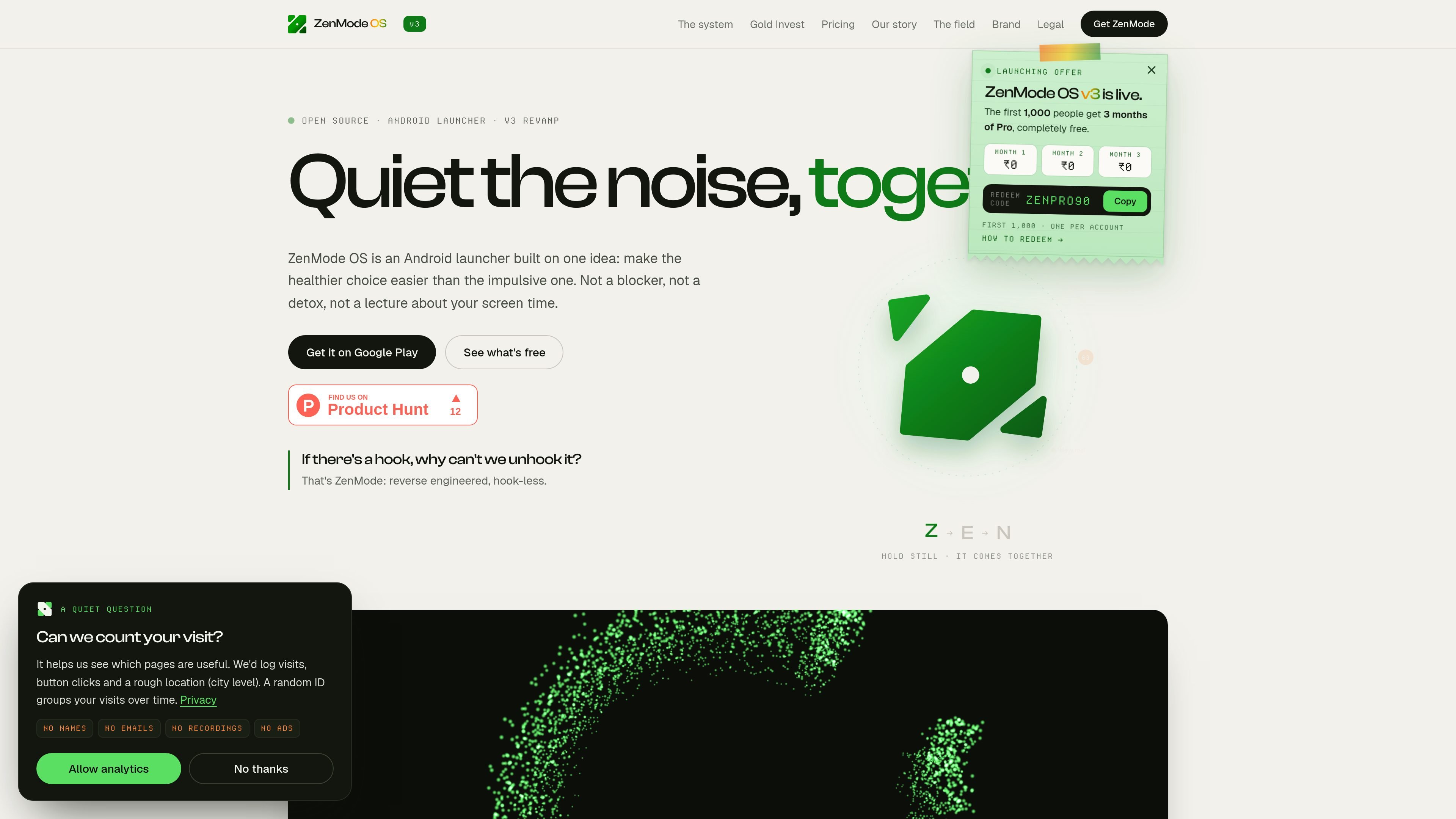
ZenMode OS is an open-source Android launcher designed to make intentional phone use easier without treating all screen time as a problem. It combines a deliberately quiet home screen with app and web search, declared sessions, personal screen-time promises, and feedback on how calmly and intentionally the phone was used.
The launcher is positioned as an alternative to conventional blockers and digital-detox tools: it does not present itself as a hard cap on minutes or a warning system. Instead, it adds a small pause before use, measures progress through Zen Score and a daily report, and optionally provides one-to-one accountability through Random Connect. The free plan includes the launcher, daily score, centralized search, Zen Circle beta, and seven days of history; a paid Pro plan adds longer history and additional controls.
A black, minimalist home screen lets you choose roughly eight apps, removes badges and widgets, and provides access to Zen Score with a swipe.
Search apps, files, settings, and the web from one bar instead of browsing an app grid. The obvious app is ranked first, and search is included on the Free plan.
Before an app opens, declare what you intend to do and how long you expect the session to last. The site describes this interaction as taking about two seconds.
Zen Score rates the day out of 10 using screen time against a personal daily promise and the quality of sessions. The launcher also provides a daily Zen Report with itemized gains and deductions and minutes attached.
Quiet selected Instagram Reels and YouTube Shorts content while leaving the surrounding apps available, including messages and search. Pro includes a 30-minute pause for the distraction blocker.
Random Connect pairs a user with one other ZenMode user for accountability. The partner sees the score and its direction, not detailed logs, messages, or a feed; the free plan allows up to five connections per week and Pro allows up to 50 with first priority.
Use the quiet home screen and declared session prompts when you want a brief pause before opening a distracting app, while keeping essential phone functions available.
Set a daily screen-time promise and review the Zen Report to identify when an app pulled your attention and whether the session stayed intentional.
Pair with one other ZenMode user through Random Connect when an external check-in would help. The partner receives the score and its direction rather than a detailed activity history.
Use centralized search to open an app, file, setting, or web result directly when a sparse home screen makes grid-based browsing inconvenient.
Use the Free plan to try the launcher and review a short history window; move to Pro when all-time history, downloadable data, or the blocker pause is relevant to your workflow.
ZenMode OS is an open-source Android launcher. It replaces a conventional app grid with a quieter home screen and includes search, session intent prompts, Zen Score, reports, and optional accountability features.
You declare a session and its intended length before opening an app. ZenMode uses this interaction as a brief moment of friction, while the launcher can also quiet selected Instagram Reels and YouTube Shorts content without removing the underlying apps.
Zen Score is rated out of 10. It combines screen time against the daily promise you set with session quality; the site states that screen-time performance contributes three quarters of the score and session quality contributes one quarter. A score of 7 or more is treated as a mindful day.
The free plan includes seven days of history. Pro adds all-time history, downloadable data, more Random Connect availability, a 30-minute distraction-blocker pause, and access to the Telegram community. Pro features switch off if payment stops, while the launcher and Free-plan features continue working.
ZenMode OS is Android-only. The product site states that scores, sessions, and screen time are calculated on the phone; account features such as pairing use the product's servers, and the app sends basic usage analytics. Consult the product's privacy policy for the detailed data handling terms.

Goldfish is an AI memory app for macOS that helps you reply, write, summarize, and continue using the context already on your Mac. It stores memory locally and writes in your tone.

ArtDeck is a visual reference board app for iPhone, iPad, and Mac that lets artists collect mixed reference material on one canvas and study it with ToolBox lenses. It works offline, supports optional iCloud sync, and is sold as a one-time purchase with no account required.

Biji es una plataforma versátil diseñada para mejorar la productividad a través de herramientas y características innovadoras.

Malyatko is a baby tracker for logging feeding, sleep, growth, teething, and milestones in one app. It works on iPhone, Apple Watch, and widgets, with no sign-up, offline use, and family sharing through iCloud.

Redline is a budgeting tool for Claude Code that paces sessions to stay within time, token, cost, or plan-percentage limits. It uses Claude Code’s native hooks and statusline to help sessions finish with a usable result instead of stopping abruptly.

Claude Overlay is a Windows desktop overlay for Claude Code that reads your screen so you can ask questions, inspect content, and request edits without leaving the current app. It runs on your existing Claude subscription through the Claude CLI, so no separate API key is required.