Rune icon

Rune

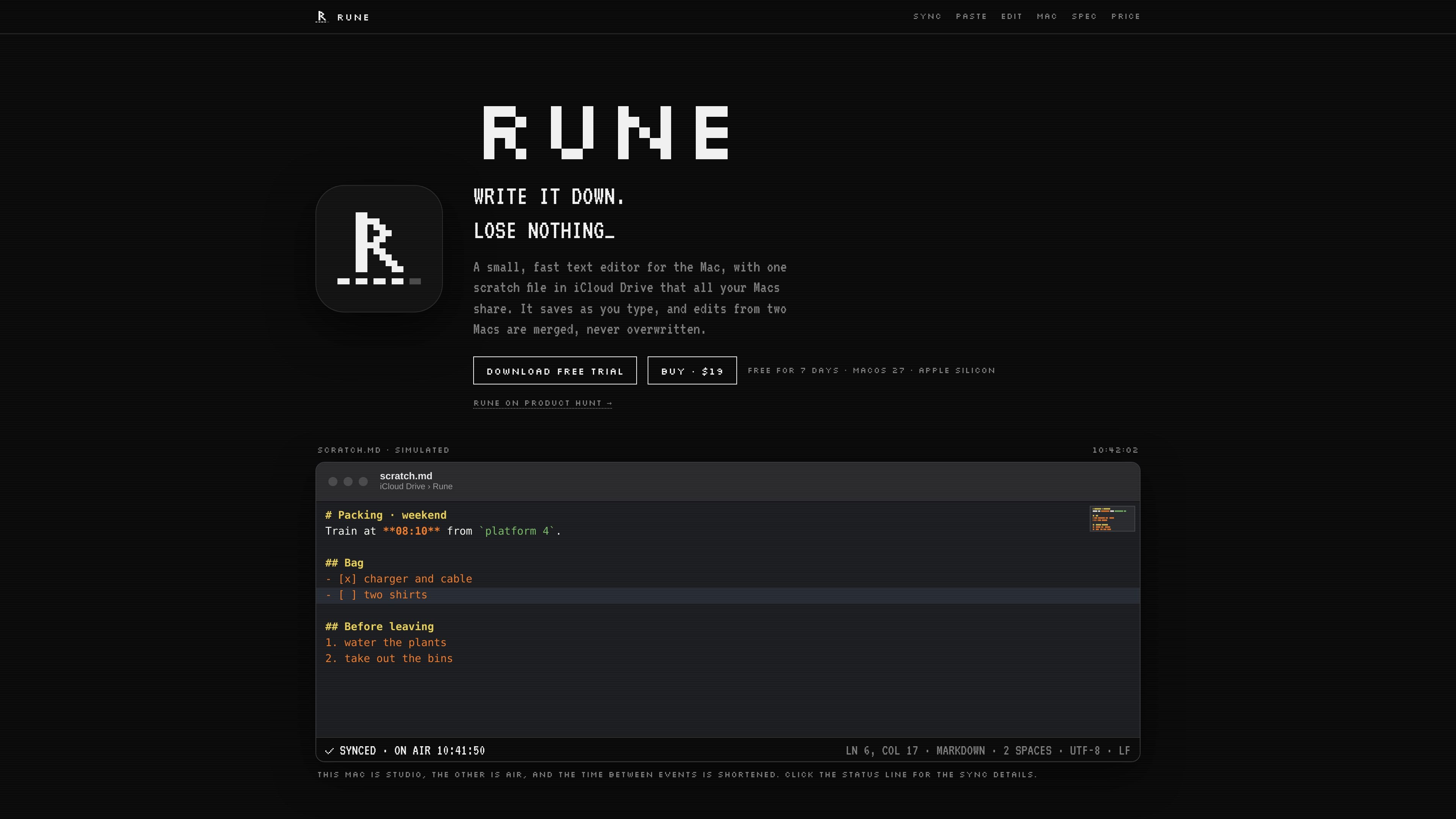
Rune is a native Mac text editor centered on a shared iCloud Drive scratch file, with automatic saving and merge-based synchronization across a user's Macs. It also provides plain-text cleanup, focused code and text editing, local version history, and terminal integration.

Rune

Overview

Rune is a small native text editor for Apple silicon Macs running macOS 27. Its central workflow is a single scratch file stored in iCloud Drive and shared across the user's Macs, alongside ordinary text-file editing.

The app saves as you type, maintains a recovery journal and 30 days of local versions, and merges changes from two Macs instead of silently overwriting one version. It is designed for quick notes, plain-text cleanup, and focused file edits rather than a full project workspace with a build system or debugger.

Features

Continuous saving and history

Every keystroke is written to disk within 300 milliseconds in a recovery journal, so a crash or force quit loses at most the last 300 milliseconds. Rune also keeps 30 days of local versions accessible through File › Revert To.

Merge-based sync

Rune uploads each version and fails rather than replacing a newer remote version. Non-overlapping edits are merged by line and word; overlapping changes remain visible as conflicts that can be resolved in the merge view or with keyboard commands.

Plain-text cleanup

Paste inserts unstyled text, while Paste Clean removes invisible characters, unusual spaces, and trailing whitespace. Clean Clipboard can rewrite clipboard contents from any app, and selected text or clipboard content can be appended to scratch.md through Services or Shortcuts.

Focused editing tools

The editor supports syntax highlighting for 33 languages, regular-expression find and replace, multiple carets, a minimap, Markdown heading navigation, and Sublime Text-compatible keys. It can import Sublime Text color schemes and fonts.

Mac-native workflow

Show Scratch opens the scratch window from any app, tabs reopen after quitting, and a menu-bar panel provides access to recent files and cleanup commands. A command-line tool can open files, jump to a line, append to the scratch file, or act as an EDITOR.

File fidelity and status reporting

Rune preserves file encoding, line endings, permissions, and extended attributes. It is not sandboxed, allowing it to open files directly, and reports save, upload, sync, and error states in its status line.

Use cases

  • Cross-Mac scratch notes

    Keep a single scratch.md file available on each Mac for temporary notes, checklists, copied text, and other material that needs to follow you between machines.

  • Clipboard cleanup and capture

    Paste content from formatted sources as clean plain text, remove invisible characters and unwanted whitespace, or append selected text to the scratch file without leaving the current app.

  • Focused file edits

    Open a text or code file for a quick correction without managing a project workspace. Syntax highlighting, regex search, multiple carets, and Sublime Text-style commands support short editing sessions.

  • Terminal and developer workflows

    Use Rune as the editor for Git commit messages or open files from a terminal, including at a specified line. The command-line examples also support appending piped output to scratch.md.

  • Recovering and reconciling edits

    Continue working after switching between Macs when both changed the same document. Rune merges non-overlapping changes and keeps overlapping alternatives visible for deliberate resolution.

Pros and Cons

Pros

  • Saves edits to disk within 300 ms and keeps a recovery journal.
  • Merges edits from multiple Macs and exposes conflicts instead of silently overwriting text.
  • Provides 30 days of local version history.
  • Includes plain-text cleanup tools, Services and Shortcuts support, and a command-line interface.
  • Preserves file metadata such as encoding, line endings, permissions, and extended attributes.

Cons

  • Support is limited to Apple silicon Macs running macOS 27 according to the published specification.
  • Sync is tied to iCloud Drive; the site does not document support for other storage services or team collaboration.
  • After the 7-day trial, Rune becomes read-only until purchased, although previously written content continues syncing.

FAQ

What platform does Rune support?

Rune is a native text editor for Apple silicon Macs running macOS 27. It uses iCloud Drive to share one scratch file across Macs, with no Rune account or Rune-operated server required.

How does the basic Rune workflow work?

Create or open a text file in Rune. The app saves as you type, keeps tabs open after quitting, and can reopen files as native Mac tabs. Its Show Scratch shortcut brings the scratch window forward from another app.

Does Rune support team collaboration or other cloud services?

Rune uses iCloud Drive and does not list other storage or sync services. The source describes one shared scratch file and synchronization across a user's Macs, rather than team or multi-user collaboration.

What are Rune's trial and purchase terms?

Rune offers a 7-day free trial on each Mac with all features included. After the trial, the app becomes read-only until purchased, while continuing to sync what was written. The listed license is a one-time $19 purchase for 3 Macs, with 30-day refunds and 1.x updates included.

Quick Facts

Category
Text editor
Platform
macOS 27 on Apple silicon
Sync
iCloud Drive
Storage model
One shared scratch file plus local files
License
One-time $19 license for 3 Macs
Trial
7 days per Mac, all features included

Alternatives à Rune

Flunkey icon

Flunkey

Flunkey is a voice-first productivity layer for Windows that converts speech into text, AI-assisted outputs, and remembered context. It is built for users who want to capture ideas and actions without leaving the app they are working in.

Contextberg icon

Contextberg

Contextbergは、画面・入力・ブラウザ・AIエージェントの利用履歴をローカルで記録し、MCP経由でClaude CodeやCursorなどに作業コンテキストを渡すデスクトップアプリです。中断した作業の再開、過去ログの検索、日次レビューに利用できます。

Yattayo icon

Yattayo

Yattayo: Slider To-Do Board is a productivity app that turns tasks into a physical-style slider board with sticky notes, widgets, reminders, and iCloud sync. It helps people who want a more tactile way to manage to-dos and, in Premium, recurring habits.

recall icon

recall

recall is an AI flashcard app that turns reading and notes into study cards through Claude, ChatGPT, or another MCP client. It uses one-time lifetime access pricing and spaced repetition review.

at8pm icon

at8pm

at8pm is an iPhone journaling app that locks each day’s entry after a chosen time so it can’t be edited later. It supports text, voice, photos, locations, and quick video notes, with private iCloud syncing and optional Face ID lock.

Notewarp icon

Notewarp

Notewarp is an AI note-taking tool that turns voice notes, uploads, or pasted text into cleaner notes, transcripts, summaries, and action items. It helps people capture rough ideas quickly and then edit, export, or share the result.

Rune - AI Tool, Features, Use Cases & Alternatives | UStack