
Fast input workflow
Upload, drop, or paste a screenshot or video to start a mockup without moving through a multi-step setup flow.

Mokkit is a web tool for turning screenshots and videos into transparent device mockups. It supports quick browser-based editing with visible styling controls and PNG export, but the provided source does not show pricing details.
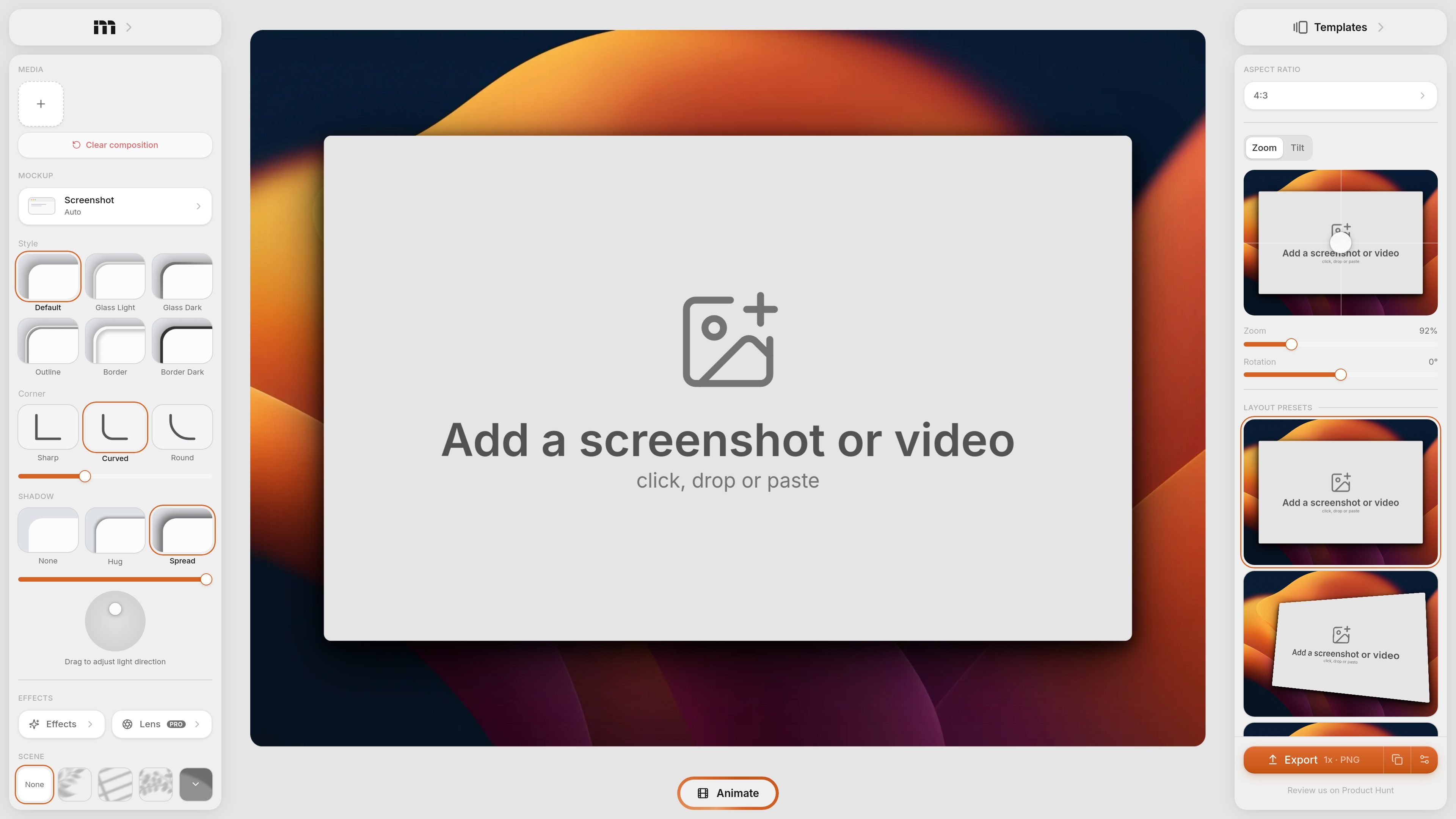
Mokkit is a web-based tool for turning screenshots and videos into transparent device mockups and other presentation visuals. The product page positions it as a way to create animated visuals that convert, with an interface focused on fast input and visual adjustment rather than manual design work.
The home page shows a browser-based editor where users can add a screenshot or video by clicking, dropping, or pasting, then refine the result with controls for styles, backgrounds, effects, layout presets, aspect ratio, zoom, tilt, and rotation. The visible export control shows PNG output, and the pricing page provided does not contain usable pricing information.
Upload, drop, or paste a screenshot or video to start a mockup without moving through a multi-step setup flow.
Choose between transparent and solid backgrounds, including gradient backgrounds, to fit the output into different product or marketing layouts.
Adjust device styling with options such as glass light, glass dark, outline, border, border dark, and corner shape variations.
Fine-tune composition with controls for light direction, shadow handling, zoom, tilt, and rotation.
Use layout presets and aspect ratio controls to shape the final visual for different placements.
Export a PNG file at 1x according to the page controls shown on the home page.
Turn a product screenshot into a cleaner device-style presentation for a landing page, app store asset, or social post.
Add visual polish to a screen recording by placing it in a mockup frame and adjusting the composition for presentation use.
Prepare mockups quickly when you do not want to open a separate design tool and need a browser-based workflow instead.
Experiment with background, shadow, and layout settings to match a screenshot to different channel formats or page sections.
Mokkit creates transparent device-style visuals from screenshots or videos. The rendered page shows inputs such as click, drop, or paste, but it does not describe a longer setup process.
The home page shows export as PNG at 1x, but it does not list additional export formats or higher-resolution options.
The interface shows template and layout controls such as aspect ratio, zoom, tilt, rotation, and layout presets, but the available templates are not documented in detail on the provided pages.
The source mentions both screenshots and videos as inputs, and the page also references animated visuals, but it does not provide a full workflow description for team collaboration or shared editing.
The pricing page provided appears to be a placeholder that says the page does not exist, so the available plans, trial status, and pricing structure are not shown in the source.

Video Effects SDK adds real-time webcam effects such as background blur, background replacement or removal, denoising, framing, beautification, and color grading. It is built for teams shipping live video experiences on web, desktop, and mobile platforms.

PixelDrive is a bulk image generation API for creating many on-brand images from one template through a browser editor, REST API, CSV batch, or MCP. It suits teams that need repeatable image output with cacheable renders and usage-based pricing.

DeepMotion is a web-based AI motion capture and 3D animation platform with Animate 3D for video-to-animation and SayMotion for text-to-animation. It helps creators and teams generate motion in a browser and export results in common production formats.

Zella is a screen recorder and on-device AI video editor for Mac and iPhone. It helps creators record screens or cameras, automatically clean up footage, add captions, reframe clips, and export videos without uploading the core project to the cloud.

ngram is an AI video generator and editor for teams and individual creators. It turns prompts, uploaded files, or screen recordings into editable videos for demos, training, onboarding, sales enablement, explainers, and launches.

Napkin AI trasforma il testo in elementi visivi modificabili per presentazioni, documenti e contenuti condivisibili. Generazione da testo, collaborazione ed export in PPT, PNG, SVG o PDF.