
Connected sessions across devices
Praex provides a browser chat, terminal CLI, desktop app, and Android app in closed testing. Its site describes continuing a task across screens with the same agent, session, and memory.

Praex is an AI copartner for browser chat, terminal-based coding work, and desktop use. It helps individuals ask questions, work with code repositories, and continue agent sessions across supported devices.
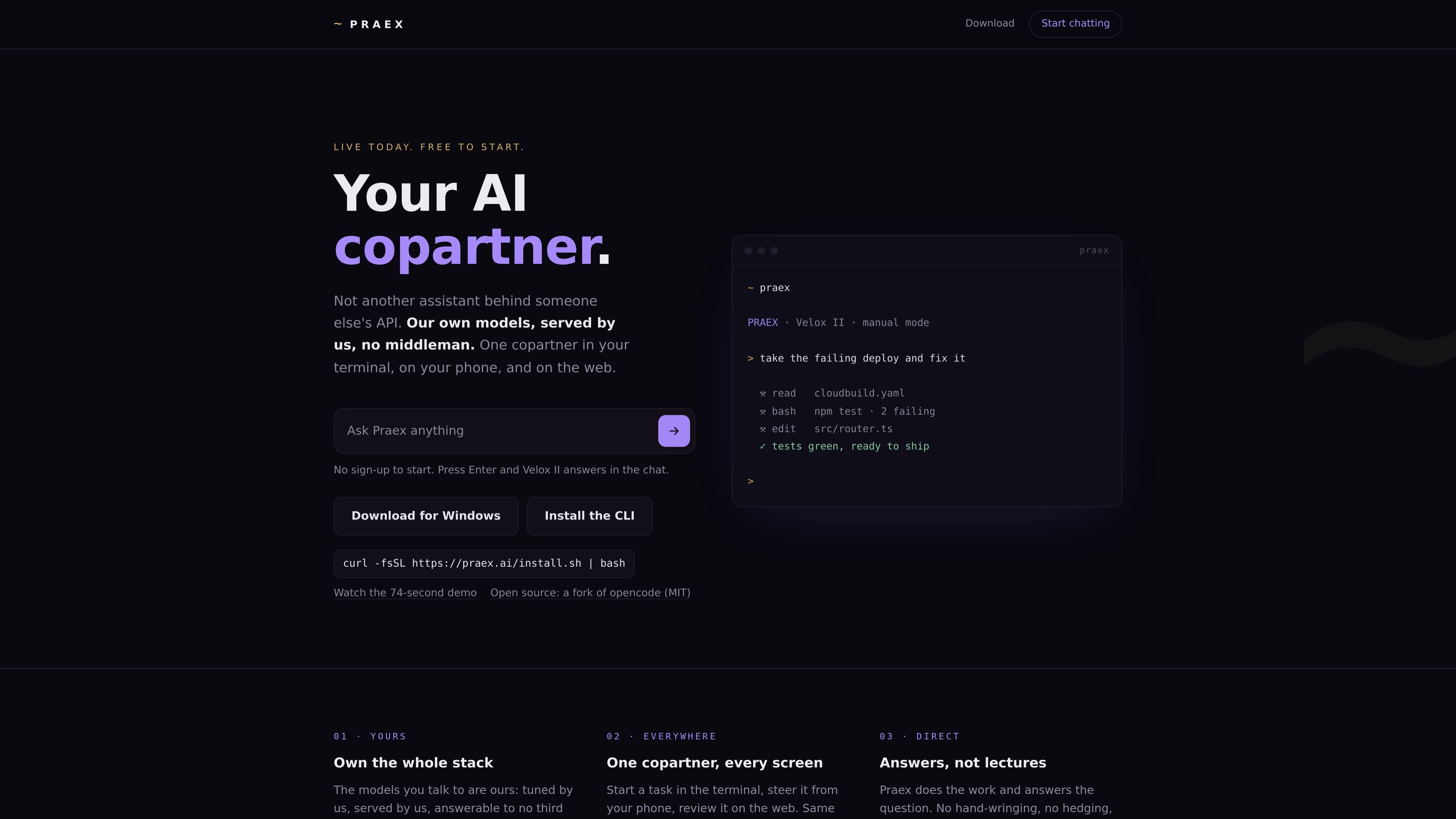
Praex is an AI copartner for chat and software work, available in a web browser and terminal, with desktop apps for macOS, Windows, and Linux. It runs hosted Praex models while also allowing users to connect supported external providers, local models, or OpenAI-compatible servers.
For development tasks, the Praex CLI can read repositories, edit files, run commands with permission, and search the live web. Sessions can be continued from the terminal in the web interface and, where available, on mobile devices.
Praex provides a browser chat, terminal CLI, desktop app, and Android app in closed testing. Its site describes continuing a task across screens with the same agent, session, and memory.
The CLI can inspect a repository, edit files, and run commands with user permission. Manual mode is the default, keeping the user involved in code-changing work.
Praex can search the live web when a question requires current information; web search is also presented as a configurable preference in chat.
Praex hosts and serves its own Velox II and Faber II models. It also supports external providers, local Ollama, and OpenAI-compatible endpoints for users who prefer their own models.
The desktop app provides projects, sessions, and a review of every change. The web interface can also surface terminal sessions through Remote Control.
Use the CLI to investigate a failing deployment or test run: it can inspect project files, run commands, make edits with permission, and leave changes available for review.
Start work in a terminal project, then use the web interface to view and continue the session through Remote Control when you are away from that machine.
Use browser chat for tasks such as drafting a message, explaining code, or thinking through a decision. Velox II is available to start without sign-up.
Connect an existing provider key, a local Ollama model, or an OpenAI-compatible server when a workflow requires a particular model or locally hosted endpoint.
No. The web chat lets visitors start with Velox II without signing up; the site says Velox II is free every day in chat and the terminal.
The CLI is available for Linux and macOS. A desktop app is offered for macOS, Windows, and Linux; Windows CLI use is described as running under WSL. An Android app is in closed Google Play testing, while there is no iPhone app yet.
The CLI can read repositories, edit files, and run commands after asking for permission. Manual mode is the default, so users can review and steer work.
Yes. Praex lists OpenAI, Anthropic, Google Gemini, Groq, DeepSeek, Mistral, OpenRouter, xAI, Ollama, and OpenAI-compatible custom endpoints. The web chat says a user-provided key stays in the browser and is sent only to the chosen provider.

ByteAsk is a terminal-first AI coding agent for C and C++ that edits repositories and verifies changes with the real compiler, debugger, sanitizers, and tests before showing a diff. It offers a free tier plus paid plans, with editor connectors and zero-retention handling described in the source.

GitBot is a local browser-based workspace for creating reusable coding bots powered by Claude Code, Codex, or OpenCode. It helps developers run those agents across repository folders with persistent threads and configurable permissions.

Grok 4.7 is an xAI model for software development and knowledge work, including extended coding tasks and professional analysis. It is available through Grok Build, Cursor, the Grok API, and other developer platforms, with token pricing starting at $2 per million input tokens and $6 per million output tokens.

Ghost è un assistente AI da terminale per chattare, generare codice ed eseguire task da riga di comando. Include modelli gratuiti, supporta Linux, macOS e Windows, ed è open source.

Vi3ecode is a maintained development environment for working with AI coding agents. It keeps project context, terminal, Git, memory, flows, review, and communication connected around the agent you already use.

Lucid Train is a local-first AI coding harness that turns repository code into architecture diagrams and uses those diagrams as specifications for coding agents. It is available as a desktop app and a lightweight Rust CLI, and it can run with local models or your own API keys.