

10000hours
10000hours is an AI productivity app for deep work and time management, with ambient workspace, AI time tracking, distraction blocking, and Pomodoro.
What is 10000hours?
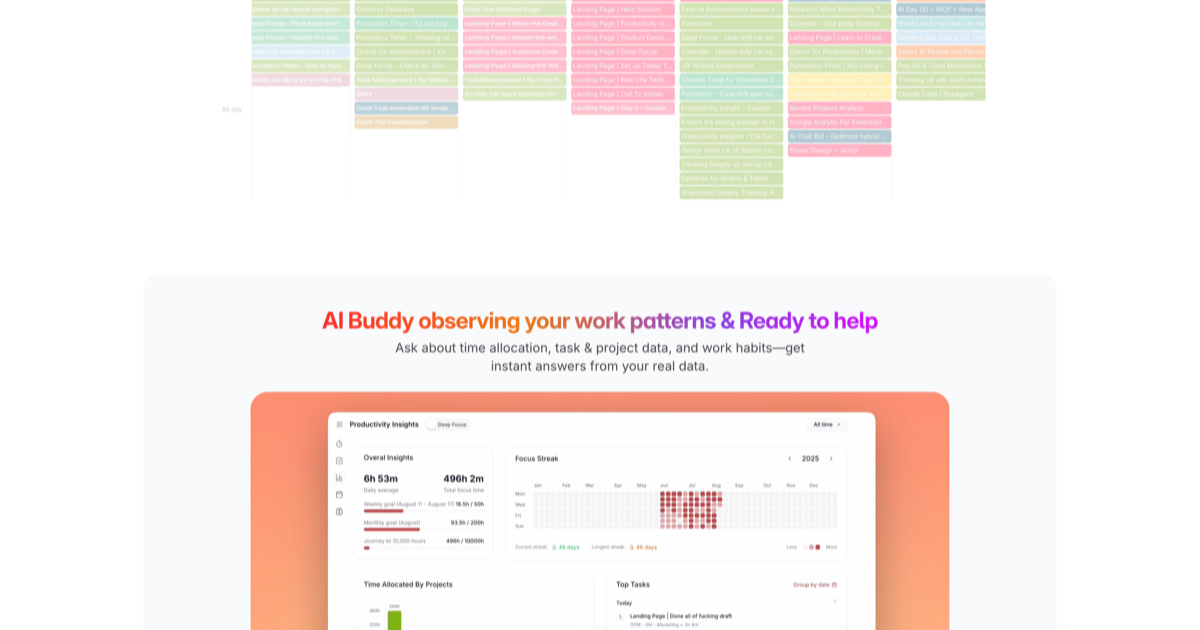
10000hours is an AI productivity app designed to help people stay focused for longer and complete meaningful work. It combines an ambient digital workspace with AI-assisted time tracking, distraction blocking, and Pomodoro sessions, along with focus insights reported down to the minute.
The core purpose is time management for deep work. Users can structure work into focus intervals, reduce interruptions during those intervals, and then review detailed focus analytics to understand how their work sessions unfold—so they can plan and execute focus time more effectively.
Key Features
- Ambient digital workspace: A dedicated, low-distraction environment intended for sustained deep work.
- AI time tracking: AI tracks time so users can understand where their working time goes.
- Distraction blocking: Helps prevent interruptions during focus sessions.
- Pomodoro sessions: Timer-based work cycles that structure effort into repeatable focus intervals.
- Focus insights down to the minute: Provides detailed analytics, enabling minute-level visibility into focus patterns.
How to Use 10000hours
- Start a session: Open 10000hours and begin a work session using the app’s timer options, including shorter intervals and Pomodoro-style sessions.
- Enable distraction blocking: Start your focus block with distraction blocking enabled so common interruptions are reduced during the session.
- Stay in the interval: Work through the scheduled timed interval(s) without switching contexts.
- Review focus analytics: After the session, look at the minute-level focus insights to understand how your focus and time behaved during the interval.
Because the app is designed around structured focus intervals, the workflow centers on starting timed sessions, maintaining a distraction-minimized work period, and then using the reported analytics to improve how future sessions are planned.
Use Cases
- Deep work for knowledge tasks: A writer or analyst can use Pomodoro-style sessions and distraction blocking to stay on task while drafting, researching, or working through complex material.
- Improving personal time management: A student or professional can review minute-level focus insights to spot when attention drops and adjust how they time future sessions.
- Project work planning: For multi-stage projects, users can break work into structured focus intervals and use AI time tracking to evaluate consistency across sessions.
- Short-session productivity: When tasks are smaller (such as outlining, editing, or handling a batch of messages), users can choose shorter timer options to stay focused without a long commitment.
- Managing interruptions during work: If notifications or external distractions interfere with concentration, distraction blocking can be used during focus periods to reduce context switching.
FAQ
What does 10000hours focus on?
10000hours focuses on deep work time management. It combines a distraction-minimizing workspace with AI time tracking, Pomodoro sessions, distraction blocking, and minute-level focus insights.
Does 10000hours include different timer lengths?
Yes. The timer options include multiple durations (for example, 1–5 minutes and longer options such as 10, 15, 20, 25, 30, 40, 45, 50, 60, 75, and 90 minutes) and also supports Pomodoro.
What does “focus insights down to the minute” mean?
The app provides focus analytics with minute-level granularity. This is intended to help users review patterns from their work sessions so they can better understand how focus unfolded over time.
Is distraction blocking used during sessions?
Yes. Distraction blocking is described as part of the app’s capabilities to support distraction-free focus during focus sessions.
Are there guides or methods available in addition to the timer and tracking?
The site content indicates that resources such as a Pomodoro guide and other time management methods/tips/techniques are available and can be used alongside the app’s timers and focus tracking.
Alternatives
- Pomodoro-based focus timer apps: Apps that structure work into timed focus cycles (Pomodoro or custom intervals. For example, alternatives that emphasize timers and session tracking).
- General time tracking tools: Traditional time trackers that help users understand how time is spent, without necessarily providing minute-level focus analytics tied to deep work intervals.
- Distraction-focused work/website blockers: Tools aimed at reducing interruptions (e.g., blocking notifications or distracting sites/apps) to support uninterrupted focus.
- Deep work task planners or work management apps: Platforms that organize tasks into sessions or schedules for focus, often combined with productivity techniques, but may not include AI time tracking or minute-level focus insights.
Alternatives

ClawTick
ClawTick is a CLI-first AI agent automation platform for scheduling webhook tasks on cron with monitoring, alerts, retries, and execution logs.

Planndu: Daily Task Planner
Planndu is an intuitive productivity application designed to help users organize tasks, manage projects, build routines, and enhance focus using tools like AI generation and a built-in Pomodoro timer.

PromptScout
PromptScout tracks how your brand is mentioned, which competitors are recommended, and what sources are cited in AI answers—plus website audits.

Biji
Biji is a versatile platform designed to enhance productivity through innovative tools and features.

LIAM
LIAM is an AI copilot that drafts email replies, organizes your inbox with auto-labels and prioritization, and schedules meetings from your calendar.

Sleek Analytics
Lightweight, privacy-friendly analytics with real-time visitor tracking—see where visitors come from, what they view, and how long they stay.