
Automatic meeting capture
Shadow captures call context without joining as a bot, auto-starts and ends with your call, transcribes the conversation, and detects meeting screens to save screenshots.

Shadow is an AI interface for Mac that captures meetings and screen context, then runs editable Skills to create notes, replies, transcripts, and more.
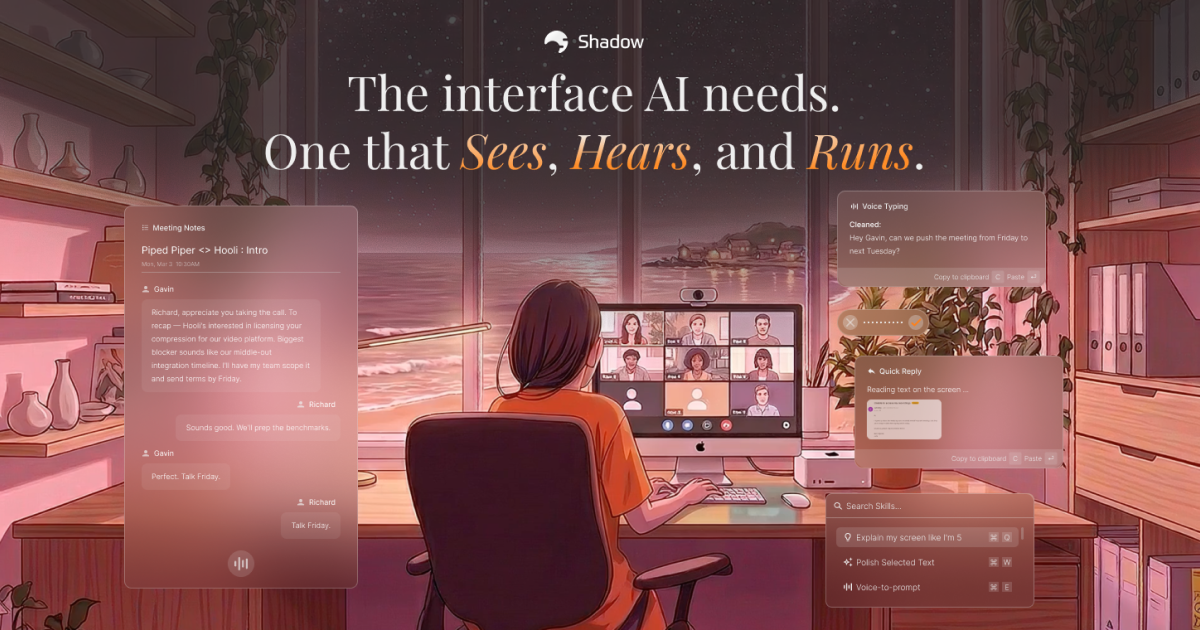
Shadow is an AI interface for Mac that captures what you see, hear, and say, then turns that context into structured output. It is positioned around two workflows: meeting capture and on-screen actions. In meetings, it can record audio, transcribe conversation, detect screens, and run a Skill at the end of the call. Outside meetings, it can capture the active window and use spoken or selected context to generate text, notes, email drafts, code, or other prompt-based outputs.
The product is built to operate without bots or interruptions. Its pricing page shows a Free plan with transcription, audio recording, and smart screenshots, plus a Plus plan that adds unlimited AI features. Shadow also emphasizes local-first handling for transcription and data stored on the user’s Mac by default, with Skills using LLM APIs only when triggered.
Shadow captures call context without joining as a bot, auto-starts and ends with your call, transcribes the conversation, and detects meeting screens to save screenshots.
Shadow labels speakers in real time so transcripts are easier to review and use for summaries, follow-ups, or notes.
Users can define Skills as editable prompts for outputs such as meeting notes, BANT breakdowns, action items, follow-up emails, customer feedback summaries, or custom text.
Shadow can send transcripts and Skill results to tools like Zapier, n8n, and Make, or save them as clean Markdown files.
From any screen, a shortcut can capture what is on the display, what you say, and selected text, then run a Skill and paste the result into the active app or show it in place.
Voice input and quick access let users dictate instructions, open Shadow globally, search Skills, or run a favorite Skill with a shortcut.
Let Shadow capture your call automatically, then run a meeting Skill to produce notes, action items, a BANT breakdown, or a follow-up email when the call ends.
Use a keyboard shortcut during or after listening to a discussion so Shadow can transcribe your spoken draft into cleaner text, with fillers removed and punctuation added.
Capture what is on your screen, combine it with what you say, and ask Shadow to turn that context into an email, notes, or code snippet without switching tools.
Run a favorite Skill from anywhere on Mac when you need a quick response, then paste the result into the focused field or review it in place.
Send transcripts or Skill outputs into external automation tools or Markdown files when you want Shadow’s results to feed a broader workflow.
Shadow is an AI interface that captures what you see, hear, and say, then runs custom Skills on that context. It can produce meeting notes, voice-typed text, replies, and code-related output.
A Skill is a prompt you can edit or write from scratch. Shadow can run Meeting Skills during or after calls, and Action Skills from anywhere on your Mac when you use a keyboard shortcut.
Meeting Skills are tied to meetings and run on captured call context. Action Skills run from any screen and use what Shadow sees on your display plus what you say into the mic.
Shadow offers a free plan and a Plus plan at $8 per month. The pricing page says Free includes transcription, audio recording, and smart screenshots, while Plus adds unlimited AI features.
The source explicitly mentions Mac support and says Windows and other devices are on a waitlist. The FAQ also references platform support, but no other operating systems are confirmed in the provided text.

Flunkey is a voice-first productivity layer for Windows that turns speech into text, AI outputs, and remembered context without leaving your app.

Tactiq is an AI note taker for Google Meet, Zoom, and Microsoft Teams that transcribes meetings live into summaries, action items, and follow-up outputs.

Yattayo: Slider To-Do Board turns tasks into a tactile slider board with sticky notes, widgets, reminders, iCloud sync, and Premium recurring habits.

Goldfish is an AI memory app for macOS that helps you reply, write, summarize, and continue with context already on your Mac. It stores memory locally and writes in your tone.

MeetStream is a meeting bot API for Zoom, Google Meet, Microsoft Teams, and Webex. Record, stream, and analyze meetings with usage-based pricing and $5 free credit.

ArtDeck is a visual reference board app for iPhone, iPad, and Mac. Collect mixed references on one canvas and study them with ToolBox lenses. Offline, optional iCloud sync, one-time purchase.