
Large skill directory
Browse a large catalog of AI agent skills, with the home page showing more than 270,000 available skills across multiple tools and workflows.

agentskill.sh is an AI agent skills directory and marketplace for Claude Code, Cursor, Copilot, Codex, Windsurf, Zed, and more. Browse role-based skills, install via CLI, and review skill metadata first.
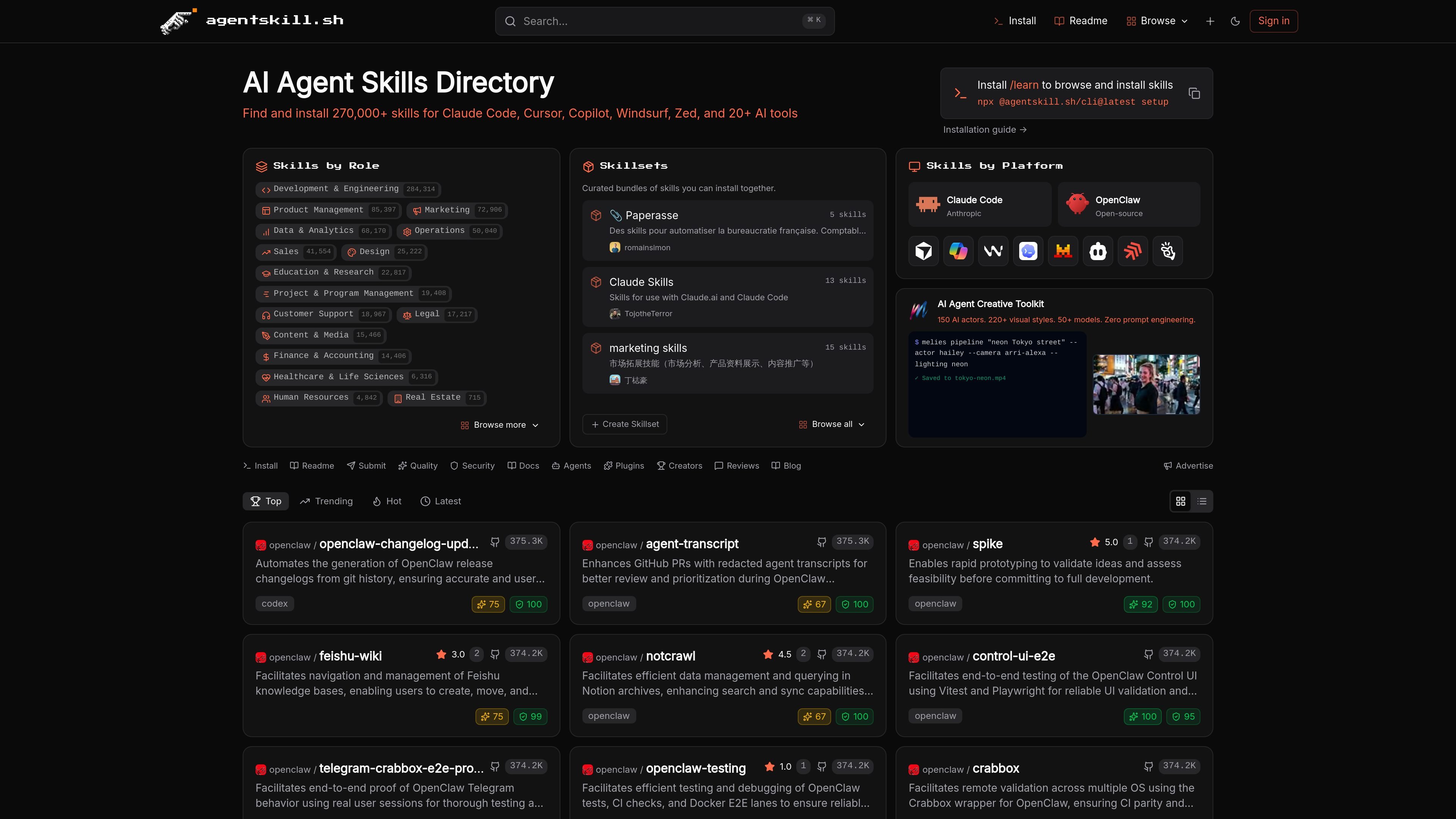
agentskill.sh is an AI agent skills directory and marketplace for finding and installing skills for tools such as Claude Code, Cursor, Copilot, Codex, Windsurf, Zed, and others. The site positions itself as a place to browse skills, install them with a command-line flow, and explore curated skillsets by role or platform.
The catalog is organized around practical workflows rather than generic templates. Visitors can browse skills by role areas like development and engineering, product management, marketing, customer support, design, finance, and education, then open individual skill pages for installation instructions and metadata such as quality scores and security audits when available.
The site also exposes platform-specific install destinations for supported tools, including Claude Code, Cursor, Windsurf, Copilot, and Codex. Skill pages show the skill name, slug, file count or install path details when present, and a direct install prompt for AI agents.
Browse a large catalog of AI agent skills, with the home page showing more than 270,000 available skills across multiple tools and workflows.
Find skills organized by role such as development and engineering, product management, marketing, data and analytics, customer support, and more.
Explore curated bundles of skills that can be installed together, including skillsets like paperasse, Claude Skills, and marketing skills.
Use platform-specific install paths for Claude Code, Cursor, Windsurf, Copilot, and Codex so skills can be written to the correct directory.
Install skills through a command-line workflow, including the `/learn` flow and the `npx @agentskill.sh/cli@latest setup` command shown on the site.
Browse individual skills with metadata such as category, update date, GitHub stars, quality score, and security audit status where available.
A developer can search for an agent skill that fits a specific coding task, then install it into the directory for their chosen platform such as Claude Code, Cursor, or Codex.
A product manager can browse the product-management category to find skills related to PRDs, roadmaps, prioritization, and experimentation.
A support team can look through the customer support category for skills tied to ticket triage, technical support, FAQ generation, sentiment analysis, and escalation.
A team lead can use skillsets to install a curated bundle of related skills together instead of selecting each one individually.
An AI agent user can review skill metadata such as quality score and security audit status before deciding whether to install a listing.
It is a directory and marketplace for AI agent skills, with install instructions for tools like Claude Code, Cursor, Copilot, Codex, Windsurf, and Zed. Users can browse skills, skillsets, and platform-specific installs, including the /learn command shown on the site.
The site shows AI agent skills organized by role, skillsets, and platform. Examples include development and engineering, product management, marketing, customer support, design, and finance.
The site shows a one-command install flow using `npx @agentskill.sh/cli@latest setup` and also references `/learn` as the browse-and-install command for skills.
The site lists Claude Code, Cursor, Copilot, Codex, Windsurf, Zed, and 20+ other tools as supported platforms.
The pricing page in the collected evidence returned a 404 page not found, so no pricing details could be verified from the provided sources.

CreateOS Sandbox is an isolated compute environment for running code and agent workloads in Firecracker micro-VMs with private networking and SDK, CLI, or MCP control.

AakarDev AI helps teams manage AI provider access, project setup, logs, and analytics in one dashboard. BYOK support included.

Trigger.dev chat agent is a durable AI chat backend for stateful conversations that survive refreshes, crashes, and long-running turns with AI SDK useChat.

ByteAsk is a terminal-first AI coding agent for C and C++ that edits repos and verifies changes with compilers, debuggers, sanitizers, and tests.

Lasso is an ecommerce product data platform for enriching catalog records, processing supplier files, generating product content, and tracking competitors. It includes a web app, REST API, SDK, and MCP server.

Codex Plugins bundle reusable skills, app integrations, and MCP servers into workflows you can install in the Codex app or use from Codex CLI.