

Air
JetBrains Air is the agentic development environment where Codex, Claude Agent, Gemini CLI, and Junie run independent task loops concurrently.
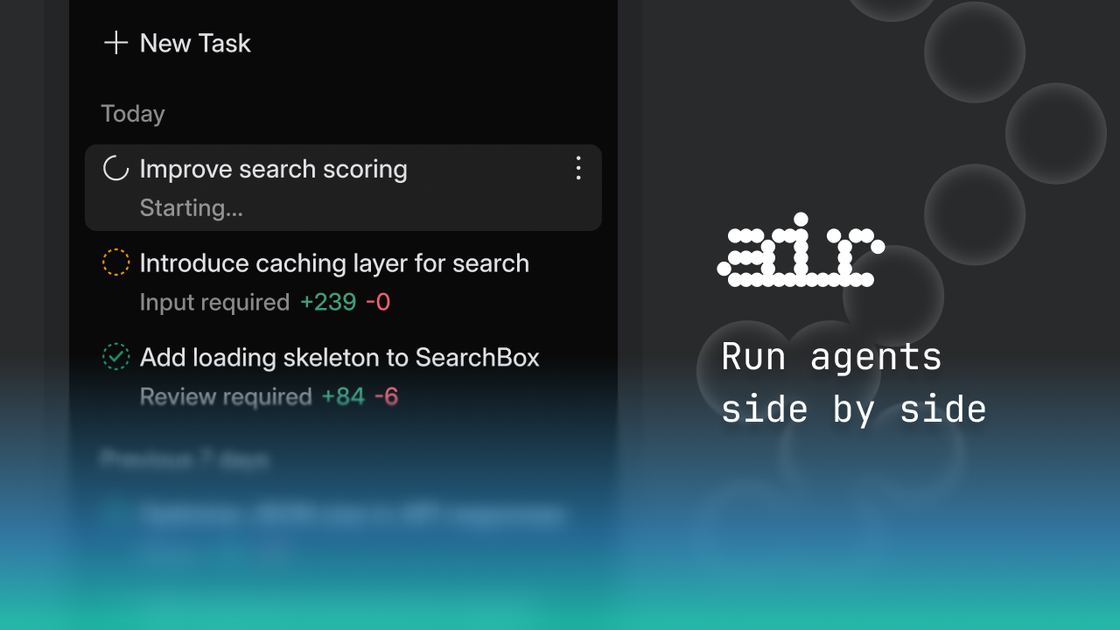
What is Air?
Air is the Agentic Development Environment from JetBrains, designed to run multiple AI agents as independent task loops. According to the site, agents such as Codex, Claude Agent, Gemini CLI, and Junie can execute concurrently without interfering with each other.
Its core purpose is to help developers multitask with AI agents while maintaining control over how those agents operate in the same development environment.
Key Features
- Runs multiple AI agents as independent task loops, so their work can proceed concurrently without interfering with each other.
- Supports agent tooling including Codex, Claude Agent, Gemini CLI, and Junie (as listed on the page).
- Positioning as an “Agentic Development Environment,” intended to coordinate agent-based tasks during software development workflows.
How to Use Air
- Set up Air as your agentic development environment in the way you would typically prepare a development workspace.
- Add or select the agents you want to run (Codex, Claude Agent, Gemini CLI, and Junie are explicitly referenced on the page).
- Start tasks for each agent so they can run their own independent loops.
- Continue working while the agents execute without blocking or interfering with each other.
Use Cases
- Split development work across agents: have one agent handle one task loop while another handles a separate task loop without cross-interference.
- Use multiple model/agent tools in the same workflow: run Codex, Claude Agent, Gemini CLI, and Junie together to cover different kinds of agent-driven work.
- Concurrent iteration during development: perform iterative changes while multiple agents run in parallel rather than sequentially.
- Team experimentation with agent workflows: explore how different agents behave on different tasks while keeping their execution isolated from one another.
- Agent-driven development support: use the environment to coordinate agent execution as part of day-to-day software development.
FAQ
Which agents does Air support?
The page explicitly references Codex, Claude Agent, Gemini CLI, and Junie as agents that execute in independent loops.
What does “without interfering with each other” mean?
The site states that agents execute independent task loops without interfering with each other, implying their activities are isolated so they can run concurrently.
Is Air an IDE or a standalone app?
The page describes Air as the “Agentic Development Environment” from JetBrains, indicating it’s meant to function in a development-workflow context.
Can multiple agents run at the same time?
Yes. The site’s message is that Codex, Claude Agent, Gemini CLI, and Junie execute independent task loops without interfering with each other.
Alternatives
- Agent orchestration frameworks: tools that coordinate multiple AI agents/workers, but may require more manual setup to manage isolation and concurrency.
- Single-agent IDE copilots: development environments that focus on one agent interaction at a time, typically avoiding multi-agent concurrency.
- Multi-model chat/agent platforms: platforms where you can switch between models or agents, but may not provide isolated parallel task loops in a single development environment.
- Workflow automation tools for AI: systems that chain prompts/tasks across tools, which may differ by emphasizing deterministic workflows rather than independent agent loops.
Alternatives

AakarDev AI
AakarDev AI is a powerful platform that simplifies the development of AI applications with seamless vector database integration, enabling rapid deployment and scalability.

Arduino VENTUNO Q
Arduino VENTUNO Q is an edge AI computer for robotics, combining AI inference hardware and a microcontroller for deterministic control. Arduino App Lab-ready.

Devin
Devin is an AI coding agent that helps software teams complete code migrations and large refactoring by running subtasks in parallel.

open-codex-computer-use
open-codex-computer-use is an open-source “Computer Use” MCP server that lets AI agents run desktop GUI actions on macOS, Linux, and Windows.

Codex Plugins
Use Codex Plugins to bundle skills, app integrations, and MCP servers into reusable workflows—extending Codex access to tools like Gmail, Drive, and Slack.

Ably Chat
Ably Chat is a chat API and SDKs for building custom realtime chat apps, with reactions, presence, and message edit/delete.