
MCP-wrapped Computer Use service
Runs as an open-source Computer Use service exposed through MCP, so agents and MCP clients can invoke it instead of using a closed vendor-specific integration.

Open Computer Use is an open-source Computer Use service wrapped as MCP for macOS, Linux, and Windows. It helps AI agents and MCP clients run desktop automation workflows through client setup commands or manual MCP configuration.
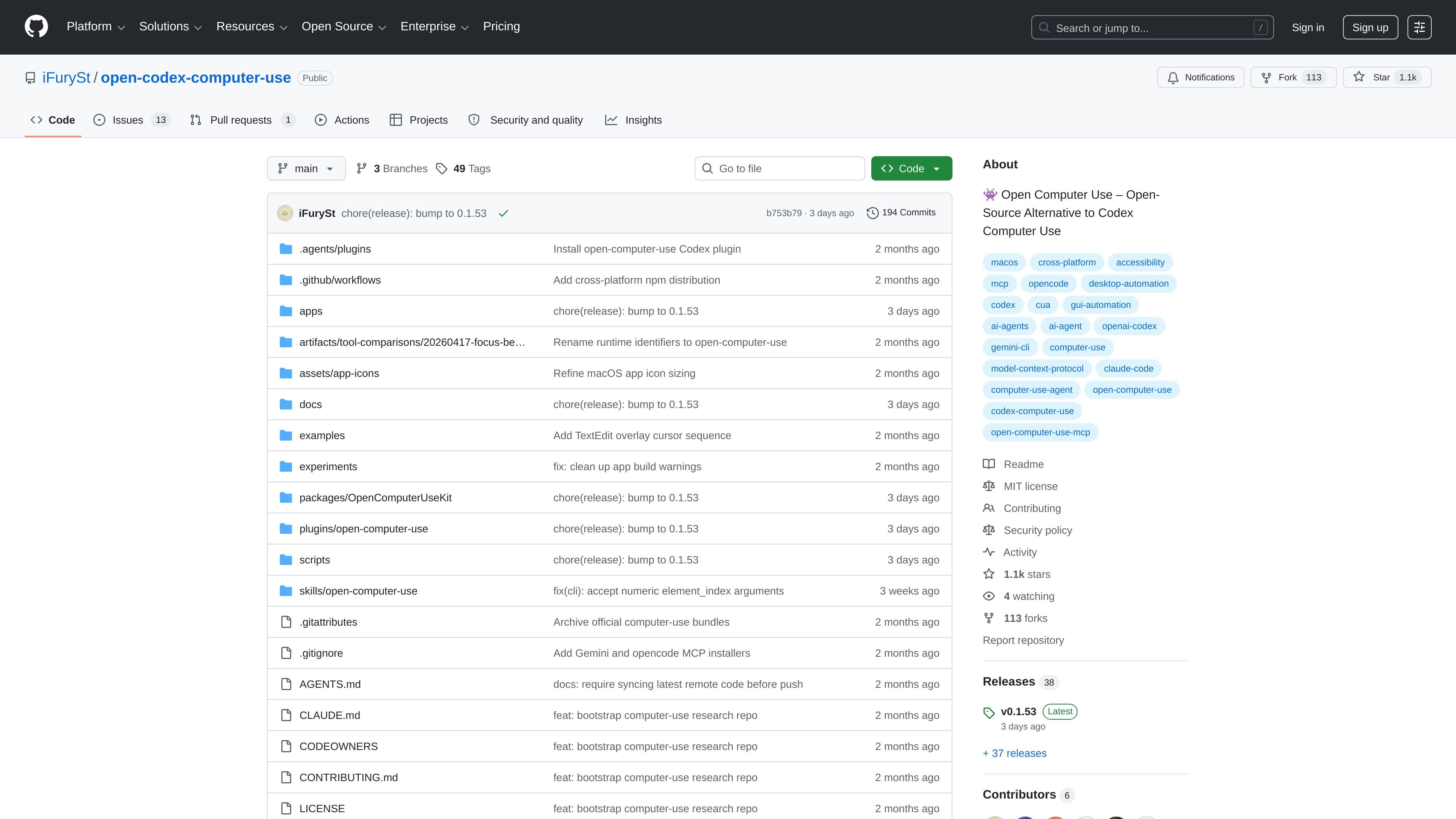
Open Computer Use is an open-source Computer Use service wrapped as MCP. It is designed so AI agents and MCP-capable clients can run Computer Use workflows on macOS, Linux, and Windows.
The repository positions the project as an open-source alternative to Codex Computer Use and says it was inspired by OpenAI’s implementation. The README also shows command-line setup, built-in install commands for several clients, and example usage for single actions, multi-step sequences, and local validation.
Runs as an open-source Computer Use service exposed through MCP, so agents and MCP clients can invoke it instead of using a closed vendor-specific integration.
Supports macOS, Linux, and Windows according to the README, with a separate macOS permission step for Accessibility and Screen Recording.
Provides built-in install commands for Codex, Claude Code, Gemini CLI, and opencode, plus a manual `mcpServers` configuration example.
Includes a `call` command for one-off tool execution and a sequence mode that reuses element index state across multiple operations.
Offers `doctor` to check permissions and onboarding only opens when something is missing, which helps users verify local setup before use.
Lists local validation commands such as `make smoke`, `make stress`, and agent smoke-test scripts for exercising the project from a source checkout.
Use it when you want an AI agent to control a desktop app through MCP rather than through a proprietary Computer Use endpoint.
Install it into Codex, Claude Code, Gemini CLI, or opencode when you want the same Computer Use backend available in different agent environments.
Run it on your local machine to automate repeated GUI tasks, using the sequence mode when the same app state needs to be reused across steps.
Use the `doctor` command and local smoke tests to verify permissions and installation before putting it into a workflow.
It is an open-source Computer Use service wrapped as MCP. The README says any AI agent or MCP client can use it to run Computer Use on macOS, Linux, and Windows.
The README shows command-line installation with `npm i -g open-computer-use`, then installing it into an agent such as Codex, Claude Code, Gemini CLI, or opencode through the built-in MCP install commands or a manual MCP server entry.
The README says macOS users need to run it once and grant Accessibility and Screen Recording permissions. Windows and Linux do not need that step.
The repository documents built-in commands for installing into Codex, Claude Code, Gemini CLI, and opencode, and it also includes a manual MCP configuration example. That indicates it is meant to work with MCP-capable clients rather than only one app.
The README includes a `call` command for running a single Computer Use tool and a `--calls` / `--calls-file` workflow for running sequences in one process so element index state can be reused.

CreateOS Sandbox is an isolated compute environment for running code and agent workloads in Firecracker micro-VMs with private networking and SDK, CLI, or MCP control.

GitBot is a local browser workspace for reusable coding bots powered by Claude Code, Codex, or OpenCode, with persistent threads and configurable permissions.

Codex Plugins bundle reusable skills, app integrations, and MCP servers into workflows you can install in the Codex app or use from Codex CLI.

AakarDev AI helps teams manage AI provider access, project setup, logs, and analytics in one dashboard. BYOK support included.

Trigger.dev chat agent is a durable AI chat backend for stateful conversations that survive refreshes, crashes, and long-running turns with AI SDK useChat.

ByteAsk is a terminal-first AI coding agent for C and C++ that edits repos and verifies changes with compilers, debuggers, sanitizers, and tests.