

Arlopass
Arlopass is a free open-source browser extension and developer SDK for web apps to use AI providers (Ollama, Claude, GPT, Gemini, Bedrock) without exposing API keys.
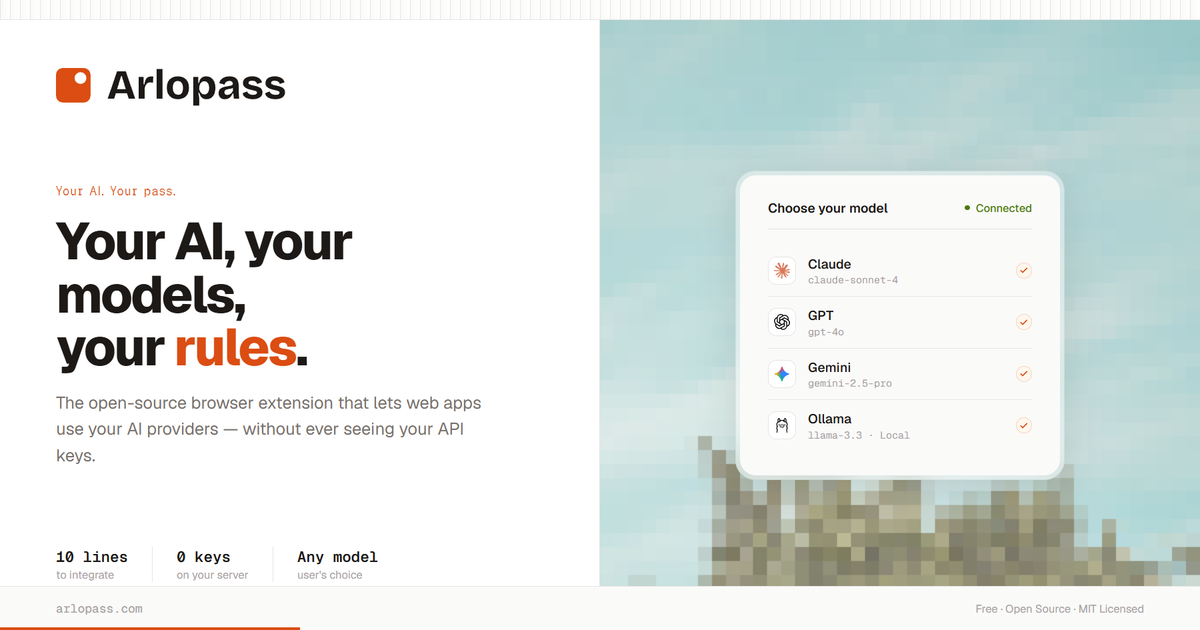
What is Arlopass?
Arlopass is a free, open-source browser extension and developer SDK that helps web apps use your AI providers without exposing your API keys to the browser or to a server proxy. Instead of hard-coding credentials into your application, Arlopass handles provider connections and routing on the user’s side.
With Arlopass, users can choose which AI providers and models a particular site is allowed to access, approve connection requests, and set rules like whether every request requires permission. The goal is to keep model selection and credential handling under the user’s control.
Key Features
- Browser extension for per-app AI access: When a web app requests AI usage through Arlopass, the user can approve or deny the connection and select which providers/models are allowed.
- Provider and model selection: Users can toggle providers (e.g., Ollama, Claude, OpenAI/GPT, Gemini, Bedrock) and choose which specific models the site may use.
- Local credential vault (no keys in the browser/server): API credentials are stored in a local vault on the device, with encryption at rest (AES-256-GCM). The source states keys are never placed in the browser and never sent to a server.
- “Zero key management” workflow: For developers and users, the interface focuses on approving access and choosing models rather than managing keys in application code.
- Developer SDK with ~10-line integration: The provided example uses
connect()andsession.createChat()withchat.stream(...)to stream output via an async iterator, while the user’s Arlopass handles provider auth and routing. - Per-app permission rules and limits: The UI supports options such as “Always ask permission,” an “Autopilot mode” for consecutive calls, and a “Daily token limit” setting.
How to Use Arlopass
- Install the Chrome extension from the Chrome Web Store.
- Connect your AI providers in Arlopass (Ollama, Claude, OpenAI, Gemini, Bedrock are shown in the source). Credentials are encrypted in a local vault on your device.
- Allow access for a specific web app: when a site requests AI usage, Arlopass prompts you to select allowed providers and models, then confirms the secure session.
- Use the SDK in your app (for developers): install
@arlopass/web-sdk, callconnect(), create a chat session, and stream results fromchat.stream(...). Your application does not receive or store API keys.
Use Cases
- User-controlled AI access for a specific website: You can connect and then limit a single site (e.g., allowing only Claude models for that site) while denying others.
- Switching between models without changing app code: If multiple providers/models are allowed for a site, users can update permissions to use different models while the app continues to call Arlopass.
- Permissioned versus automated request flows: For higher-sensitivity tasks, keep “Always ask permission” enabled; for lighter workflows, enable “Autopilot mode” to run consecutive AI calls without per-request prompts.
- Rate limiting via daily token limits: Set a “Daily token limit” (the source shows an example of 100k / 50k) per connected app to constrain consumption.
- Developer integration without a backend proxy: Instead of building a server-side credential proxy, a developer can route AI requests through Arlopass using the SDK, keeping user credentials on the device.
FAQ
-
Does Arlopass expose my API keys to the browser? No. The source states credentials are encrypted in a local vault on your device and are not placed in the browser.
-
Does a developer need to manage API keys in their server or code? The source emphasizes “zero key management” and “no backend proxy,” with the SDK example showing that
connect()and session creation happen without the developer seeing or storing API keys. -
Can users approve which providers and models a site can use? Yes. The connection flow includes selecting providers (step 1) and models (step 2) for the requesting app.
-
Is there an option to require confirmation for every AI request? Yes. The permissions UI includes “Always ask permission” and also an “Autopilot mode” for consecutive calls.
-
What limits can be set for an app’s usage? The source mentions a “Daily token limit” and shows example token limit values in the app permissions UI.
Alternatives
- Direct provider API integrations in your web app: You can call model providers directly from your server, but you typically need to handle API keys and routing yourself instead of relying on a user-side credential vault and per-app approvals.
- Server-side proxy services for LLMs: Another approach is to build a backend that holds credentials and forwards requests. This differs from Arlopass by shifting key management to your infrastructure rather than the user’s device.
- Client-side model calls with user-managed keys: Some setups require users to paste API keys into the browser or client. This differs from Arlopass’s stated approach of keeping credentials in a local encrypted vault and not in the browser.
Alternatives

AakarDev AI
AakarDev AI is a powerful platform that simplifies the development of AI applications with seamless vector database integration, enabling rapid deployment and scalability.

Arduino VENTUNO Q
Arduino VENTUNO Q is an edge AI computer for robotics, combining AI inference hardware and a microcontroller for deterministic control. Arduino App Lab-ready.

Devin
Devin is an AI coding agent that helps software teams complete code migrations and large refactoring by running subtasks in parallel.

BenchSpan
BenchSpan runs AI agent benchmarks in parallel, captures scores and failures in run history, and uses commit-tagged executions to improve reproducibility.

open-codex-computer-use
open-codex-computer-use is an open-source “Computer Use” MCP server that lets AI agents run desktop GUI actions on macOS, Linux, and Windows.

Codex Plugins
Use Codex Plugins to bundle skills, app integrations, and MCP servers into reusable workflows—extending Codex access to tools like Gmail, Drive, and Slack.