
Repository-based task board
Create notes with descriptions, statuses, files, links, and screenshots; drag them on the board, connect related notes with arrows, and edit multiple notes at once.

Bruto is a local-first task board for software projects that stores notes and AI context in the project folder for Markdown handoffs, review, and changes.
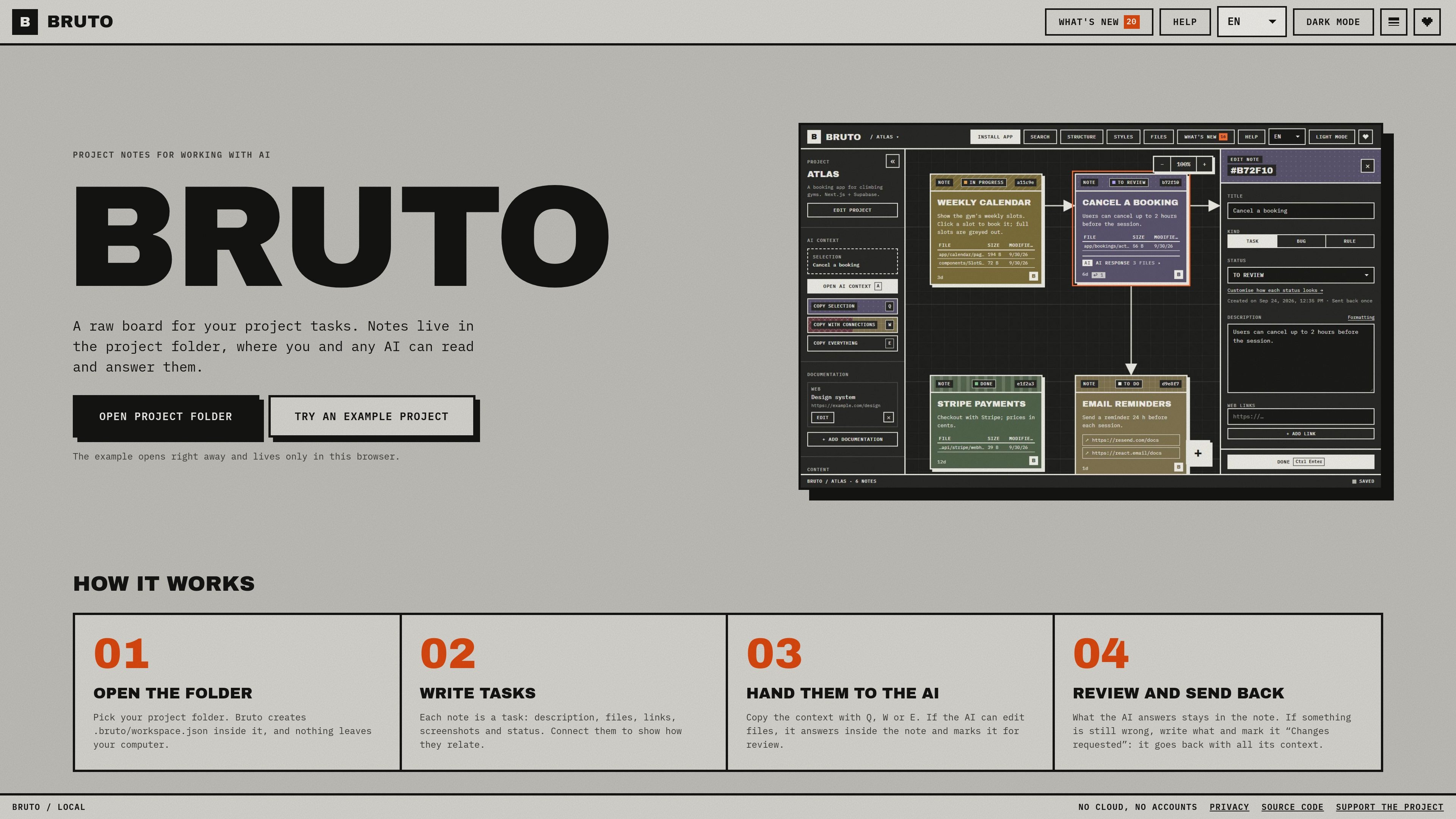
Bruto is a local-first task board for software projects. It keeps notes in a `.bruto/workspace.json` file inside the selected project folder, so tasks, their statuses, and their supporting context remain alongside the repository rather than in a separate hosted workspace. The board supports descriptions, files, links, screenshots, connections between notes, and bulk editing.
Its main workflow is to prepare precise context for an AI, then review the response in the same note. Users can copy one note, the notes it points to, or the whole project as Markdown, with a preview and token count before sending it to an AI. Agents with file access can answer notes directly, and MCP support lets compatible agents list, read, and answer notes without manually editing the workspace JSON.
Create notes with descriptions, statuses, files, links, and screenshots; drag them on the board, connect related notes with arrows, and edit multiple notes at once.
Copy a selected note, its linked context, or the whole project as clean Markdown. A preview shows the material being copied and its token count, while global context carries project-wide stack and decision notes.
When an AI that can edit project files works on a task, it can answer inside the note and mark it for review. You can add feedback and mark the note “Changes requested” to send it back with its existing context.
A structure view maps project folders and notes to recognized application elements, including screens and components, API resources and endpoints, and database tables, keys, and policies.
Rules can be stored as notes and included in every AI context copy. Cross-project notes can block or wait on one another, with links between the related boards.
Agents can list, read, update task status, and answer notes through the MCP server. Bruto also documents a one-line AGENTS.md or CLAUDE.md instruction for agents that can access project files.
Break a feature into connected notes, attach the relevant paths and screenshots, and send an individual task or its linked context to an AI without manually assembling a prompt.
Give an agent a task through an AGENTS.md or CLAUDE.md instruction, or connect it through MCP. The agent can find notes, identify the task it is working on, and return its answer to the board.
Keep stack choices and project decisions in a standing rule or global context so they accompany each AI handoff. This is useful when repeated tasks need the same constraints.
Represent dependencies between a front end, API, and database across separate project boards. A blocking or waiting note links the work and provides a route to the related project.
Use the structure view and filters to locate work by folder, path, status, images, links, or AI responses, then review the returned answer and request changes from the same note.
Bruto stores its workspace in a `.bruto/workspace.json` file inside the selected project folder. The site says notes stay in the folder and nothing leaves the computer, aside from anonymous usage statistics; it does not require an account or cookies.
On a computer, open the project folder in Chrome, Edge, Brave, or Opera. Bruto can also be installed as an app and works offline.
A note can include a task description, files, links, screenshots, and status. Notes can be connected, moved on a board, and edited in batches.
You can copy the selected note, the selection together with everything it points to, or the whole project as Markdown. Bruto previews the copied content and token count, and supports a global context for stack and project decisions.
Bruto supports pasting copied context into Claude, ChatGPT, Gemini, or DeepSeek. Agents can also work with notes through an AGENTS.md or CLAUDE.md instruction, or through the Bruto MCP server. The source does not document team collaboration features or paid-plan limits.

SonOf connects to your repo and PM tool, audits your codebase, and turns approved work into shipped tickets with senior engineering review.

ByteAsk is a terminal-first AI coding agent for C and C++ that edits repos and verifies changes with compilers, debuggers, sanitizers, and tests.

CreateOS Sandbox is an isolated compute environment for running code and agent workloads in Firecracker micro-VMs with private networking and SDK, CLI, or MCP control.

Biji is a versatile platform designed to enhance productivity through innovative tools and features.

GitBot is a local browser workspace for reusable coding bots powered by Claude Code, Codex, or OpenCode, with persistent threads and configurable permissions.

hob is an independent workspace for coding agents, with local control over sessions, terminals, history, routing, and follow-up work.