

Cal.com
Cal.com is customizable scheduling software for individuals, businesses taking calls, and developers building booking platforms where users meet users.
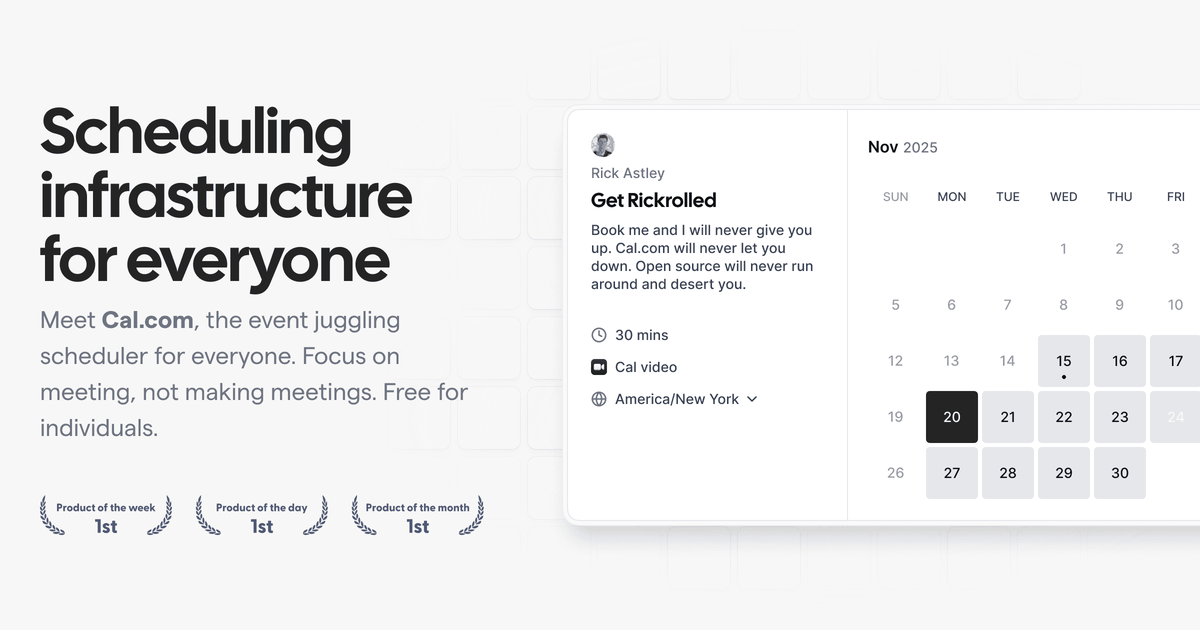
What is Cal.com?
Cal.com is customizable scheduling software for individuals, businesses taking calls, and developers building booking platforms where users meet users. It supports meeting types like video chat or phone calls and provides scheduling controls for availability, booking links, and meeting logistics.
The product is positioned as “open scheduling infrastructure,” with features for both end users (booking experiences, reminders, rescheduling) and developers (public APIs, scheduling components, and OAuth-based integration options).
Key Features
- Customizable scheduling setup: Define availability and meeting parameters so your booking process reflects your time constraints (e.g., blocking weekends, adding buffers).
- Booking limits and buffers to manage overload: Set daily/weekly/monthly limits and include buffer time before or after events to reduce back-to-back meetings.
- Short, customizable booking links: Create easy-to-remember links so bookers can schedule without sharing long URLs.
- Cal.com embed for websites: Embed Cal.com scheduling into your website so visitors can book without leaving the page.
- Notifications and automated reminders: Send SMS or email reminders and follow-ups to support timely meetings and reduce no-shows.
- Developer integrations and extensibility: Use the public API and scheduling components (including React atoms) and integrate with Cal.com using OAuth.
- Group/event coordination: Support collective events with multiple participants, and provide dynamic group booking links.
- Automation hooks: Use webhooks to receive notifications when events occur.
How to Use Cal.com
- Sign up (the page shows sign-in via Google or email) and start with the scheduling setup.
- Connect your calendar so Cal.com can handle cross-referencing and help prevent double bookings.
- Set your availability by defining meeting windows and optional buffers (e.g., block weekends, add time before/after events).
- Choose how meetings happen (e.g., video chat, phone call, or other meeting types) and generate your booking link.
- Share or embed your booking link, or embed Cal.com into your website, and enable reminders/workflows for confirmations and follow-ups.
Use Cases
- Personal scheduling for an individual: Set availability and buffers so people can book with you while avoiding meeting overload (with configurable limits and time-slot behavior).
- Teams coordinating across calendars: Share a collaborative scheduling experience for groups and allow participants to manage their own calendars and reschedule.
- Organizations taking inbound calls: Enable a booking workflow for appointments (including video or phone calls) and use reminders to reduce cancellations and no-shows.
- Recruiting or HR scheduling: Use meeting reminders and automated follow-ups to gather relevant information before interviews or HR meetings.
- Developers building scheduling into an application: Integrate Cal.com via the public API, use OAuth for authentication, and add scheduling UI through provided components; also use webhooks to react to scheduling events.
FAQ
-
Is Cal.com only for individuals? No. The page describes solutions for individuals, teams, organizations, and enterprises, as well as developer-focused integration.
-
Can Cal.com be embedded on a website? Yes. The site lists an Embed option to include Cal.com scheduling on your website.
-
How does Cal.com avoid double bookings? It references connecting your calendar, and states that it will handle cross-referencing to help prevent double bookings.
-
Does Cal.com support meetings with more than one participant? Yes. It mentions Collective Events and scheduling events with multiple participants, along with dynamic group booking links.
-
Are there developer options beyond booking links? Yes. The page lists a public API, scheduling components (including React atoms), an OAuth client option, and webhooks.
Alternatives
- Generic calendar booking tools: Alternatives in the scheduling space may focus on personal or single-provider booking; compare whether they offer developer APIs, webhooks, and embed options.
- Appointment scheduling platforms with embedded widgets: Some tools primarily deliver a booking widget for websites; compare customization depth for availability/buffers and group/multi-participant scheduling.
- Custom scheduling systems built on calendar APIs: Teams may build their own scheduling UI using calendar integrations; compare the amount of upfront engineering versus using a hosted scheduling platform with public API and components.
- Developer-first scheduling components/services: If you mainly need infrastructure to let users meet users, compare offerings that provide API + OAuth + webhooks so your app can control the booking experience.
Alternatives

LIAM
LIAM is an AI copilot that drafts email replies, organizes your inbox with auto-labels and prioritization, and schedules meetings from your calendar.

Codex Plugins
Use Codex Plugins to bundle skills, app integrations, and MCP servers into reusable workflows—extending Codex access to tools like Gmail, Drive, and Slack.

Gemma AI
Gemma AI is a smart application that calls you directly with personalized, intelligent voice reminders to ensure you never miss important tasks, appointments, or deadlines.

Tactiq
Tactiq is an AI meeting assistant that provides live transcription, AI summaries, action items, and custom AI prompts for Google Meet, Zoom, and Teams.

garden-md
Turn meeting transcripts into a structured, linked company wiki with local markdown and an HTML browser view. Sync from supported sources.

AakarDev AI
AakarDev AI is a powerful platform that simplifies the development of AI applications with seamless vector database integration, enabling rapid deployment and scalability.