
Cloud machine provisioning
Provide a token for a supported cloud, choose a region, size, image, and agents, and let Codex Remote create one server through a per-cloud OpenTofu module.
Codex Remote provisions cloud machines, installs Codex and Claude Code, configures SSH, projects, services, and MCP servers, and manages them in a desktop app.
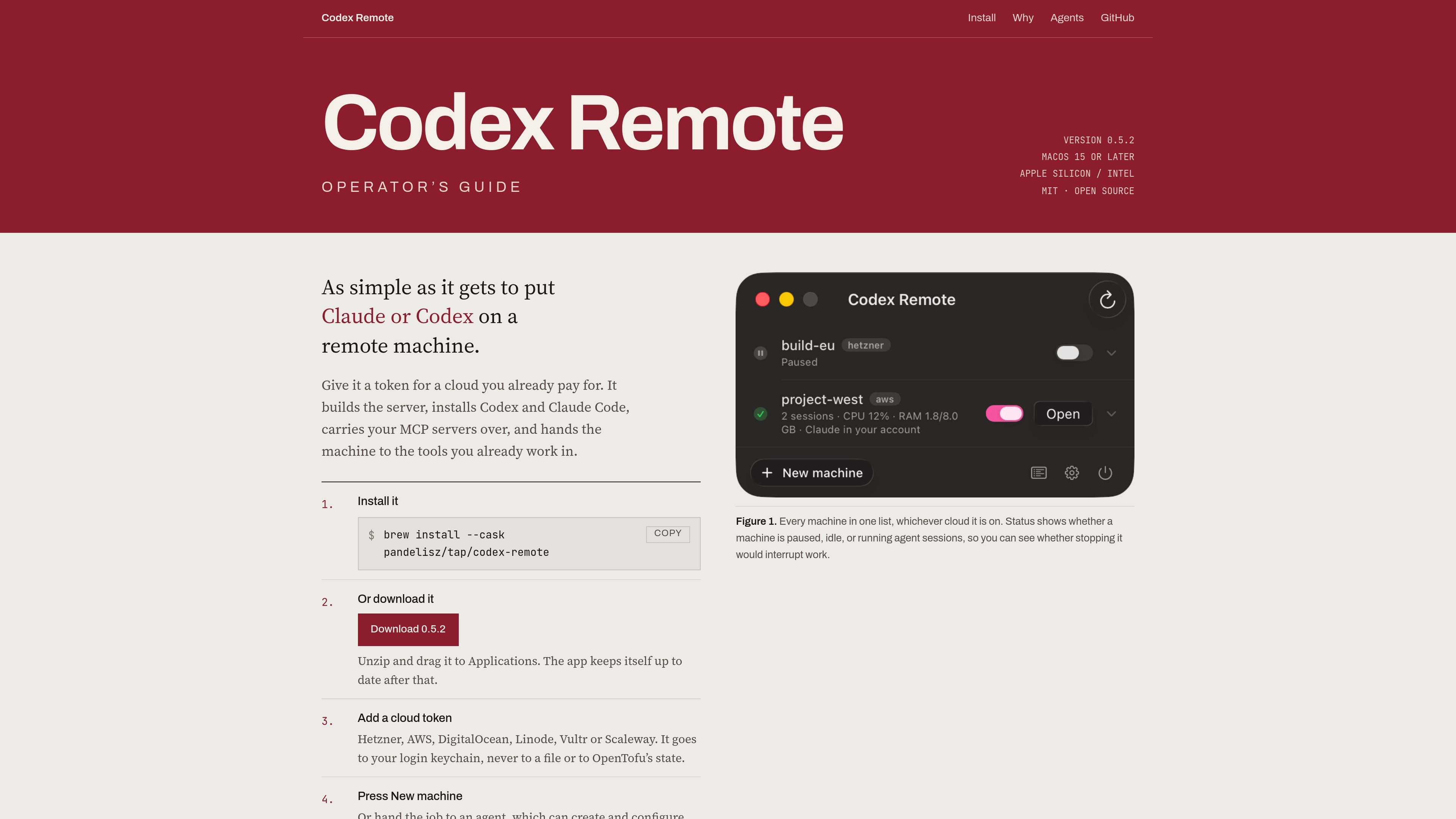
Codex Remote is a desktop tool for putting Codex and Claude Code on remote cloud machines. It accepts a token from a cloud account you already use, provisions a server, installs the agents, configures access, and presents the resulting machine to the tools’ existing workflows.
The product packages the repetitive parts of remote-agent setup: SSH registration, non-interactive agent sign-in, boot-time services, project transfer, and MCP configuration. Machines from different providers can be managed from one list, while an MCP interface allows an AI agent to inspect or operate the environment when the relevant permissions are enabled.
Provide a token for a supported cloud, choose a region, size, image, and agents, and let Codex Remote create one server through a per-cloud OpenTofu module.
The bootstrap process installs base packages, the Codex CLI at `/usr/local/bin/codex`, Claude Code under its own account, configured MCP servers, and a systemd unit for each agent.
Each machine gets a named `Host codex-remote-<name>` entry in SSH config. Codex uses that host to start `codex app-server` over SSH, while Claude Code connects through its own account and login.
The app tracks machines from different clouds in one list and shows whether each is paused, idle, or running agent sessions, helping indicate whether stopping a machine could interrupt work.
Projects are cloned or copied to the remote machine with untracked configuration sent separately, and portable MCP servers are carried over as part of the transfer.
An MCP server lets an external agent inspect machines and, when separately permitted, run commands, sync projects, create machines, or destroy them. Provider definitions can also be supplied through a custom registry.
Create a remote server with a selected cloud, region, image, and size, then have Codex and Claude Code installed and available without repeating the setup wizard by hand.
Keep several machines across cloud providers in one list, with pause, idle, and active-agent status visible before stopping or resuming a server.
Send a local project to a new machine while retaining the untracked configuration and portable MCP servers needed for the project’s tools.
Connect an AI assistant through the Codex Remote MCP server so it can inspect machine health and, after permissions are enabled, provision, configure, sync, or remove infrastructure.
Point the app at a private provider registry to use a homelab module, an internal cloud definition, or a team-specific machine configuration without waiting for a desktop release.
Install the desktop app with Homebrew using `brew install --cask pandelisz/tap/codex-remote`, or download the latest release, unzip it, and move it to Applications. The app updates itself after installation.
Choose a supported cloud, enter its provider token, select a region, machine size, image, and agents, then create the machine. Codex Remote applies a per-cloud OpenTofu module, bootstraps the server over SSH, registers the host, and adds the required agent services.
The homepage lists Hetzner, AWS, DigitalOcean, Linode, Vultr, and Scaleway as cloud token options. The supplied provider registry contains a detailed Hetzner Cloud entry; provider availability and configuration can be refreshed through the registry.
Codex Remote carries over MCP servers and transfers a project together with its untracked configuration separately from the clone, so gitignored `.env` files are not silently omitted from the setup workflow.
Yes. An MCP server exposes tools for listing machines and sizes, running commands, syncing projects, and creating or destroying machines. Reading is available by default, while changing resources and destroying machines require separate permission switches.

ByteAsk is a terminal-first AI coding agent for C and C++ that edits repos and verifies changes with compilers, debuggers, sanitizers, and tests.

CreateOS Sandbox is an isolated compute environment for running code and agent workloads in Firecracker micro-VMs with private networking and SDK, CLI, or MCP control.

GitBot is a local browser workspace for reusable coding bots powered by Claude Code, Codex, or OpenCode, with persistent threads and configurable permissions.

hob is an independent workspace for coding agents, with local control over sessions, terminals, history, routing, and follow-up work.

Manta AI is an autonomous web app testing tool that maps app behavior, catches regressions, and generates tests from a URL, no scripts or selectors needed.

SonOf connects to your repo and PM tool, audits your codebase, and turns approved work into shipped tickets with senior engineering review.