

Cosmic Agent
Built into every new Cosmic project, Cosmic Agent manages CMS content, generates media, and can read/write code to create and deploy changes.
What is Cosmic Agent?
Cosmic Agent is an AI assistant built into Cosmic’s product dashboard. It’s designed to help manage content, write and edit code, and coordinate automation tasks without requiring separate setup after a new Cosmic project is created.
According to the product announcement, Cosmic Agent can also create Team Agents and run tasks such as generating images and videos, building workflows, sending notifications, researching the web, and answering questions about a project or the Cosmic platform.
Key Features
- Built-in dashboard assistant (no setup required): Comes with every new Cosmic project and appears in the dashboard chat widget immediately.
- Content management actions: Create, edit, delete objects and content types; search and browse content; manage metadata and relationships; publish or unpublish content.
- Media generation and handling: Generate AI images from text prompts, generate AI videos and extend them, and upload media from URLs.
- Code reading and delivery: Browse and read repository files; create branches, commit code, open pull requests, merge pull requests, and trigger redeployments; check build logs and diagnose errors.
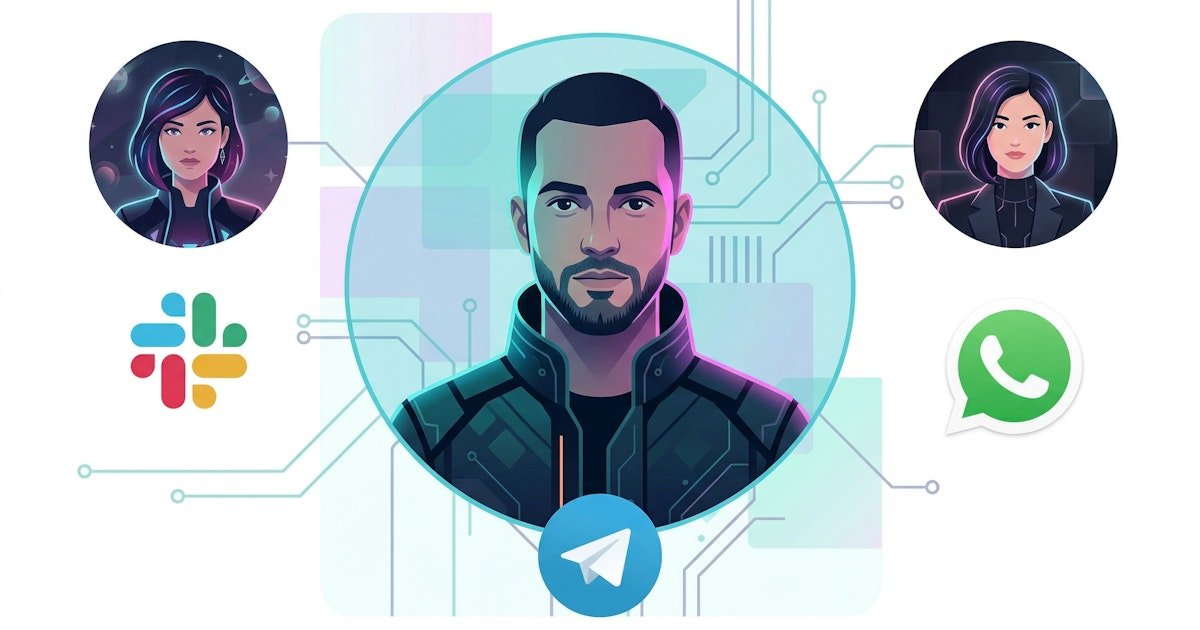
- Agent creation and workflow automation: Create Team Agents for Slack, WhatsApp, or Telegram; set up scheduled agents on cron; build multi-step workflows.
- Notifications and research: Send emails or post messages to Slack/Telegram/WhatsApp; fetch and analyze web pages for research and content ideas.
How to Use Cosmic Agent
- Create a new Cosmic project.
- Open the dashboard chat widget where the Cosmic Agent is available from day one.
- Ask the assistant to perform tasks relevant to your workspace—such as managing CMS content, generating or updating media, or working with your repository to propose code changes.
- If you need team-facing automation, ask Cosmic Agent to create a Team Agent for Slack, WhatsApp, or Telegram and (optionally) schedule it to run steps over time.
Use Cases
- Draft and publish content end-to-end: In a Slack workflow, a Team Agent can research a topic, create a CMS object with appropriate metadata, generate a featured image, and publish the result.
- Build an analytics-driven weekly loop: A scheduled workflow can pull performance data from tools like Vercel, Google Search Console, and Ahrefs, then generate an action-items report; an engineering agent can turn those items into code updates (e.g., performance and technical SEO fixes).
- Create new pages or features via code: A code-focused agent can read a codebase, create a branch, implement changes, open a pull request, and trigger redeployments after merging.
- Generate and extend creative assets: Use the agent to generate AI images from text descriptions, create AI videos and extend them, and upload media from URLs into your content workflow.
- Support day-to-day project Q&A: Ask the Cosmic Agent questions about your project or the Cosmic platform, using its ability to read and work with project context.
FAQ
-
Does Cosmic Agent require setup in an existing project? The announcement states that Cosmic Agent is included with every new Cosmic project and is available from the moment the project is created “no setup required.” It doesn’t specify behavior for older projects.
-
Can Cosmic Agent create Team Agents for messaging platforms? Yes. Cosmic Agent can create Team Agents configured for Slack, WhatsApp, or Telegram, and it can also set up scheduled agents on cron.
-
What kinds of CMS tasks can it perform? The announcement lists create/edit/delete operations for objects and content types, content browsing and search, metadata and relationship management, and publish/unpublish actions.
-
Can it handle code changes and deployments? The product text says it can browse and read repository files, create branches, commit code, open pull requests, merge pull requests and trigger redeployments, and check build logs to diagnose errors.
-
Is Cosmic Agent separate from Team Agents? Yes in functionality: Team Agents are AI-powered team members that join Slack/WhatsApp/Telegram, while Cosmic Agent is a built-in assistant in the Cosmic dashboard chat widget. The announcement also says they work together.
Alternatives
- Standalone AI assistants for content and coding (separate from the CMS): Instead of a built-in agent tied to Cosmic content and code workflows, teams can use general-purpose assistants and manually move outputs into their CMS and repositories.
- Workflow automation tools without CMS-aware actions: Tools focused on automation can connect external services, but may not natively create CMS objects, manage content metadata/relationships, or directly open pull requests from within the same platform.
- Messaging-channel bots with limited CMS integration: Team chatbots can handle conversational tasks, but alternatives may not support end-to-end CMS operations, code deployments, and research within one coordinated environment.
Alternatives

Devin
Devin is an AI coding agent that helps software teams complete code migrations and large refactoring by running subtasks in parallel.

Claude Opus 4.5
Introducing the best model in the world for coding, agents, computer use, and enterprise workflows.

Codex Plugins
Use Codex Plugins to bundle skills, app integrations, and MCP servers into reusable workflows—extending Codex access to tools like Gmail, Drive, and Slack.

Falconer
Falconer is a self-updating knowledge platform for high-speed teams to write, share, and find reliable internal documentation and code context in one place.

OpenFlags
OpenFlags is an open source, self-hosted feature flag system with a control plane and typed SDKs for progressive delivery and safe rollouts.

AakarDev AI
AakarDev AI is a powerful platform that simplifies the development of AI applications with seamless vector database integration, enabling rapid deployment and scalability.