

Docmods
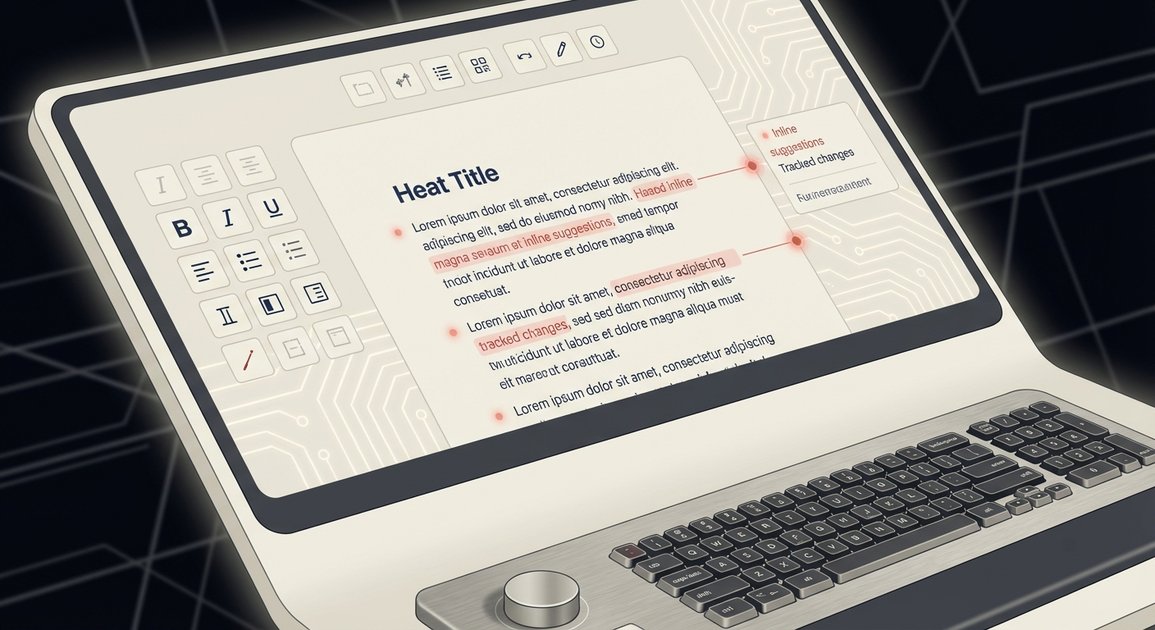
Docmods is an AI tool for reviewing and editing DOCX files by chatting in natural language, adding track changes, comments, and redlining-style markup.
What is Docmods?
Docmods is an AI-powered tool for editing Microsoft Word documents (DOCX). It lets you review contract documents and other Word files by chatting with AI, then applies changes in the document using track changes, comments, and redlining-style markup.
The core purpose is to streamline how you find issues and make edits in Word: you upload a DOCX file, describe what you want to change or what to check, and Docmods guides the revision directly in the file instead of working only in a separate chat window.
Key Features
- Upload DOCX files to edit in seconds: Start with a Word document and move directly into AI-assisted editing.
- Natural-language document editing: Use prompts or questions to “talk” through what you want the AI to review or revise.
- Redlines-style review and markup: The system flags issues and produces revision-oriented output rather than only summaries.
- Track changes and comments: Edits can be represented using common Word review artifacts.
- Contract-focused editing workflow: The tool is positioned for reviewing contract language, highlighting concerns, and adding suggested edits.
How to Use Docmods
- Upload your DOCX file (for example, a contract draft) to Docmods.
- Describe what you want the AI to do—such as reviewing for issues, flagging risky clauses, or proposing specific edits.
- Review the document’s AI-added track changes, comments, and redlining-style markup.
- Incorporate the suggested edits into your final version and export/share the updated Word document as needed.
Use Cases
- Contract review for flagged issues: Upload a contract DOCX and ask the AI to identify and highlight potential problems for further human review.
- Requesting targeted edits in contract language: Chat with Docmods to propose specific wording changes and receive them as track changes and comments.
- Redline preparation for negotiations: Use the AI-marked revisions to speed up creating a redlined draft for the next negotiation round.
- Reviewing non-contract Word documents: Apply the same “upload and chat” approach to other DOCX files that require review, issue-flagging, and structured edits.
- Collaborative document review workflow: Use AI-generated comments and markup to give reviewers a clearer set of changes to respond to inside the Word file.
FAQ
-
Does Docmods work with Word documents? Yes. The described workflow is to upload a DOCX file and edit it within the Docmods process.
-
What kind of output does Docmods create? The website describes AI edits and review artifacts such as track changes, comments, and redlining-style markup.
-
Can I use natural language to request changes? Yes. The product is described as “chatting with AI” to review and edit documents using natural language.
-
Is Docmods limited to contracts? The page specifically mentions reviewing contracts, but it also frames the workflow more generally as editing uploaded DOCX files.
-
Do I need special formatting to use it? The provided content only states that you upload a DOCX file; it does not mention additional formatting requirements.
Alternatives
- Manual redlining and commenting in Microsoft Word: For teams that want fully human review without AI suggestions, the standard Word review tools provide track changes and comments inside DOCX.
- AI document rewriting tools (text-in/text-out): Some tools rewrite or suggest edits in plain text or separate outputs rather than directly producing Word track changes and comments.
- Document review and clause analysis tools: Instead of chat-driven editing, dedicated contract review platforms focus on identifying clauses and risks, often requiring additional steps to produce Word redlines.
- General-purpose AI assistants for editing: Chat-based AI tools can help draft or revise contract language, but they may not automatically generate Word-native track changes and comments the way Docmods is described to do.
Alternatives

AgreeGuard
AgreeGuard is a free AI Chrome extension that analyzes Terms of Service and Privacy Policies before you click “I Agree,” flagging red flags.

GoSign
GoSign is an electronic signature software offering unlimited document sending and signing for a single flat annual price, serving as a cost-effective alternative to usage-capped platforms.

Nolain OCR
Nolain OCR is an advanced Optical Character Recognition solution designed to accurately extract text and data from various document formats, streamlining document processing workflows.

Jenni
Jenni is an AI workspace to read PDFs, draft essays and papers, and generate in-text citations in 2.6k+ styles.

DataSieve: Text to Data
DataSieve: Text to Data extracts emails, dates, URLs, and structured info from text and many file types—offline on iPhone, iPad, and Mac.
司马阅
司马阅 is a leading domestic enterprise-level AI document intelligence platform, focused on activating dormant data in enterprises and helping them create serious scenario-based AI employees.