

Flowstep
Flowstep is an AI design assistant to generate editable UI designs and wireframes from your ideas, with export to Figma or code.
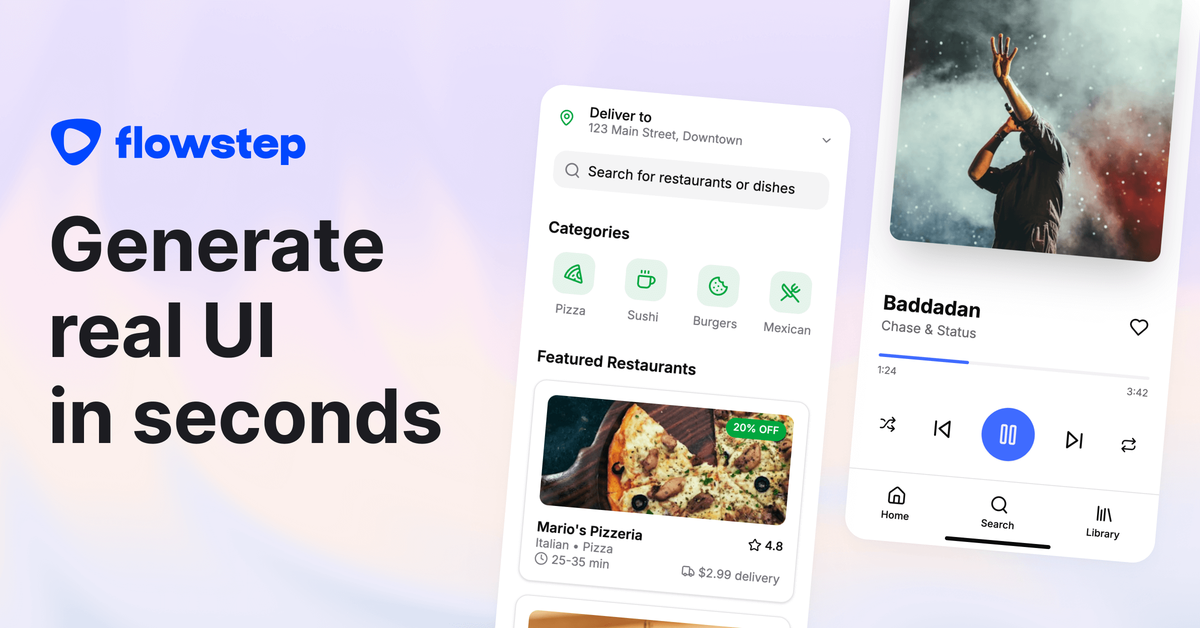
What is Flowstep?
Flowstep is an AI design assistant that helps you generate user interface (UI) designs and wireframes by chatting with the product. The goal is to turn a description of what you want into editable screens so you can iterate quickly and move toward shippable UI.
It’s designed for users who want to start from an idea—without needing advanced design tooling—and then refine designs using AI edits, references, and collaboration.
Key Features
- Chat-based UI generation on an “infinite canvas”: Describe the screen(s) you want and generate UI directly from your prompt.
- Editable designs (AI or manual): Customize generated output without having to learn complex design workflows.
- Multi-screen generation: Create sets of related screens (for example, login, dashboard, and profile pages) in one go.
- Reference inputs (PRD, images, links): Add context by uploading an image for inspiration, attaching a PRD, or pasting a link for reference before generating designs.
- Figma workflow support via copy/paste: Copy a selected design from Flowstep into Figma using standard copy/paste (⌘C / ⌘V), without requiring a plugin or browser extension.
- Real-time collaboration: Invite teammates to collaborate with live updates, including synchronized edits and visible cursors.
- Code-aligned output: Flowstep can export production-ready code built with React, TypeScript, and Tailwind CSS.
How to Use Flowstep
- Start a free account and open Flowstep’s workspace.
- Describe the UI you want (e.g., a login screen, dashboard, or another part of an app). Flowstep generates design output based on your description.
- Refine the design using either AI edits or manual customization to adjust layout and details.
- Use references when needed by attaching a PRD, uploading an image, or pasting a link to guide the output.
- Collaborate with your team by inviting teammates for real-time co-editing and feedback.
- Send designs to Figma by selecting a design in Flowstep and using copy/paste into your Figma file.
- Export UI code in React, TypeScript, and Tailwind CSS for implementation.
Use Cases
- Kickstart a new app UI from a brief: Write a short description of a feature or screen and generate initial wireframes quickly, then iterate on the details.
- Design an end-to-end flow with multiple screens: Create a cohesive set of screens such as login, dashboard, and profile pages in one pass for faster early-stage alignment.
- Refine designs with context from a PRD: Attach a PRD or reference material (image or link) to guide AI output toward the intended product requirements.
- Collaborate during early design reviews: Invite teammates to review and edit designs in real time, using shared cursors and synchronized updates.
- Bridge from design to implementation: Copy designs into Figma for design review, then export code (React, TypeScript, Tailwind CSS) when engineering is ready to build.
FAQ
How do I get started with Flowstep?
Sign up for a free account and start generating designs immediately. You can also invite your team for collaboration.
Does Flowstep require design skills?
No. You can describe what you want and let Flowstep generate and help with the design work.
Can I copy designs from Flowstep to Figma?
Yes. Flowstep supports copying a selected design directly into your Figma file using standard copy/paste (⌘C and ⌘V) without needing a plugin or Chrome extension.
Does Flowstep use my personal data to train AI models?
Flowstep states that it does not use personal data to train AI models and does not allow its LLM providers to do so. It may use aggregated and anonymized feedback to improve outputs.
Does Flowstep replace Figma?
Flowstep states that it will replace Figma “soon,” but the page does not indicate that this is available immediately.
Alternatives
- Figma (design-first workflow): A dedicated UI/design tool where you build and edit screens manually; you can use it for detailed control but it doesn’t inherently generate UI from natural-language prompts as Flowstep does.
- Other AI-assisted wireframing tools: Tools in the “AI design generation” category that convert prompts into UI drafts; workflows vary in editing, reference handling, and whether they export code.
- General-purpose diagramming and prototyping tools: Useful for early wireframes and user flows, but they typically require more manual work and don’t focus on AI-to-UI or code export as described for Flowstep.
- Code-first UI development (React component workflows): Developers can implement UI directly without design-generation steps; this can speed engineering but may require more upfront UI specification than an AI-assisted design draft.
Alternatives

MakerLoft
MakerLoft is an AI app builder for non-developers that connects to your GitHub repo to generate working apps with auth, payments, files, jobs.

imgcook
imgcook is an intelligent tool that converts design mockups into high-quality, production-ready code with a single click.

Rork
Rork creates complete, production-ready mobile apps from your description with AI and Expo (React Native)—from idea to working app fast.

Beautiful.ai
Beautiful.ai is an AI presentation maker that automates design, layout, and spacing as you build content—so individuals and teams create polished slide decks.

FigPrompt
FigPrompt is an AI Figma plugin builder that generates production-ready plugin logic from your description—no code, in seconds.

Logomaster.ai
Logomaster.ai is an AI-powered online logo maker to create and edit logo designs, then download web- and print-ready files.