

GitWhy
GitWhy saves and shares the reasoning behind AI-generated code, linked to commits and posted to pull requests for team review.
What is GitWhy?
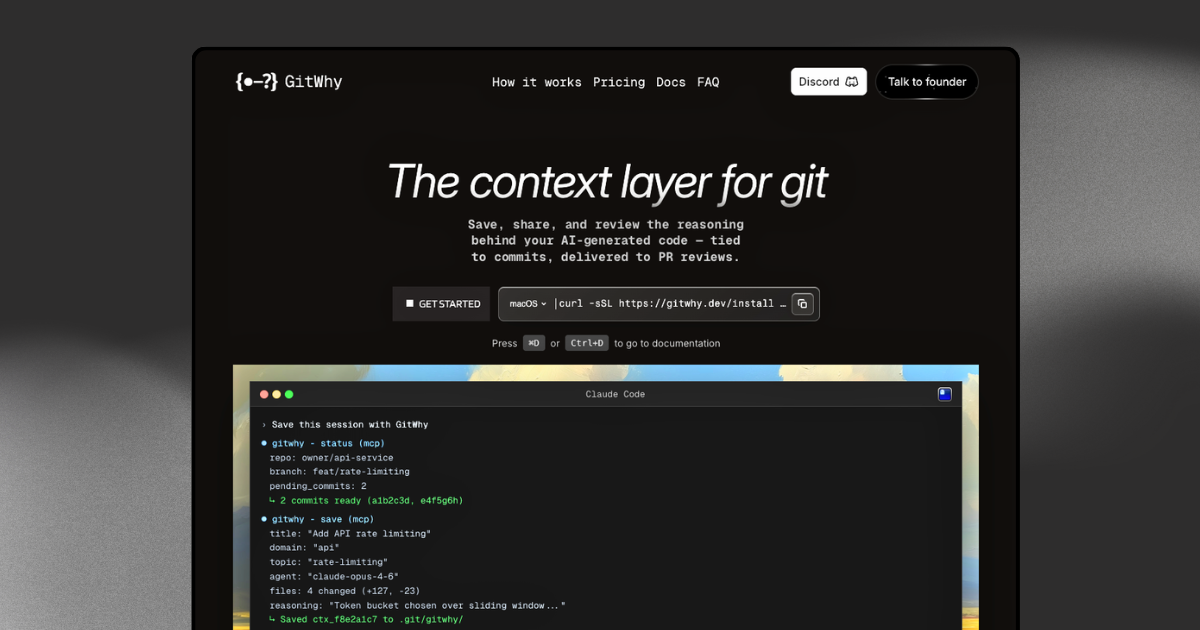
GitWhy is a “context layer” for Git that saves and shares the reasoning behind AI-generated code, tied directly to the commits that produced it. The goal is to make prompts, decisions, and trade-offs reviewable alongside the code changes, rather than leaving that information only in a chat window.
It captures structured context (such as the original prompt, reasoning, decisions, and rejected alternatives) and links that context to commits. The product then surfaces the saved reasoning in pull requests so reviewers can see why changes were made, not just the diff.
Key Features
- Structured “reasoning” contexts: Stores a fixed format including the prompt, reasoning, decisions, rejected alternatives, files, and commits to keep outputs consistent across runs.
- Linked to commits (git-native provenance): Each saved context is tied to the exact commits that produced it, so the documentation stays anchored to the code history.
- PR surfacing via gitwhy-bot: Pushes the full reasoning into pull requests as PR comments, making review context available during code review.
- Cloud sync and sharing: Syncs saved contexts to the cloud so teams can share them across the organization.
- Search across saved contexts: Lets users search saved reasoning by keyword, domain, or topic to quickly find prior decisions.
- Works with MCP-compatible agents: Designed to work with any MCP-compatible agent (the page explicitly references Claude Code, Cursor, Windsurf, and Cline).
- Terminal UI for management: Provides an interactive terminal interface to browse, search, and manage contexts without requiring a browser.
How to Use GitWhy
- Generate code with an MCP-compatible agent and ensure the agent produces reasoning you want captured.
- Save the reasoning context, where GitWhy records the structured items (prompt, reasoning, decisions, rejected alternatives, files, and commits) and links them to the relevant commits.
- Sync to the cloud (for team sharing) and then open a pull request.
- Review in the PR: GitWhy’s bot posts the saved reasoning to the pull request so reviewers can read the underlying decisions and trade-offs.
Use Cases
- PR review for AI-assisted changes: When AI generates code, reviewers can read the stored reasoning and decisions in the PR comment instead of inferring intent from the diff.
- Team knowledge capture for recurring design choices: Authentication, database, and API design decisions can be stored in a context tree organized by domain/topic, helping teams reuse past rationale.
- Auditing “why” behind specific commits: Because each context is linked to the commits that produced it, developers can trace the origin of a decision back to the exact code changes.
- Faster retrieval during new work: Search saved contexts by keyword, domain, or topic from the terminal, agent, or team dashboard to find relevant rationale quickly.
- Multi-agent workflows: Teams using different MCP-compatible agents can capture and manage reasoning in one place without relying on a single chat interface.
FAQ
-
What information does GitWhy store for each context? The page describes a structured format that includes the prompt, reasoning, decisions, rejected alternatives, files, and commits.
-
How does GitWhy connect reasoning to code? It links each saved context to the exact commits that produced it.
-
Where do reviewers see the reasoning? GitWhy’s bot posts the full reasoning to pull requests as PR comments.
-
Can it be used without a browser? Yes. The product includes an interactive terminal UI to browse, search, and manage contexts.
-
Which agents are supported? The site states it works with any MCP-compatible agent and specifically mentions Claude Code, Cursor, Windsurf, and Cline.
Alternatives
- Plain PR descriptions or comments: Teams can paste reasoning into PR text manually, but this doesn’t automatically preserve a structured, commit-linked history of why changes were made.
- External documentation systems (wikis/knowledge bases): Teams can maintain decision docs separately, but these are not inherently tied to commits or automatically surfaced in PRs.
- Local log/chat history review: Reading prior chat logs can provide context, but it’s less searchable and generally not connected to the commits in the repository history.
- General-purpose code review tools with annotations: Tools that annotate diffs can explain changes, but the source text here emphasizes structured, commit-linked reasoning and PR posting through gitwhy-bot, which may not be covered by generic review tooling.
Alternatives

Falconer
Falconer is a self-updating knowledge platform for high-speed teams to write, share, and find reliable internal documentation and code context in one place.

skills-janitor
Audit, track usage, and compare your Claude Code skills with skills-janitor—nine focused slash commands and zero dependencies.

MakerLoft
MakerLoft is an AI app builder for non-developers that connects to your GitHub repo to generate working apps with auth, payments, files, jobs.

Lasso
Lasso is an AI-first PIM for ecommerce teams that enriches product attributes and descriptions, processes supplier data, and monitors competitors via app or API.

Struere
Struere is an AI-native operational system that replaces spreadsheet workflows with structured software—dashboards, alerts, and automations.

Ably Chat
Ably Chat is a chat API and SDKs for building custom realtime chat apps, with reactions, presence, and message edit/delete.