

Ilus AI
Ilus AI generates stylistically consistent illustrations with ready-to-use or fine-tuned styles, exporting SVG and PNG for designers and marketers.
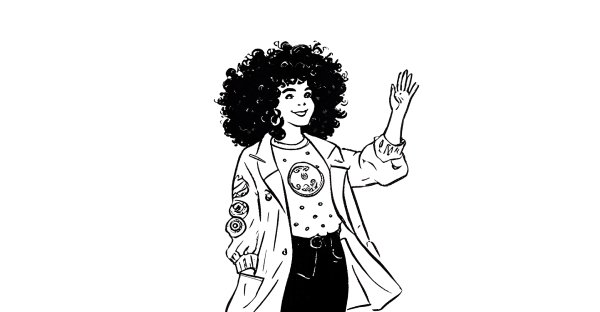
What is Ilus AI?
Ilus AI is an AI illustration generator designed to produce stylistically consistent illustrations. It offers ready-to-use illustration styles and also lets you fine-tune a custom illustration style by training the model with your own example images.
The product supports multiple illustration types and provides export options for created assets, including SVG and PNG. It is positioned for designers, founders, and marketers who need consistent visuals for content and product materials.
Key Features
- Ready-to-use illustration styles (e.g., Ink Drawing, Doodle, Flat) to generate images with a consistent look.
- Text-based generation that creates new illustrations while keeping the selected style consistent.
- Fine-tuning using your own style examples by uploading 10–20 training images to create a custom illustration style.
- SVG and PNG export for generated images, including SVG export for Flat, Ink Drawing, Doodle, and custom style outputs.
- Usage-based pay-as-you-go pricing structure with defined credit costs for generation, editing, exporting, and fine-tuning (credits do not expire).
- Editing and background removal tools as part of the generation workflow (each uses credits according to the on-page breakdown).
How to Use Ilus AI
- Start with the generator: enter a text prompt to create an illustration using one of the available styles.
- If you need a custom look, fine-tune a style by uploading 10–20 example images that match the character or visual style you want.
- Generate the illustrations using the chosen style (premade or fine-tuned).
- Export results as SVG and/or PNG using the provided export options.
Use Cases
- Designers creating consistent illustration sets for different pages or components (e.g., matching a product’s overall illustration language).
- Founders generating visuals for landing pages, MVPs, and pitch materials where the look needs to remain consistent across multiple assets.
- Marketers producing repeatable artwork for blogs, ads, newsletters, or other campaigns that benefit from a consistent visual identity.
- Teams creating a consistent character by using premade character models (ink and doodle) or by fine-tuning a custom character style from training images focused on that character.
- Creators iterating on generated assets with editing and background removal, then exporting deliverables in SVG/PNG format for use in their workflows.
FAQ
Can I generate a consistent character?
Yes. Ilus AI supports consistent characters either through premade ink and doodle character models or by fine-tuning a custom model.
How should I prepare images for fine-tuning?
For fine-tuning, use training images that contain only the character (or subject) you want to create. The page notes this works especially well when the character appears in a wide array of different actions or scenes.
Are the generated images copyright free?
Ilus AI states that generated images are copyright free in the sense that the training images had a CC0 license and so do the generated images.
Are SVG exports available?
Yes. Flat, Ink Drawing, Doodle, and custom style images are SVG exportable.
What inputs are used to train the models?
The page says some models were trained on open-source artwork with a CC0 license, and it also references public domain artwork. It notes that original illustrations were done by Pablo Stanley and his team.
Alternatives
- Other text-to-image or AI illustration generators: alternatives for generating illustrations from prompts, typically with different approaches to style control and export workflows.
- Illustration style libraries and template-based tools: options when you need consistent visuals but want to avoid model fine-tuning and instead rely on predefined assets.
- General-purpose vector editors or design suites with illustration workflows: useful when your end goal is vector output (SVG), though they may require more manual work than AI generation.
- Model fine-tuning platforms or custom training tools: alternatives if your primary need is training custom styles, but they may involve more setup than a purpose-built illustration generator.
Alternatives

Petalica Paint
Petalica Paint is an automatic coloring service for line art, designed to enhance digital artwork with ease.

改图鸭
The AI painting generator is an online AI-powered software that automatically creates artwork based on text descriptions provided by users.

Napkin AI
Napkin AI transforms your text into insightful visuals, making communication more effective and engaging.

Refero
Refero: UI/UX design inspiration & references for web/iOS. Find tens of thousands of screenshots with advanced search for designers.

The Genesis
The Genesis transforms the cryptographic signature of a specific date into a unique, mathematically generated piece of generative art, capturing the moment two lives intersected.

Daft Art
Daft Art is an AI-powered album cover generator: create artwork from your description and chosen aesthetics, edit titles and artist names, then download ready squares.