
Curated aesthetics
Daft Art provides curated aesthetics to help guide the visual direction of a cover instead of relying on open-ended generation alone.

Daft Art is an AI album cover generator for musicians and creators, with curated aesthetics, a simple editor, and high-resolution export.
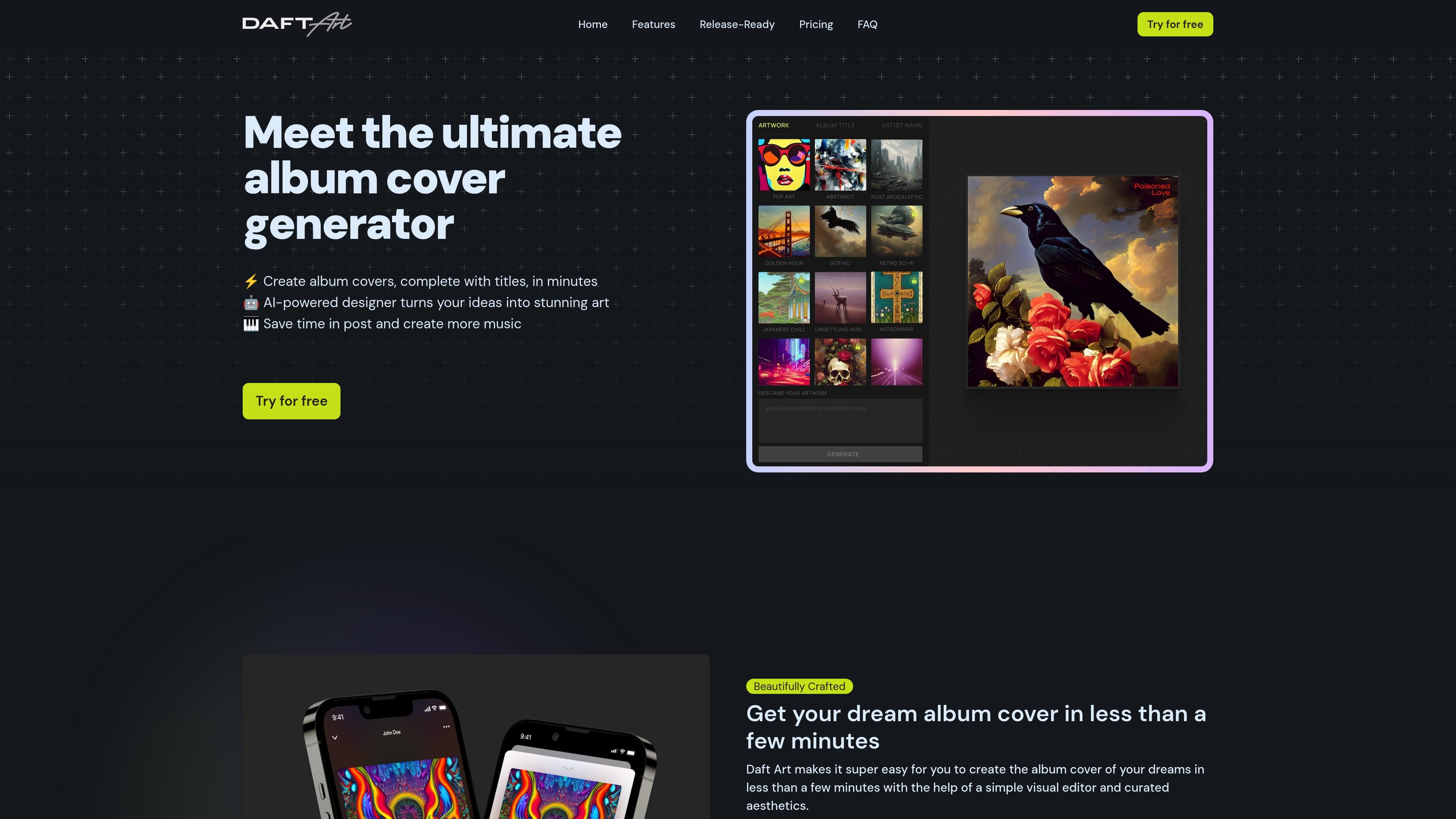
Daft Art is an AI-powered album cover generator for musicians, producers, bands, podcasters, and other artists who need artwork for albums or tracks. It combines AI image generation with a simple visual editor so users can move from an idea to a finished cover in a short workflow.
The product centers on choosing a curated aesthetic, describing the desired cover, generating options, and then refining the result with title and artist-name text. The site positions the output as ready for upload to distribution and streaming platforms, with downloads available in high resolution and square format.
Daft Art provides curated aesthetics to help guide the visual direction of a cover instead of relying on open-ended generation alone.
The editor supports adding an album title and artist name, with controls for text color, font, and style.
The product is designed to export covers in a release-ready format, including high resolution and the correct square aspect ratio.
The site says covers can be downloaded in 3000x3000 px resolution, which matches common streaming platform requirements.
Users can generate multiple versions until they find one they like, which fits iterative cover exploration.
No setup, configuration, or hardware is required according to the homepage copy.
Generate cover art for a new single, EP, or album when you need an image that matches the music’s mood and can be finished quickly.
Iterate on multiple visual directions by changing the aesthetic and regenerating until one version fits the project.
Add album title and artist name directly in the editor so the final image is closer to a finished release asset.
Produce a cover in the correct square format and high resolution for upload to distribution and streaming platforms.
Daft Art is a platform for musicians, producers, bands, podcasters, and artists to create album covers with AI. The workflow described on the site is to choose an aesthetic, describe the cover, generate options, customize the title, and download the result.
The site says you choose an aesthetic, describe your album cover, generate as many versions as needed, then customize the album or track title before downloading the cover.
No. The pricing page says Daft Art is no longer free to use and that you need the Pro plan to start creating album covers.
Yes. The FAQ states that Daft Art does not claim rights over the album covers it produces and that you are free to use them however you want.
Yes. The FAQ says you can add your album title and artist name, and adjust text color, font, and overall style.

The AI painting generator is an online AI-powered software that automatically creates artwork based on text descriptions provided by users.

Petalica Paint is a web service for automatic line-art coloring and tracing drawings from photos, with commercial use allowed under stated terms.

The Genesis Art turns a meaningful date into a one-of-a-kind digital artwork, backed by registry and certificate verification for milestones like births, weddings, and founding days.

Image Prompt is an AI toolset for creating, editing, translating, and reverse-engineering image prompts, with image description and generation features.

Mixels.ai is a browser-based AI pixel art generator for 8-bit characters, sprites, avatars, and photo-to-pixel conversions—no software install needed.

Skybox AI by Blockade Labs creates 360° skyboxes and environments for games, XR, film, education, architecture, and production workflows.