

Kiwiform
Kiwiform is a Typeform-style form builder. Create unlimited forms for free, use conditional logic, and send responses to connected apps.
What is Kiwiform?
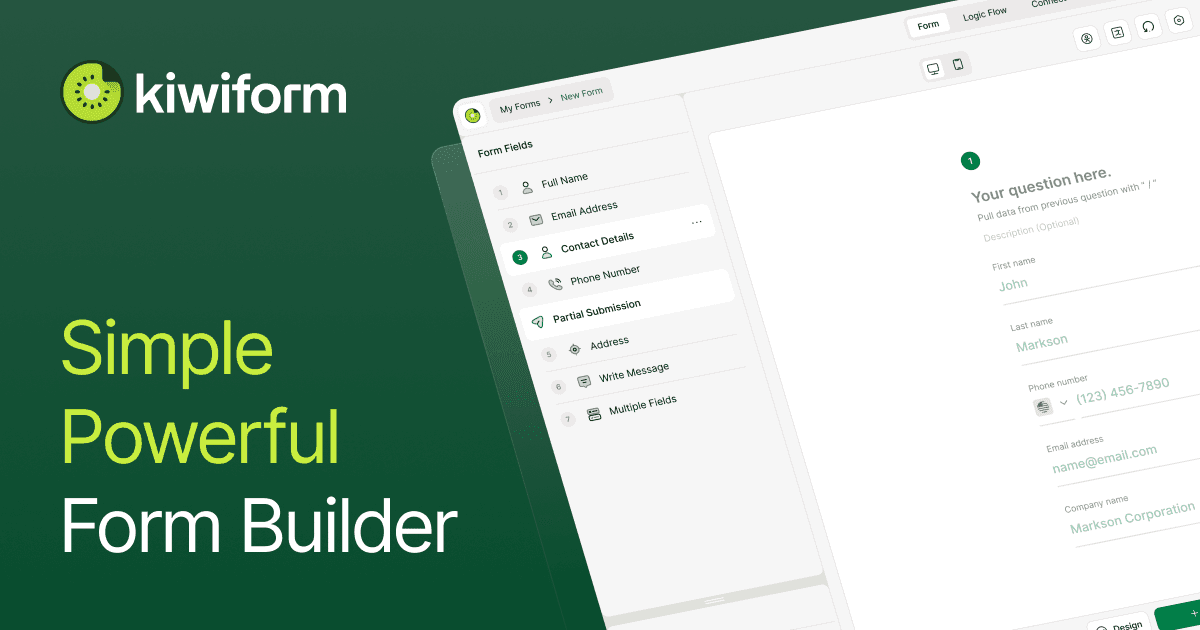
Kiwiform is a form builder and Typeform-style alternative for creating and collecting responses. It’s designed to help you build forms with logic and personalized paths, collect only the relevant information, and then send submitted responses to other tools.
The core purpose of Kiwiform is to make advanced form flows easier to create and manage, using an interface that supports building, styling, and branching logic in one place.
Key Features
- Unlimited form creation (free tier claim): Create unlimited forms for free, positioned as “no response limits” in the provided page copy.
- Rich form building: Add and arrange form fields and refine layouts to match how you want the form to look and behave.
- Guided/clean layouts: A layout approach intended to keep building straightforward from the first field through publishing.
- Logic with conditions and branching: Show or hide fields based on responses, guide users through different paths, and adapt the form in real time as inputs change.
- Visual flow control: Build, edit, and manage logic visually in one place.
- Focused experiences to reduce friction: Use branching to remove unnecessary steps and keep forms shorter based on user answers.
- Styling controls: Maintain consistent design using a Theme Library and “My Themes,” plus logo and background management.
- Theme and alignment options: Choose fonts/colors/buttons via themes and adjust logo, background, and alignment for cleaner layouts.
- Integrations to send data anywhere: Automatically route responses to connected apps as soon as they’re submitted, including notifications, actions, and follow-ups.
- Multilingual form support: Create multilingual forms with translation described as “design once, translate effortlessly.”
- Autosave responses: Responses are saved automatically while people fill out a form.
- Spam protection: Protected from spam by default with built-in safeguards described as requiring no setup.
- Templates: Start from ready-made templates for common use cases and customize them.
How to Use Kiwiform
- Start a free account and choose Create a new form.
- Add and arrange fields, then adjust layout to fit your form structure.
- If needed, set up conditional logic to show/hide fields and create branching paths based on respondents’ answers.
- Style the form using the Theme Library or your saved themes (including logo and background) and adjust alignment.
- Connect any required tools via integrations, then publish the form.
Use Cases
- Lead capture with qualification paths: Use branching logic to ask follow-up questions only when relevant, reducing unnecessary steps before submitting a lead.
- Product or sales registrations: Collect different information depending on registration answers by showing/hiding fields dynamically.
- Marketing surveys with targeted questions: Present tailored question sequences so respondents only see fields that apply to their selections.
- Event and trade show lead forms: Use a pre-built template (the page references a trade show lead form template) and customize fields for your booth workflow.
- Multilingual data collection: Create a version of a form intended for global respondents using the multilingual form capability described on the page.
FAQ
-
Does Kiwiform support conditional logic? Yes. The page describes conditions and branching that show/hide fields and guide respondents through different paths.
-
Can forms adapt in real time while someone is responding? The page states that forms adjust instantly as inputs change.
-
How are responses delivered after submission? Kiwiform supports integrations that automatically send responses to connected apps and enable trigger-based notifications/actions.
-
Is there any spam protection included? The page says spam protection is built in “by default,” with safeguards described as requiring no setup.
-
Does Kiwiform provide templates? Yes. The page mentions ready-made templates for common use cases that are customizable.
Alternatives
- Typeform (direct alternative): Another form tool known for interactive, logic-driven forms. You’d compare it on form logic UX, styling options, and how you route responses to other apps.
- Generic survey platforms with branching logic: Tools in the survey category that support conditional questions and automated data collection. They differ based on visual flow editing and the depth of form styling/theming.
- Form-to-workflow automation platforms: Solutions that focus on routing submissions to other systems (notifications, actions, and data sync). They may emphasize integrations more than advanced visual form styling and logic building.
- Survey/questionnaire builders with multilingual support: Alternatives that support multiple languages for questions/forms, differing in how templates and translations are managed.
Alternatives

Make Real
Draw a UI and make it real using the tldraw SDK.

VForms
VForms enables the creation of interactive questionnaires overlaid directly onto YouTube videos, allowing users to collect highly contextual feedback and deep user insights.

FigPrompt
FigPrompt is an AI Figma plugin builder that generates production-ready plugin logic from your description—no code, in seconds.

Usercall
Usercall automatically invites targeted users to AI-moderated micro voice or text interviews when product events happen—turn transcripts into themes.

Radian
Radian is an open-source design and development library to build React + Tailwind UIs with Radix—reusable components, animations, and blocks.

Fronty
Fronty converts screenshots and JPEG/PNG images into HTML and CSS with AI, then lets you edit and publish via a no-code editor and hosting.