

LightPDF
LightPDF is a free online AI PDF editor and converter. Edit, OCR, sign, annotate, merge, compress, and chat with PDFs in the cloud.
What is LightPDF?
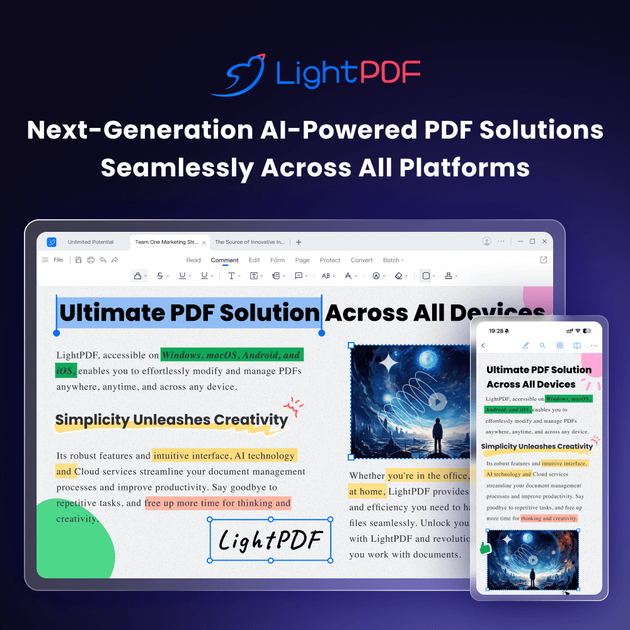
LightPDF is a cloud-based PDF toolkit that lets you view, edit, convert, and process PDF files in-browser, with support across desktop, mobile, and web platforms. Its core purpose is to help users handle common PDF tasks—such as editing text, extracting content from scans, and combining or compressing files—without needing separate tools.
The product also includes AI-powered features for working with documents, including an option to chat with PDFs and to perform tasks like summarizing and extracting information from provided document content.
Key Features
- AI chat with documents (ChatPDF): Ask questions about a document and use AI to summarize, explain, and analyze content.
- Edit PDFs: Modify PDF text and manage content such as images and links; includes tools for adding or removing watermarks and adjusting background color.
- OCR for scanned documents: Turn PDF scans and images into text, including support for multi-language recognition and batch text extraction.
- Convert and create documents: Convert PDFs to other formats (including office formats) and create PDFs from other file types, with support for bulk conversion.
- Annotate and markup: Highlight/underline and add markups, stamps, and shapes, plus insert text annotations and comments.
- Sign PDFs: Add and manage signatures, including signature fields and signature validation.
- Merge and compress: Combine multiple PDFs into one document and reduce PDF file size without losing quality.
- Cloud access and syncing: Upload documents to the cloud, manage files in one place, and access them across devices.
How to Use LightPDF
- Get started in your browser: Open the LightPDF online tools and choose a task such as edit, convert, OCR, merge, compress, annotate, or sign.
- Upload your file: Upload a PDF (or, for conversions and OCR, provide the relevant input type) to the tool.
- Apply the selected operation: Edit content, run OCR to extract text, convert to an output format, merge/compress files, or add annotations/signatures.
- Download results: Save the processed output back to your device.
- Optional mobile workflow: Use the LightPDF app on iPhone/iPad or Android for on-the-go access and processing.
Use Cases
- Convert PDFs for editing in Office tools: Transform a PDF into editable Word (or other office/document formats) when you need to revise content.
- Digitize scanned paperwork with OCR: Extract text from scanned PDFs or images so the content becomes searchable and can be copied or exported.
- Prepare a document for review: Add highlights, underlines, stamps, shapes, and comments to markup a PDF before sharing it with others.
- Combine and streamline multi-file documents: Merge multiple PDFs into a single file and optionally compress the result to reduce size for easier sharing.
- Summarize and answer questions about a document: Use the AI chat feature to summarize, explain, and extract relevant information from the content you provide or upload.
FAQ
Is LightPDF available on mobile and desktop?
Yes. The site offers downloads for Windows, Mac, iPhone/iPad, and Android, and it also provides cloud-based online tools.
What types of PDF tasks does LightPDF support?
Based on the available tools, LightPDF supports editing, converting, OCR, signing, annotating/markup, merging, compressing, and an AI chat workflow for working with PDF content.
Can LightPDF convert scanned documents to text?
Yes. The OCR tools are described as turning PDF scans and images into text, with multi-language recognition and batch extraction support.
What outputs can I download after OCR or conversion?
The site states OCR output can be exported in formats such as Word, TXT, and editable PDF. Conversion outputs include Office document formats and images, and bulk conversion is supported.
Does LightPDF provide API/SDK options?
Yes. LightPDF lists PDF API/SDK solutions for conversion, OCR, editing, web viewing/rendering, and AI chat with PDFs.
Alternatives
- Online document editors (web-based PDF editors): Use when you primarily need browser-based editing and basic annotation; workflows may differ in depth of OCR, AI chat, and bulk processing.
- Standalone OCR and document digitization tools: Use when your main requirement is extracting text from scans/images; these may focus more narrowly on OCR than full PDF editing or signing.
- PDF management suites with conversion and compression: Use when you need a broader set of file-handling operations (merge, compress, convert) with a single interface; AI chat capabilities may vary.
- PDF e-signature platforms: Use when signature workflows are the priority; these typically emphasize signing and validation rather than the full edit/convert/OCR toolchain.
Alternatives

Jenni
Jenni is an AI workspace to read PDFs, draft essays and papers, and generate in-text citations in 2.6k+ styles.

Mooon
Mooon helps extract and read Japanese text from PDF, images, EPUB and more—rotate to landscape, add furigana, translate, and read aloud.

PDF Guru
PDF Guru is an online PDF editor that allows users to edit, convert, and manage PDF documents easily from any device.

Pahadify
Pahadify is a student-focused web utility to resize, crop, compress and convert images and PDFs, with privacy-first client-side tools.

AI PDF Summarizer
An AI-powered tool that summarizes PDF documents quickly and efficiently, providing clear insights and allowing users to interact with the content.

Paperpal
Paperpal is an academic writing AI tool for research workflows—smart literature reading, English editing, rewriting, writing components, and pre-submission checks.