
Receipt capture and extraction
Point your camera at a receipt and Masari reads it, extracts the items, and logs the expense automatically.

Masari is an AI expense tracker for iPhone that lets you log spending by snapping receipts or typing plain-language entries, then ask questions about your finances in chat.
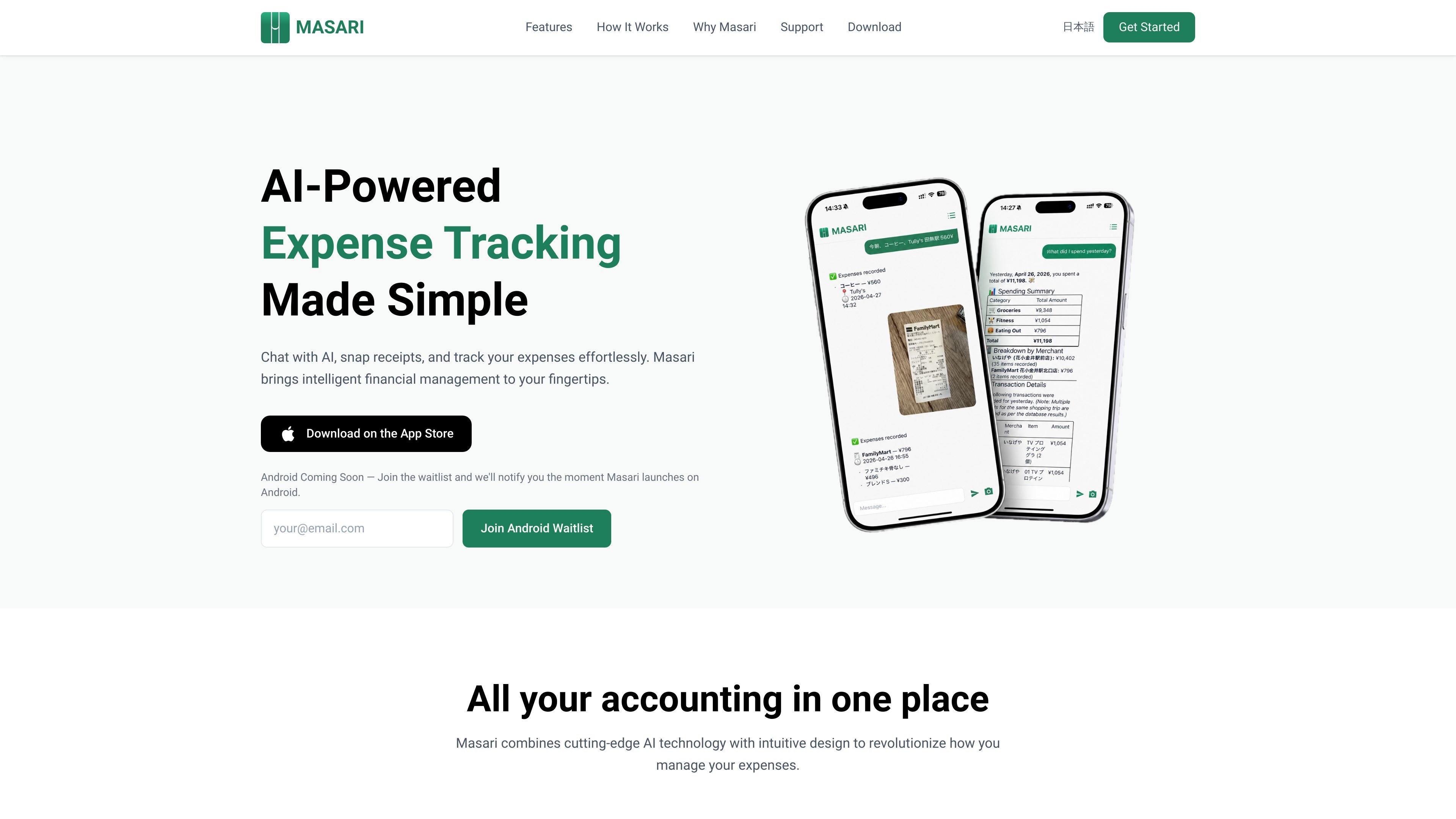
Masari is an AI expense tracker for iPhone that combines receipt scanning, plain-language expense entry, and conversational access to your spending data. It is designed to reduce manual logging by letting you capture expenses quickly and then ask questions about the results.
The product's core workflow is simple: record an expense from a photo or message, then use AI to surface answers, reports, and patterns from the saved data. Masari also keeps a searchable expense log for times when you want the raw entries instead of AI-generated summaries.
Point your camera at a receipt and Masari reads it, extracts the items, and logs the expense automatically.
Enter a spending entry in plain language when you do not have a receipt. The app accepts text input in any language it supports on the current workflow.
Ask questions about your finances and get answers in plain language, such as spending totals, recent activity, or affordability checks.
View spending summaries by category, merchant, or week so you can inspect patterns without building your own spreadsheet.
Keep a searchable log of expenses and filter records by date, merchant, or category when you need the underlying entries.
Use the same workflow to capture expenses and then query the data later, so tracking and review happen in one app.
Use Masari after shopping, dining, or travel expenses when you want to log a receipt without manually typing every line item.
Type a purchase in plain language when you do not have a receipt, such as a cash payment or an online expense.
Ask follow-up questions after a week or month of spending to understand totals, patterns, or where a large amount went.
Check category, merchant, or weekly breakdowns when you want a simple report instead of building a spreadsheet yourself.
Use the searchable log and filters when you need to find a specific entry or verify what was recorded for a given date or merchant.
Masari records expenses by letting you snap a receipt or type a spending entry in plain language. The app then stores the expense in your log and makes it searchable.
Masari can answer questions about your spending history, such as what you spent in a given period, where money went, or whether a purchase fits your recent spending patterns. The site examples show questions like "What did I spend last week?" and "Can I afford that watch?"
Yes. Masari provides a clean, searchable expense log and says you can filter by date, merchant, or category. The app also supports editing or deleting expenses based on the FAQ list on the site.
Masari is currently available on the App Store. The site also says Android is coming soon and invites visitors to join the Android waitlist.
Masari uses email-based one-time passcodes for authentication, so it does not support sign-in with Apple, Google, or other third-party identity providers.

Gemma AI is a phone call reminder app that calls you with scheduled reminders instead of push notifications, with Google Calendar sync and natural voice interaction.

Spotit is a macOS app that reads your screen and highlights exactly where to click, using voice questions and on-screen guidance.

nolainocr is an AI OCR tool that extracts structured data from PDF invoices, receipts, forms, contracts, and bank statements into Excel, Google Sheets, JSON, or CSV.
MealTime is your personal, offline-first recipe companion designed to help you save, organize, plan meals, and generate smart grocery lists, all while keeping your data private.

Asmi is an AI personal assistant for chores by phone calls, iMessage, and WhatsApp. Book services, follow up on tasks, and keep context.

Timebook is a time tracking, invoicing, and bookkeeping app for freelancers and single-member LLCs. Track hours, send invoices, and keep books in one place.