

MyClawSetup
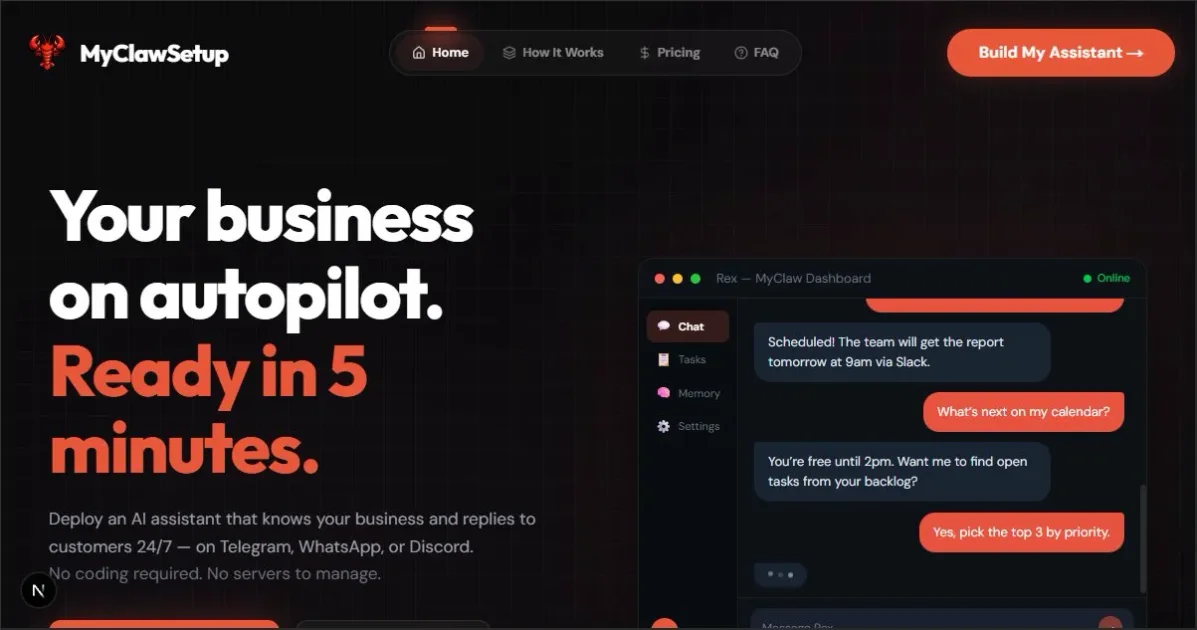
MyClawSetup is a no-code wizard to deploy an OpenClaw-powered AI assistant to Telegram, WhatsApp, or Discord using your business details.
What is MyClawSetup?
MyClawSetup is a no-code setup wizard for deploying an OpenClaw-powered AI assistant that can answer customers and handle common tasks on messaging platforms. The goal is to help businesses configure an assistant tied to their own business details without needing to manage Docker, Node.js, or command-line setup.
Instead of starting from scratch, MyClawSetup guides you through entering business information, choosing an assistant name and communication tone, and installing or deploying the resulting setup so it runs continuously on a cloud server.
Key Features
- No-code wizard for setup: Provides a guided flow to enter business name, services, hours, and prices, reducing reliance on technical configuration.
- Assistant personalization from business inputs: Uses your services, pricing, and operating hours so the assistant can respond to customer questions based on your provided information.
- Tone and personality selection: Lets you choose the assistant’s tone (examples include friendly, professional, casual, witty, and direct) so responses match how you want to communicate.
- Multi-platform deployment: Designed to deploy the assistant to Telegram, WhatsApp, or Discord for customer conversations where they already message.
- Cloud-based always-on operation: Deploys to a cloud server/VPS so the assistant can respond around the clock.
- Built-in security controls: Offers security modes described as strict, balanced, or open to control what the assistant can and can’t do and to support private data handling.
How to Use MyClawSetup
- Start the wizard and enter your business details (business name, services, prices, and hours). You can provide the information in the form-like questions the wizard asks.
- Choose the assistant’s name and select a communication tone (e.g., friendly, professional, casual, witty, direct).
- Install and launch: download the setup package for your Mac, Windows, or Linux environment, or paste the provided command to run setup on a cloud server/VPS.
After the installation step completes, your assistant is live and ready to interact on the selected messaging platform.
Use Cases
- Hair salon appointment and pricing questions: A salon can provide services and prices, then have the assistant answer questions about haircut/color/blowout and operating hours.
- Landscaping quote drafting and inquiry handling: A landscaping business can use the assistant to respond to customer inquiries and help draft quotes while the team is working on-site.
- Dental clinic after-hours follow-ups: A clinic can route common questions and follow-up messages through the assistant during times when staff are not immediately available.
- Restaurant reservations and menu inquiries: A restaurant can handle reservation requests and answer menu-related questions on WhatsApp without requiring customers to visit a website.
- Real estate lead qualification and viewing scheduling: A real estate agent can have the assistant handle lead qualification and follow up on Telegram as inquiries arrive.
FAQ
Does MyClawSetup require coding or server management?
The site positions MyClawSetup as a no-code wizard intended to avoid the typical setup steps described as requiring Docker, Node.js, and command-line configuration.
Which messaging platforms does it support?
It supports deploying an assistant to Telegram, WhatsApp, or Discord.
Where does the assistant run after setup?
MyClawSetup deploys the assistant on a cloud server (including a VPS) so it can respond 24/7.
What inputs does the wizard ask for?
It asks for business information such as business name, services, prices, and hours, plus assistant configuration such as an assistant name and a chosen communication tone.
How does security work?
The setup includes security options described as strict, balanced, and open, intended to let you control what the assistant can and can’t do.
Alternatives
- Direct Open-source AI assistant self-hosting: Instead of using a wizard, you can install and configure an open-source assistant framework yourself (more technical setup, but potentially more customization).
- Building a custom customer-support bot: A developer-first approach using a bot framework and an LLM, where you handle onboarding, data wiring, and platform integrations explicitly.
- No-code automation tools connected to chat apps: Tools that automate responses and workflows based on rules and integrations (may be easier for simple flows but may not tie responses to rich business knowledge as directly).
- Chatbot platforms with business knowledge upload: Hosted chatbot solutions where you connect knowledge sources and deploy to chat channels (often simpler operationally, but the workflow differs from OpenClaw-based deployment).
Alternatives

Codex Plugins
Use Codex Plugins to bundle skills, app integrations, and MCP servers into reusable workflows—extending Codex access to tools like Gmail, Drive, and Slack.

Ably Chat
Ably Chat is a chat API and SDKs for building custom realtime chat apps, with reactions, presence, and message edit/delete.

Make Real
Draw a UI and make it real using the tldraw SDK.

Grok AI Assistant
Grok is a free AI assistant developed by xAI, engineered to prioritize truth and objectivity while offering advanced capabilities like real-time information access and image generation.

AakarDev AI
AakarDev AI is a powerful platform that simplifies the development of AI applications with seamless vector database integration, enabling rapid deployment and scalability.

Whirr
Whirr is a quiet macOS menu bar app that mirrors Claude Code agent activity to your Mac’s notch—so you can glance without watching the screen.