
Specification normalization
Import OpenAPI 3.0 or 3.1, Swagger 2.0, Postman, or AsyncAPI files in JSON or YAML, then normalize them to OpenAPI 3.1 for downstream products.

Octri converts OpenAPI, Swagger, Postman, or AsyncAPI specs into editable docs, SDKs in 10 languages, MCP tools, and production monitoring.
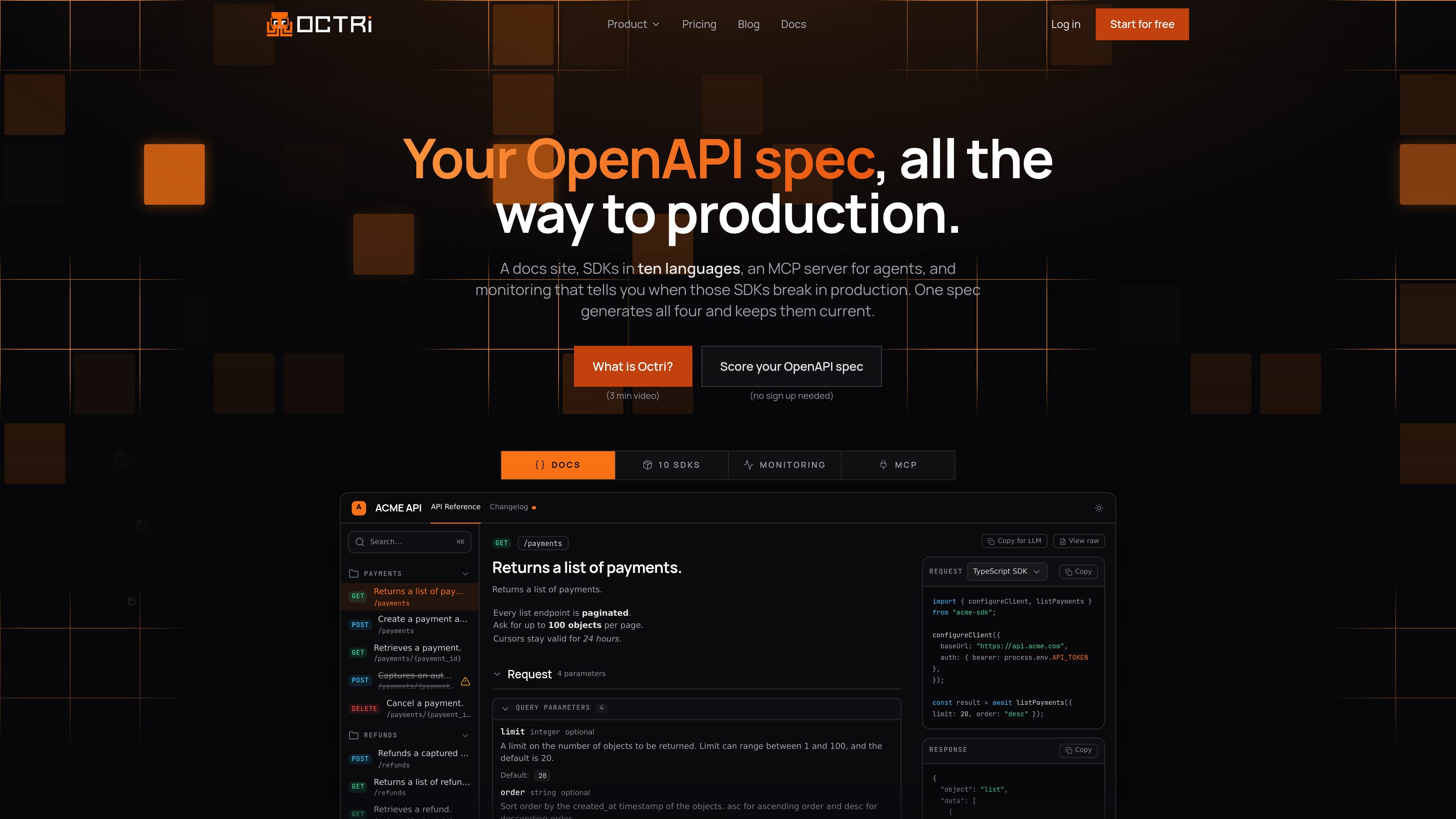
Octri is a developer platform that takes an API specification through documentation, SDK generation, agent access, and production monitoring. It accepts several common API description formats, normalizes them to OpenAPI 3.1, and uses the resulting model to produce a documentation site, client libraries, an MCP server, and telemetry workflows.
The platform is designed to keep these outputs connected to the source specification. Teams can edit generated reference content, write separate guides, configure clients for their conventions, and rebuild after a merged specification change. Monitoring can be compiled into generated SDKs or added to a backend separately, so teams can inspect errors, traces, service relationships, uptime, and regressions without deploying a monitoring agent.
Import OpenAPI 3.0 or 3.1, Swagger 2.0, Postman, or AsyncAPI files in JSON or YAML, then normalize them to OpenAPI 3.1 for downstream products.
Generate searchable reference pages, edit them in place, add MDX or visual guides, and publish the result on a custom domain. Documentation updates can be rebuilt from a changed specification.
Provide a live, schema-driven console that sends real requests using the API's authentication and produces snippets from the reader's input. Search and optional AI chat help readers locate answers.
Generate idiomatic client libraries for ten named languages, with per-language settings for naming, pagination, idempotency, code style, transport, and project structure. Clients can be published to package registries.
Add telemetry to generated SDKs or use a standalone backend package without deploying an agent. Monitoring provides structured logs, grouped issues, traces, service maps, N+1 query detection, synthetic uptime checks, and alerts.
Publish the documentation as markdown and through llms.txt, and expose API endpoints as callable tools for Claude, Cursor, and other MCP clients. Machine-readable access can be disabled from the site settings.
Import an existing API specification, generate reference pages for its endpoints, then correct descriptions, add examples, and publish a reader-facing site without requiring readers to work directly from the source YAML.
Configure naming, pagination, idempotency, transport, and folder conventions for each target language, then publish generated clients to package registries and review build history when changes ship.
Expose the same API documentation as rendered pages, markdown, and an llms.txt index, while allowing MCP clients such as Claude or Cursor to call documented endpoints as tools.
Compile telemetry into generated SDKs or install the backend package, then investigate a customer-reported failure through grouped issues, traces, service maps, query detection, uptime checks, and alerts.
Octri accepts OpenAPI 3.0 and 3.1, Swagger 2.0, Postman, and AsyncAPI specifications in JSON or YAML. It normalizes the input to OpenAPI 3.1. You can provide a base URL and authentication scheme through the specification, where supported.
The documentation generator creates reference pages for the paths and methods in a specification. You can generate the whole API, only undocumented gaps, or an individual page. Generated content can be edited in place before publishing, and your edits remain in place during later runs unless you explicitly remove them.
The published site includes API reference pages, guides, search, a live playground, and an agent-readable index. Reference pages can include endpoint explanations, field descriptions, status-specific error guidance, runnable cURL, JavaScript, and Python examples, plus deprecation indicators.
SDK Studio generates clients for TypeScript, Python, Go, Java, Dart, Ruby, PHP, Rust, Swift, and Kotlin. It supports per-language configuration such as namespaces, pagination, idempotency, code style, HTTP engine, method names, excluded endpoints, and folder structure. Custom hooks can be compiled into the clients.
Octri has a free tier and paid plans. One plan covers documentation, SDKs, monitoring, and the MCP server, while the available volume and SDK language allowance vary by tier. Enterprise plans can run the generator and documentation renderer in a customer-managed infrastructure; other tiers are hosted by Octri.

ByteAsk is a terminal-first AI coding agent for C and C++ that edits repos and verifies changes with compilers, debuggers, sanitizers, and tests.

CreateOS Sandbox is an isolated compute environment for running code and agent workloads in Firecracker micro-VMs with private networking and SDK, CLI, or MCP control.

GitBot is a local browser workspace for reusable coding bots powered by Claude Code, Codex, or OpenCode, with persistent threads and configurable permissions.

hob is an independent workspace for coding agents, with local control over sessions, terminals, history, routing, and follow-up work.

Ably Chat is a chat API platform for custom realtime chat apps, with rooms, typing indicators, presence, reactions, message updates and usage-based pricing.

Manta AI is an autonomous web app testing tool that maps app behavior, catches regressions, and generates tests from a URL, no scripts or selectors needed.