
Managed agent deployment
Deploy a managed agent that stays online, can be steered mid-run, and exposes a permanent URL for access.

OpenComputer provides managed, persistent cloud VMs for AI agents, with a deploy flow that creates a live agent URL, full OS access, checkpoints, and runtime resizing.
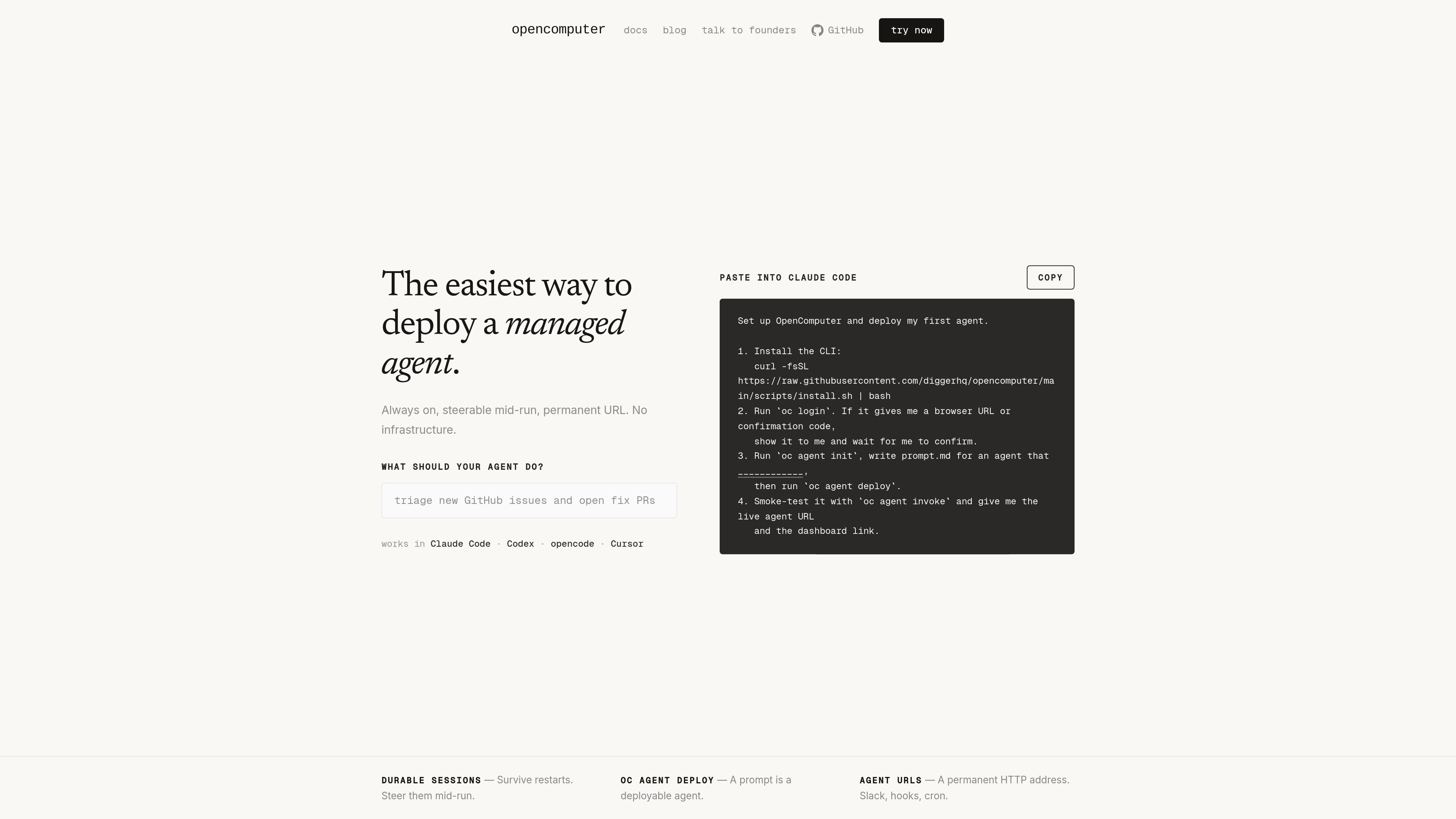
OpenComputer is long-running cloud infrastructure for AI agents. On the deploy page, it is presented as a way to deploy a managed agent that stays on, can be steered during execution, and is reachable through a permanent URL.
The broader product page describes OpenComputer as persistent VMs that hibernate when idle and wake in seconds. Each VM is a real machine with a full filesystem, full OS access, and persistent state, which makes it suitable for agents that need to keep working across sessions instead of starting from scratch each time.
The service is aimed at agent builders who need more than a throwaway sandbox. It is described as purpose-built for harnesses such as Claude Agent SDK and as working with Claude Code, Codex, opencode, and Cursor in the deployment flow.
OpenComputer also supports runtime elasticity: you can resize memory and CPU while a VM is running, and you can use checkpoints to snapshot, fork, or restore state when you need to recover or branch an agent session.
Deploy a managed agent that stays online, can be steered mid-run, and exposes a permanent URL for access.
The product provides always-on VMs that hibernate when idle and wake in seconds, so agent state can persist across sessions.
Resize memory and CPU while the VM is running to match the workload without restarting the machine.
Create instant snapshots and restore or fork from a previous point when you need to recover or branch state.
Use a full filesystem and full OS access rather than a disposable sandbox, which is important for agents that need to keep files, installs, or session state.
The page documents a deploy flow built around the CLI: install, log in, initialize an agent, deploy it, and invoke it for smoke testing.
Use OpenComputer when your agent needs to keep files, installs, and working state across multiple sessions instead of re-creating the environment every time.
Deploy a managed agent that should stay reachable through a permanent URL and be steerable while it is running, rather than only producing one-off outputs.
Use checkpoints when you need to test a change, branch from a known-good state, or recover after the agent gets into a bad filesystem or runtime state.
Resize CPU or memory during a session when workload needs change and you want to avoid restarting the VM.
Build B2B agent products where users expect a computer that remembers installs and session state, such as persistent coding or workflow automation tools.
OpenComputer is designed for deploying managed agents that need a persistent machine rather than a throwaway sandbox. The page shows a workflow where you install the CLI, log in, initialize an agent, deploy it, and then invoke it to verify the live URL and dashboard link.
The page says OpenComputer works with Claude Code, Codex, opencode, and Cursor. It also describes the platform as purpose built for running harnesses such as Claude Agent SDK.
The product emphasizes long-running, persistent VMs with a full filesystem, full OS access, and state that survives across sessions. It also supports elastic resizing of memory and CPU while the VM is running, plus hibernation and wake-up.
OpenComputer includes checkpoints for instant snapshots, so you can fork, restore, or roll back a VM state. The source describes this as a way to recover from bad VM state quickly.
The source positions OpenComputer for B2B agent platforms and managed agents that need persistence, steerability, and a permanent URL. It is not described as a general consumer app or a generic app-hosting platform.

CreateOS Sandbox is an isolated compute environment for running code and agent workloads in Firecracker micro-VMs with private networking and SDK, CLI, or MCP control.

ByteAsk is a terminal-first AI coding agent for C and C++ that edits repos and verifies changes with compilers, debuggers, sanitizers, and tests.

hob is an independent workspace for coding agents, with local control over sessions, terminals, history, routing, and follow-up work.

Manta AI is an autonomous web app testing tool that maps app behavior, catches regressions, and generates tests from a URL, no scripts or selectors needed.

SonOf connects to your repo and PM tool, audits your codebase, and turns approved work into shipped tickets with senior engineering review.

Ghost is a terminal-based AI assistant for chatting, code generation, and CLI tasks. Includes free models, supports Linux, macOS, Windows, and is open source.