
Format preservation
Translate PDFs while keeping the original layout, tables, images, and fonts intact in the output file.

PDFTranslator.org is a free browser-based tool for translating PDF documents into 100+ languages while preserving layout and formatting. Supports OCR and no sign-up.
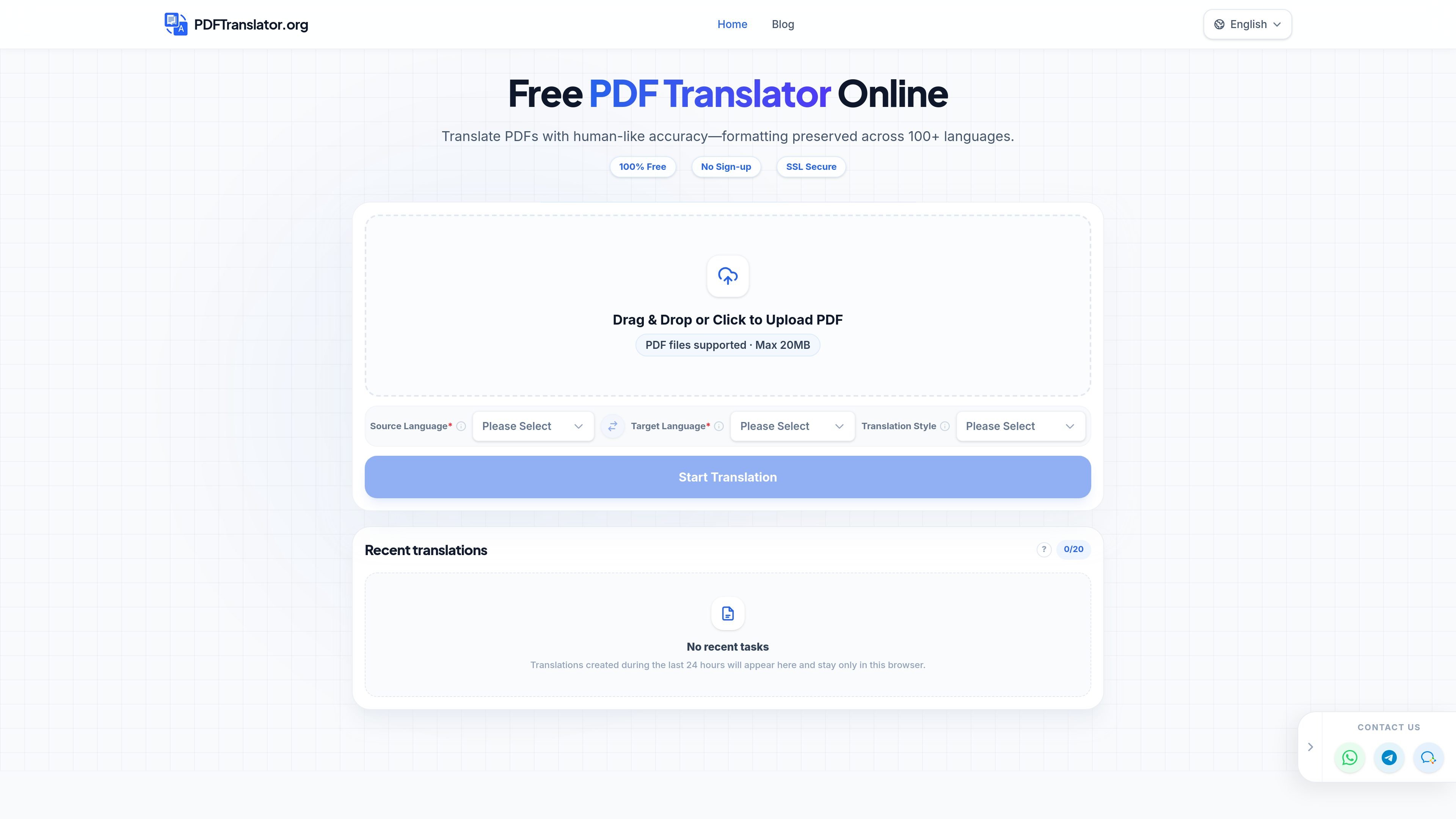
PDFTranslator.org is an online PDF translation tool that converts uploaded PDF files into other languages using an AI-based workflow. The home page presents it as a free, browser-based product for translating documents while preserving the original formatting.
The product is positioned for people who need to translate research papers, handbooks, textbooks, and similar documents without rebuilding the layout by hand. It supports source and target language selection, a translation style setting, OCR for scanned PDFs, and claims support for 100+ languages, with no sign-up required.
Translate PDFs while keeping the original layout, tables, images, and fonts intact in the output file.
Work with English, French, Spanish, Chinese, and many other languages, including less common languages mentioned on the site.
Handle scanned documents by extracting text from images before translation.
Translate longer documents and multi-page files without the product page calling out a practical page limit beyond the 20MB upload note.
Choose a translation style that matches the source document’s field or tone.
Upload and process files through a browser-based workflow with SSL-secured handling and no sign-up required.
Translate academic papers while keeping citations, tables, and page layout readable for review or sharing.
Convert employee manuals and technical handbooks into local-language versions without recreating diagrams and formatting.
Translate textbook chapters or study materials for reading in another language while preserving the original structure.
Handle scanned PDFs that need OCR before translation, such as photographed or image-based documents.
Translate business proposals and similar client-facing PDFs where formatting needs to remain intact in the final output.
It translates PDF documents between English, French, Spanish, and 100+ other languages. The tool also supports scanned PDFs through OCR and offers a translation style selector for documents that need a specific tone or field match.
Yes. The home page states that the tool is 100% free and requires no sign-up or credit card. The recent-translations panel also notes that records are stored only in the browser for the last 24 hours.
The product page says uploads support PDF files up to 20MB. It also says the tool is SSL-secured and deletes files from its servers within 1 hour after translation.
The site says the translated output aims to preserve formatting, including layout, tables, images, and fonts. It is designed for documents such as research papers, handbooks, and textbooks.
The page presents the tool as an online browser-based workflow with upload, source language, target language, and translation style selection. No separate team, API, or integration workflow is documented on the source pages provided.

PDFTools is a browser-based suite of free and premium PDF tools for editing, conversion, and document handling—process PDFs locally without uploading files.

Jenni is an AI research and academic writing assistant for students, researchers, and academics. Draft papers, manage citations, review claims, and export from one workspace.

An AI-powered tool that summarizes PDF documents quickly and efficiently, providing clear insights and allowing users to interact with the content.

Paperpal is an AI tool for academic writing, offering literature reading, language polishing, citations, plagiarism checks, AI detection, and pre-submission review.

nolainocr is an AI OCR tool that extracts structured data from PDF invoices, receipts, forms, contracts, and bank statements into Excel, Google Sheets, JSON, or CSV.

MagicSlides is an AI presentation generator that turns text, topics, documents, URLs, and videos into slide decks. Google Slides by default, with PowerPoint export and multilingual AI editing.