

Pebblely
Pebblely is an AI product photography tool that generates marketing-ready product images from a single photo, with background and setting variations for ads and listings.
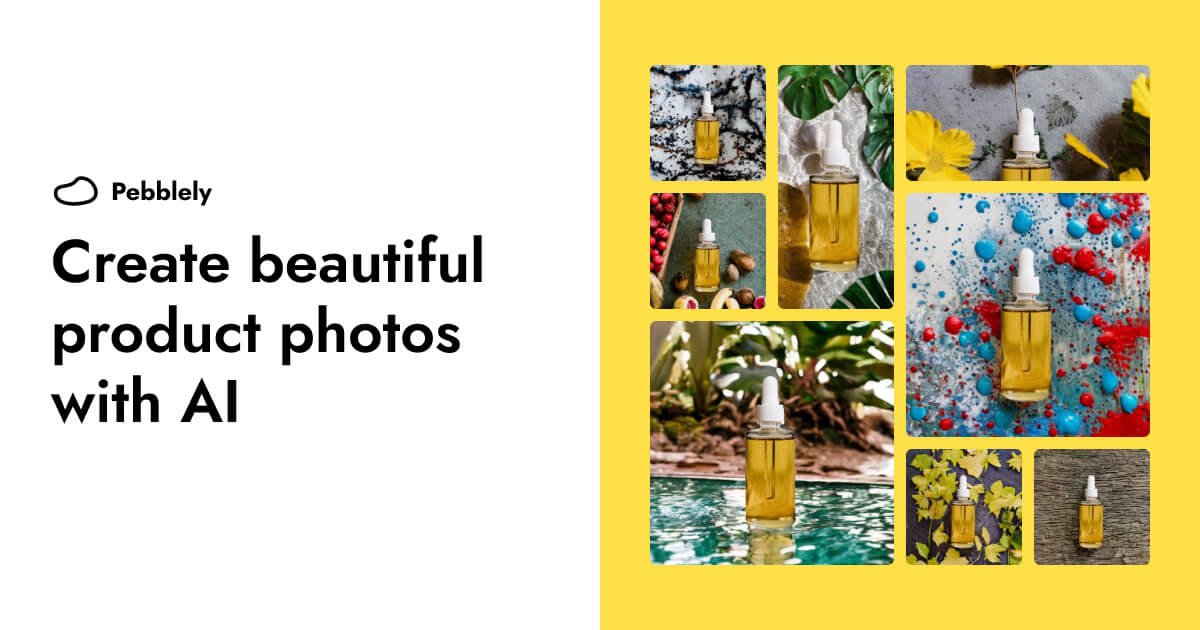
What is Pebblely?
Pebblely is an AI product photography tool that helps you create product images for marketing and commerce use. It’s designed to turn a starting image into multiple photo variations (such as different backgrounds or settings) so you can produce visuals for ads, listings, and other channels without requiring Photoshop skills.
The core purpose is to help businesses generate product photos at scale, using AI to create both marketplace listing images and broader marketing assets like social media content, email banners, and ad creatives.
Key Features
- AI product photo generation from a single image: Create multiple marketing-ready images based on one input, aimed at producing more than a single product shot.
- AI Marketplace listing photos: Generate listing-style product photos intended for e-commerce catalog use, along with related marketing assets.
- Bulk generation with similar or varied backgrounds: Use the app to create many images efficiently, including options where background appearance stays similar or changes.
- 100+ templates to start faster: Begin from predefined templates for common photo styles/settings.
- Works across channels and platforms: Use generated imagery for social media content, website imagery, email banners, and ad creatives, based on the site’s stated output types.
How to Use Pebblely
- Get started using Pebblely’s web interface.
- Provide an input image of the product you want to photograph.
- Choose a template or desired style/background direction from the available template library.
- Generate images—including the option to produce multiple variants when you need more than one asset.
- Use the generated photos for the intended placements such as marketplace listings, website imagery, social media, or ad creatives.
Use Cases
- Marketplace listing refreshes: Create listing photos with consistent product presentation while changing or refining backgrounds as your catalog updates.
- Social media content packs: Generate multiple variations of the same product image to support different posts or campaigns without repeatedly re-shooting.
- Website imagery for product pages: Produce background and setting variations for product sections to keep on-site visuals from looking static.
- Email banners and promotions: Generate product-focused creative images for email headers and promotional graphics.
- Ad creative iterations: Produce multiple photo variations suitable for ad creatives when you want different visual contexts but the same product.
FAQ
Can I create multiple marketing assets from one product photo?
Yes. Pebblely is described as being able to turn one image into multiple marketing assets.
Does Pebblely require Photoshop skills?
The site states there’s no need for Photoshop skills.
Can I generate product photos in bulk?
Yes. The app supports bulk generation, including creating images with similar or varied backgrounds.
Are there templates to help me start?
Yes. Pebblely lists 100+ templates to get started.
What kinds of outputs can I use the photos for?
The site specifically mentions marketplace listing photos, social media content, website imagery, email banners, and ad creatives.
Alternatives
- Manual photo editing workflows (e.g., background removal + compositing): Useful if you need fully custom control, but typically involve more time and effort per image.
- DIY design tools for mockups: Helpful for assembling layouts and simple visuals, but may not replace the specific job of generating new product photo backgrounds/settings from a product image.
- Other AI image generation tools for product imagery: Alternative category of AI tools that can create visuals from images; differences usually come down to how focused the workflow is for product photography and marketplaces.
- Professional product photography services: Suitable when you need real studio captures and consistent brand styling, but the workflow is different from generating assets at scale with AI.
Alternatives

Pic Copilot
Transform your eCommerce store with AI Fashion Models, AI Product Images, and UGC videos—all in one tool. No studio or design skills needed.

Hotpot.ai
Hotpot.ai is an AI platform for generating images and AI headshots, editing photos with upscaling and background removal, plus AI writing templates.

Rekreate
Rekreate is an AI product photography platform that generates studio-quality e-commerce creatives in under 60 seconds for Amazon, Flipkart, Shopify & social ads.

DailyPlay.ai
Turn passive visitors into loyal customers with DailyPlay.ai—create personalized, data-driven mini games built for your brand’s engagement goals.

PXZ AI
An All-In-One AI Platform that combines tools for image, video, voice, writing, and chat to enhance creativity and collaboration.

Pixelcut
Easy-to-use AI tools to make your photos stand out!