

Publora
Publora is a social media publishing API and management platform for posting to 10 networks from one request, with scheduling, AI tools, and MCP server access.
What is Publora?
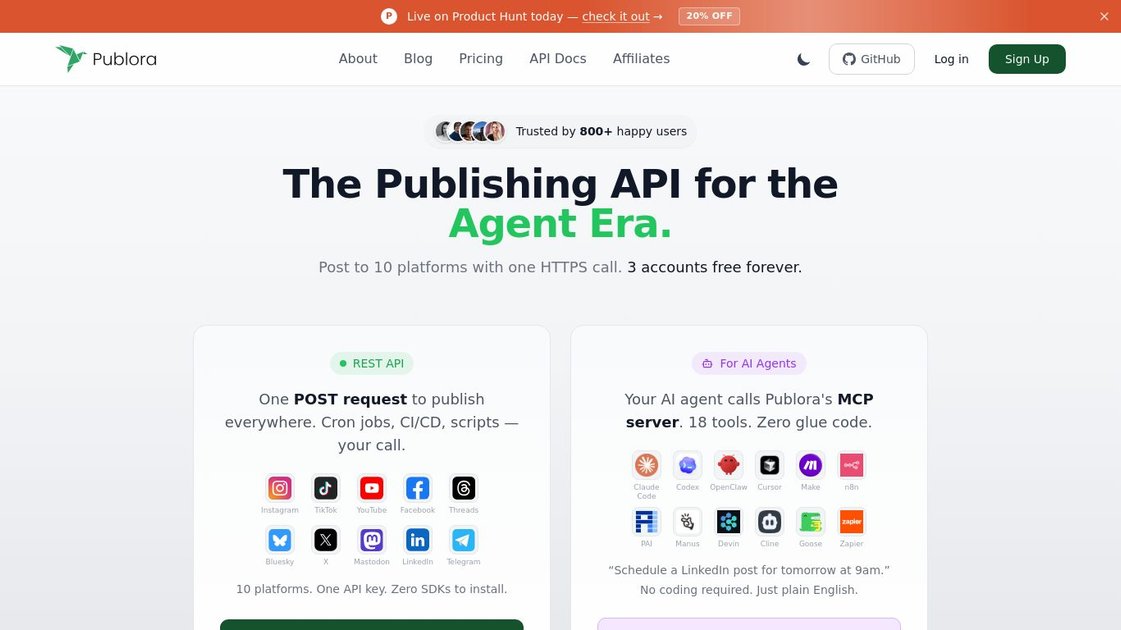
Publora is a social media publishing platform built around a unified API and an MCP server. It lets users post to 10 social platforms with one HTTPS request, or manage publishing and scheduling through AI assistants and connected tools.
The product is aimed at both developers and non-technical users. Developers can integrate Publora through a REST API for automation workflows, while AI agents can use the MCP server to schedule posts, review analytics, and manage accounts in plain language.
Key Features
- Unified publishing API: send one POST request to publish across supported platforms instead of wiring separate integrations for each network.
- 10-platform support: connect and post to Instagram, TikTok, YouTube, Facebook, Threads, Bluesky, X, Mastodon, LinkedIn, and Telegram from one dashboard.
- AI-assisted content creation: use an AI editor and AI idea generation features to draft and refine posts based on past posts and performance.
- Scheduling and calendar management: plan posts in a content calendar, schedule them ahead of time, and reuse or recycle older content.
- MCP server for AI agents: connect Claude, Cursor, and other MCP-compatible clients to schedule posts, check analytics, and manage accounts in natural language.
- Validation and notifications: catch platform-specific issues before publishing and receive email notifications for post status, errors, and account updates.
- Agency and team controls: use dedicated workspaces, client management, permission controls, and centralized billing for multi-client workflows.
How to Use Publora
Start by connecting the social accounts you want to manage. From there, you can create content in the editor, choose the target platforms, and schedule or publish posts directly from the dashboard.
If you want to automate publishing, use the REST API in scripts, CI/CD jobs, cron jobs, or no-code tools. If you want an AI assistant to handle tasks, add Publora to an MCP client and issue plain-English commands such as scheduling posts or checking analytics.
Use Cases
- An individual creator schedules posts across multiple platforms from a single calendar instead of posting manually in each app.
- A developer automates social publishing from application code, scripts, or n8n using the REST API.
- A founder uses an AI assistant to draft, schedule, and review social posts without switching between tools.
- An agency manages separate client workspaces, permissions, and billing while keeping accounts and content separated.
- A marketing team monitors publishing errors and account updates through automated validations and email notifications.
FAQ
- Does Publora support both manual use and API access? Yes. The product includes a dashboard for scheduling and publishing, plus a REST API for programmatic workflows.
- Can AI assistants use Publora directly? Yes. Publora provides an MCP server that works with Claude Code, Claude Desktop, Cursor, and other MCP-compatible clients.
- Which platforms can I publish to? The source lists 10 supported platforms: Instagram, TikTok, YouTube, Facebook, Threads, Bluesky, X, Mastodon, LinkedIn, and Telegram.
- Is there support for agencies or multiple clients? Yes. The source mentions dedicated workspaces, client management, permission controls, and centralized billing management.
- Is there a free option? The source says there are 3 accounts free forever and a Starter plan, with paid plans starting at $2.99 per month per account when billed yearly.
Alternatives
- Native platform schedulers: each social network’s built-in publishing tools can handle one platform at a time, but they do not provide a single API or shared workflow across networks.
- Social media management suites: broader scheduling and management tools may focus on dashboards and team workflows, while Publora emphasizes API access and MCP-based automation for agents and developers.
- Automation platforms: tools like no-code workflow builders can trigger posts through integrations, but they usually require more setup than a purpose-built publishing API.
- Direct custom integrations: teams can build against each platform individually, which offers flexibility but requires more maintenance than using one unified publishing layer.
Alternatives

Lasso
Lasso is an AI-first PIM for ecommerce teams that enriches product attributes and descriptions, processes supplier data, and monitors competitors via app or API.

Ably Chat
Ably Chat is a chat API and SDKs for building custom realtime chat apps, with reactions, presence, and message edit/delete.

Tavus
Tavus builds AI systems for real-time, face-to-face interactions that can see, hear, and respond, with APIs for video agents, twins & companions.

HiringPartner.ai
HiringPartner.ai is an autonomous recruiting platform with AI agents that source, screen, call, and interview candidates 24/7, reducing time-to-hire from weeks to as little as 48 hours.

AakarDev AI
AakarDev AI is a powerful platform that simplifies the development of AI applications with seamless vector database integration, enabling rapid deployment and scalability.

AgentMail
AgentMail is an email inbox API for AI agents to create, send, receive, and search email via REST for two-way agent conversations.