

QuietDash
QuietDash is a small e-ink desk display for glanceable focus time, habits, or tasks—then stays quiet, so you can check info without opening your phone.
What is QuietDash?
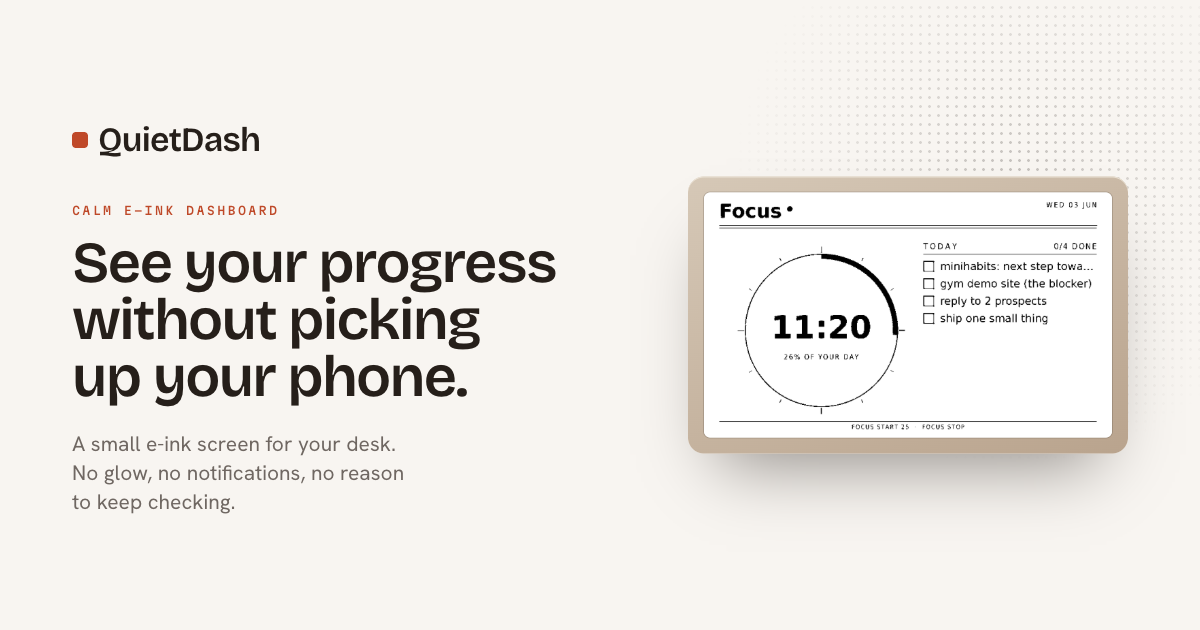
QuietDash is a small e-ink desk screen that shows a few selected numbers or statuses and then stays out of the way. The product is presented as a calm dashboard for glanceable information such as focus time, habits, budgets, writing streaks, or other personal metrics.
It is designed to replace repeated phone checks with a dedicated surface that shows information without notifications, glow, or a scrolling feed. The panel uses e-ink, so it behaves more like paper than a conventional monitor or tablet.
Key Features
- 7.5-inch e-ink display, 800 × 480 resolution — provides a paper-like readout for simple dashboard views.
- Glanceable information display — shows the few numbers or statuses you choose, rather than acting like a general-purpose screen.
- Black-and-white rendered UI — the interface is described as real e-ink with dithered black-and-white rendering, which matches how the panel actually draws.
- No backlight — the screen does not glow in the dark, making it less visually intrusive than a conventional display.
- Refreshes a few times per hour — it updates periodically and then remains idle, rather than constantly demanding attention.
- Silent operation — there is no fan, chime, or notification sound, and it is described as unable to interrupt the user.
How to Use QuietDash
Set it up on a desk, choose the metrics or status you want to follow, and use it as a quick reference throughout the day. The intended workflow is simple: glance at the screen, get the information you need, and return to your work without opening a phone or app.
Use Cases
- Focus tracking — keep an eye on current focus time, pomodoro progress, or how much of the day remains while working.
- Habit and streak tracking — display a writing streak, a daily habit counter, or other personal consistency metrics.
- Budget or number monitoring — watch a financial total or other numeric value that you want to check briefly instead of opening a dashboard.
- Workplace status display — use it as a quiet reference in a shared space where visible but non-intrusive information is useful.
- General digital minimalism — replace frequent phone unlocking with a dedicated display for the small set of facts you check most often.
FAQ
Is QuietDash a smart display or a tablet? No. The page describes it as a small e-ink screen for a desk, not a smart display or tablet.
Does it show notifications or a feed? No. The product is described as showing selected information and then leaving the user alone, with no feed to scroll and no badge to clear.
Does the screen glow in the dark? No. The source says there is no backlight, so it does not light up like a conventional screen.
What kinds of information can it show? Examples given include focus time, habits, budgets, writing streaks, today’s tasks, and market or network-related views.
Is it meant to be checked constantly? No. The product is positioned for quick glances, not continuous attention.
Alternatives
- Phone widgets or lock-screen dashboards — similar for quick status checks, but they still require using a phone, which QuietDash is explicitly trying to reduce.
- Tablets running dashboard apps — more flexible and interactive, but they introduce a bright, general-purpose screen rather than a calm e-ink display.
- Conventional desktop monitors with widgets — useful for richer data and multitasking, but they are not optimized for quiet, low-distraction glanceability.
- DIY e-ink dashboard projects — a closer fit if someone wants the same visual style but prefers building their own setup instead of buying a finished product.
Alternatives
MealTime
MealTime is your personal, offline-first recipe companion designed to help you save, organize, plan meals, and generate smart grocery lists, all while keeping your data private.

Biji
Biji is a versatile platform designed to enhance productivity through innovative tools and features.

Gemma AI
Gemma AI is a smart application that calls you directly with personalized, intelligent voice reminders to ensure you never miss important tasks, appointments, or deadlines.

Spotit
Spotit is a macOS app that reads your screen and highlights exactly where to click, using voice questions and on-screen guidance.

Decision Jar
Create virtual jars of options with Decision Jar—shake your phone to pick instantly, use AI suggestions, and view decision logs over time.

Planndu: Daily Task Planner
Planndu is an intuitive productivity application designed to help users organize tasks, manage projects, build routines, and enhance focus using tools like AI generation and a built-in Pomodoro timer.