
Automatic session archiving
A background daemon reads supported coding agents' session histories from local disk and syncs them to the project archive, roughly every 20 seconds after setup.

ResumeContext is shared memory for coding-agent projects, archiving searchable sessions so teams can continue work across agents, machines, and usage limits via MCP.
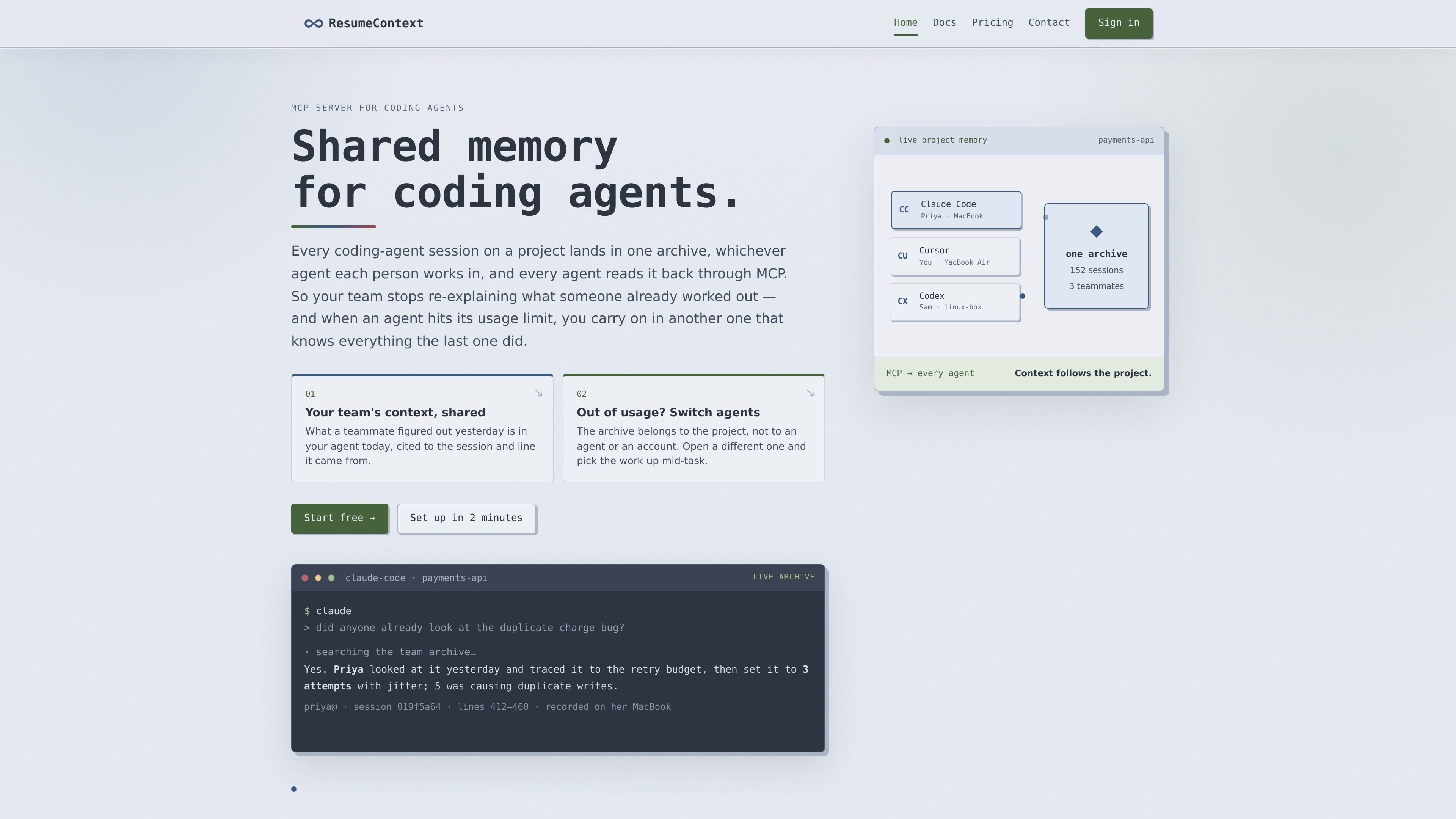
ResumeContext is a shared-memory service for coding agents. It archives agent sessions from a project into one searchable, project-scoped history rather than leaving each session confined to an individual machine, account, or tool. Agents read that history through the Model Context Protocol (MCP).
A local background daemon reads session files from supported agents and syncs them after the project is configured. Team members can then ask their agents about previous decisions, unfinished work, or related sessions, with answers linked to the source session and line when available. This is intended to reduce repeated investigation and make it possible to move work between coding agents without rebuilding context.
A background daemon reads supported coding agents' session histories from local disk and syncs them to the project archive, roughly every 20 seconds after setup.
Sessions from different people, machines, and supported agents are kept in one project-scoped archive and attributed to the person and machine that recorded them.
Agents access the archive through MCP and can cite answers back to the originating session and line, making prior reasoning easier to inspect.
The archive can be searched with the full MCP tool set, including search, grep, read, and SQL over project history.
The same project archive can be connected to another supported agent, account, or machine so work can continue after an agent usage limit or session change.
Agent sources are selected per project, with support for default or custom history directories and commands to list available agents or set sources non-interactively.
Ask an agent what a teammate investigated, which fix was applied, or where the relevant evidence appears instead of repeating the same debugging work.
Move from one coding agent to another when a usage limit is reached, while keeping the project history available to the replacement agent.
Review sessions across a project to identify completed work, recurring failing tests, overlapping changes, or unresolved blockers without requesting separate status updates.
Give a new teammate access to the existing project archive so they can understand prior decisions and investigations from recorded sessions.
Use project-level agent selection to archive sessions from different tools or custom history directories while keeping the archive tied to the relevant codebase.
ResumeContext reads session history from supported agents' local history directories. Supported agents listed in the documentation are Claude Code, Codex CLI, Cursor, and opencode. Nothing is installed into the agent itself; the CLI is configured per project to read the relevant history location.
Node.js 22 or newer is required. Install the CLI globally, authenticate each machine with `resumecontext auth`, then run `resumecontext init` in the project directory. The setup also connects the agent through MCP; `resumecontext verify` checks the configuration. An initial sync normally runs within about 20 seconds, and `resumecontext sync` forces one immediately.
Run `resumecontext init` in the project directory to create a new project. If you are joining an existing project in a clone, use `resumecontext accept` instead, since `init` would create a separate project.
The archive is stored on ResumeContext's servers and scoped to the project. It is readable only by project members. The agent's access is read-only, and removing a teammate ends their access immediately while retaining the sessions they already recorded.
ResumeContext is free while it is in beta, with no card requirement, trial clock, or stated usage limits during the beta. The company says it will announce pricing before changes and that existing archived projects will continue working.

ByteAsk is a terminal-first AI coding agent for C and C++ that edits repos and verifies changes with compilers, debuggers, sanitizers, and tests.

CreateOS Sandbox is an isolated compute environment for running code and agent workloads in Firecracker micro-VMs with private networking and SDK, CLI, or MCP control.

GitBot is a local browser workspace for reusable coding bots powered by Claude Code, Codex, or OpenCode, with persistent threads and configurable permissions.

hob is an independent workspace for coding agents, with local control over sessions, terminals, history, routing, and follow-up work.

Manta AI is an autonomous web app testing tool that maps app behavior, catches regressions, and generates tests from a URL, no scripts or selectors needed.

SonOf connects to your repo and PM tool, audits your codebase, and turns approved work into shipped tickets with senior engineering review.