

SkillKit
SkillKit provides a universal set of skills allowing developers to write code instructions once and deploy them across 32 different AI coding agents, ensuring consistency and broad compatibility.
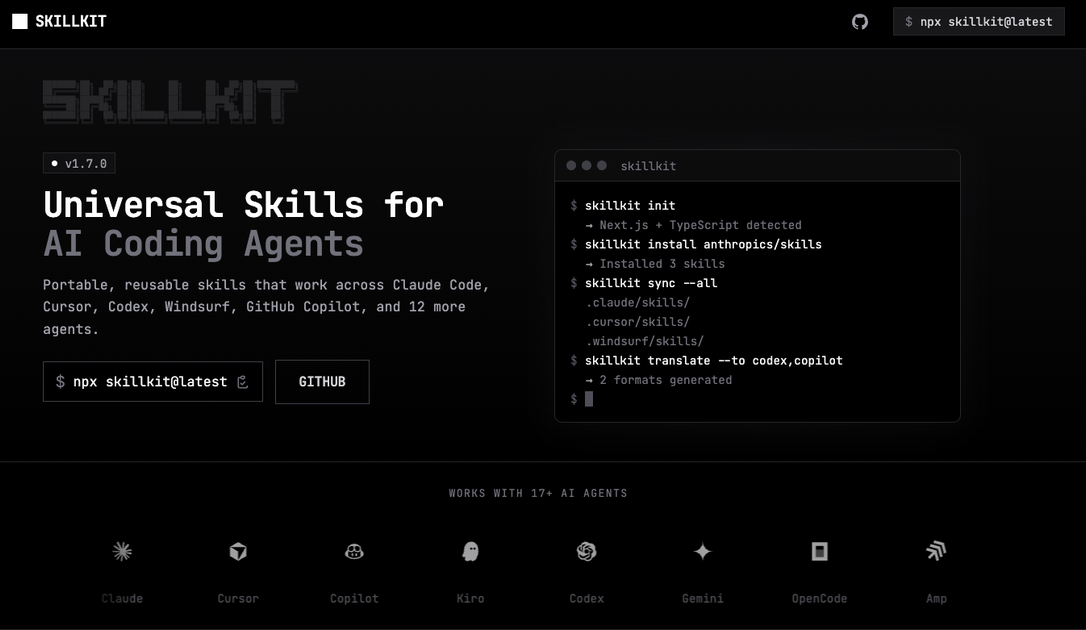
SkillKit: Universal Skills for AI Coding Agents
What is SkillKit?
SkillKit is a revolutionary framework designed to solve the fragmentation problem inherent in the rapidly evolving landscape of AI coding assistants. Developers often face the challenge of tailoring prompts and instructions differently for each specific AI agent—whether it's Claude Code, Cursor, Codex, Windsurf, or GitHub Copilot. SkillKit abstracts this complexity by offering a universal skill layer. This means you write your desired functionality or instruction set once, and SkillKit intelligently translates and adapts that skill to be perfectly understood and executed by a wide array of supported AI coding agents.
The core purpose of SkillKit is to maximize developer efficiency and code consistency. By standardizing the input mechanism, it eliminates the need for agent-specific prompt engineering, saving significant time during setup and iteration. It acts as a crucial compatibility layer, ensuring that your development workflows remain robust even as new AI tools emerge or existing ones update their underlying models.
Key Features
- Universal Compatibility: Write instructions once and deploy across 32+ supported AI coding agents, including major platforms like Claude Code, Cursor, Codex, Windsurf, and GitHub Copilot.
- Agent Abstraction Layer: SkillKit handles the nuances of different agent APIs and prompt formats, allowing developers to focus purely on the logic and desired outcome.
- Consistency Guarantee: Ensures that the same high-quality coding output is achieved regardless of the underlying AI agent executing the task.
- Future-Proofing: Designed with an extensible architecture, making it easier to integrate support for newly released AI coding tools with minimal effort.
- Reduced Prompt Engineering Overhead: Significantly cuts down the time spent crafting and testing agent-specific prompts, accelerating the development cycle.
- Modular Skill Definition: Allows for the creation and sharing of reusable, standardized coding skills across teams and projects.
How to Use SkillKit
Getting started with SkillKit involves a straightforward, three-step process focused on defining and deploying your universal skills:
- Define the Skill: Using the SkillKit specification language (or defined interface), clearly articulate the desired coding task, function, or behavior. This definition should be platform-agnostic.
- Select Target Agents: Specify which of the 32+ supported AI coding agents you wish to deploy this skill to within your configuration file or command line interface.
- Deploy and Execute: SkillKit automatically compiles or translates the universal skill definition into the optimal prompt format for each selected agent. You then execute your task, and the agents work in concert based on your standardized instruction set.
This workflow ensures that whether you are using a local agent setup or a cloud-based service, the execution context remains consistent, leading to predictable and reliable results across your entire development environment.
Use Cases
- Standardizing Boilerplate Code Generation: Teams can define a universal skill for generating complex, standardized boilerplate (e.g., setting up a new microservice structure or configuring specific security middleware). This ensures every developer, regardless of their preferred AI tool, generates identical, compliant starting code.
- Cross-Platform Refactoring: When a codebase needs refactoring to adhere to new language standards or architectural patterns, SkillKit allows the refactoring instruction to be applied simultaneously across agents used by different team members, maintaining uniformity during large-scale changes.
- Rapid Prototyping with Agent Diversity: Developers needing to test the performance or suitability of various AI agents for a specific task can use SkillKit to run the exact same test prompt against all 32 agents instantly, providing immediate comparative data without rewriting prompts.
- Maintaining Legacy System Updates: For projects relying on older or niche AI tools alongside modern ones, SkillKit bridges the compatibility gap, allowing instructions to be successfully interpreted by both legacy and cutting-edge coding assistants.
- Automated Documentation Generation: Define a universal skill for generating comprehensive docstrings or README files based on function signatures. This ensures documentation standards are met uniformly across all code contributions, regardless of which agent assisted in writing the underlying logic.
FAQ
Q: How often is SkillKit updated to support new AI coding agents? A: The SkillKit team prioritizes compatibility. Updates are released frequently, often within days of major new agent releases or significant model updates, to maintain the advertised compatibility list of 32+ agents.
Q: Is there a cost associated with using SkillKit? A: Please refer to the official AgenstSkills pricing page for the most current information regarding licensing and subscription tiers for SkillKit access and updates.
Q: Can I contribute my own agent translation layer to SkillKit? A: Yes, SkillKit is designed with an open, modular architecture. We welcome community contributions for new agent adapters and translations. Details on contribution guidelines can be found in our developer documentation.
Q: What happens if an agent I use is not on the supported list? A: While SkillKit supports a vast array of tools, if your specific agent is missing, you can often utilize the generic output format or contact support. We actively review requests for expanding the compatibility matrix based on user demand.
Q: Does SkillKit modify the underlying AI models? A: No. SkillKit operates entirely as a translation and orchestration layer above the AI agents. It modifies the input prompt/instruction format, not the core models themselves.
Alternatives

Devin
Devin is an AI coding agent that helps software teams complete code migrations and large refactoring by running subtasks in parallel.

AakarDev AI
AakarDev AI is a powerful platform that simplifies the development of AI applications with seamless vector database integration, enabling rapid deployment and scalability.

Arduino VENTUNO Q
Arduino VENTUNO Q is an edge AI computer for robotics, combining AI inference hardware and a microcontroller for deterministic control. Arduino App Lab-ready.

imgcook
imgcook is an intelligent tool that converts design mockups into high-quality, production-ready code with a single click.

Claude Opus 4.5
Introducing the best model in the world for coding, agents, computer use, and enterprise workflows.

OpenUI
OpenUI is the open standard for generative UI, helping AI apps respond with structured user interfaces built from registered components.