

Soloist AI
Create a beautiful, mobile-friendly business website with Soloist AI from simple inputs—no code. Connect a custom domain, add booking, view analytics.
What is Soloist AI?
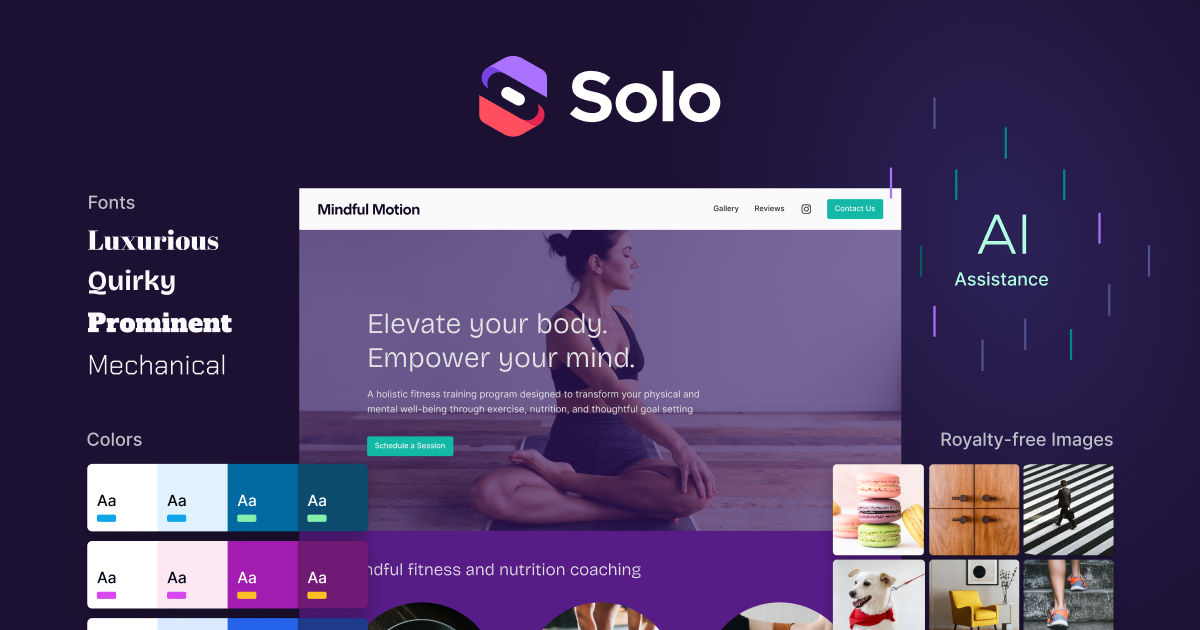
Soloist AI (Solo) is a free AI website creator designed for launching a business website from a few simple inputs. It generates a site layout, organizes sections, and uses AI assistance to curate initial images, with an editor that doesn’t require code.
The core purpose of Solo is to help small businesses get a working, mobile-friendly website that they can publish and iterate on—while also adding common essentials like SEO keywords, contact forms, and booking links.
Key Features
- Website creation from simple inputs (no code required): Generates your website layout without manual coding, so you can focus on content.
- AI-assisted section organization and image curation: Helps structure page sections and propose initial images during setup.
- SEO keywords automatically added: Adds SEO keywords to support search visibility.
- Google Analytics integration: Lets you connect a Google Analytics account to view statistics such as referers and pageviews.
- Reviews sampling from existing social: Can sample text and reviews from your existing social to showcase selected content on your site.
- Booking support via supported calendars: Allows you to link a scheduling service (e.g., via the website’s Scheduling section).
- Mobile site included: The website is designed to look good on different devices.
- Custom domain connect and host for free: Connects and hosts a custom domain (and offers domain shopping at a discount).
- Client contact form: Includes a form to receive messages from customers directly to your inbox.
- Invite editors for collaboration: Lets others collaborate on design and content creation.
- Sales and service listings: Lets you use the Services section type to add products/services pricing and use Stripe or PayPal payment links in the button.
How to Use Soloist AI
- Start by providing a few inputs about your business to generate an initial site layout.
- Review and adjust sections and images as needed in the editor.
- Add business basics: connect your custom domain, set up your contact form, and (if applicable) include booking by linking your scheduling service.
- Improve site content with SEO keywords and optional elements like reviews sampled from your social.
- Publish, then connect Google Analytics to monitor traffic using referers and pageviews. If you collaborate, invite editors to help create or edit content.
Use Cases
- New service business launching a website quickly: Create an initial site layout from basic business inputs, then add contact and booking so customers can reach you.
- Local provider (e.g., salon, barber, fitness studio) showcasing reviews: Sample and display review text from existing social pages to highlight customer feedback.
- Real estate or consulting page with mobile-first presentation: Use the mobile-friendly site design and organize core sections to ensure the site looks appropriate on phones.
- Appointment-based business connecting scheduling: Link a scheduling tool (described as supported via the Scheduling section) to make it easier for visitors to book services.
- Selling products or paid services online: Add product/service pricing using the Services section type and attach Stripe or PayPal payment links to complete payments (with the noted requirement to fulfill the product/service yourself).
FAQ
What does Solo cost?
Soloist AI allows you to connect and host a custom domain for free. The site also mentions a Pro plan for more features and websites.
Can I connect my custom domain to a Solo website?
Yes. After you set up your Solo website, you can connect and host a custom domain personalized to your business.
Can I connect a scheduling service to my Solo site?
Yes. You can add a link to your scheduling service in the website’s Scheduling section (the source references Calendly, Tidycal, and other options).
Can I display reviews from my existing social pages?
Yes. Solo can sample text and reviews from existing social and showcase the best content.
Can I sell products on my Solo website?
Yes. You can add products and services using the Services section type and use payment links from Stripe or PayPal. The source notes you must fulfill the product or service yourself.
Alternatives
- No-code website builders with templates (drag-and-drop): Typically offer more manual control over layout and styling, but may require more setup effort than generating a site from inputs.
- AI website generators that focus on rapid page creation: Similar goal (starting from prompts/inputs), but may differ in whether they bundle booking links, contact forms, or analytics/domain handling.
- DIY website hosting platforms for small businesses: Often provide more technical flexibility, but usually require more steps to set up features like SEO metadata, analytics tracking, and responsive design.
- All-in-one marketing platforms with landing pages and forms: Useful when you want built-in lead capture and marketing workflows, but they may organize content and payments differently than a dedicated website builder.
Alternatives

beehiiv
beehiiv is an all-in-one newsletter and website platform with publishing, growth, analytics, and monetization tools for creators and brands.

Skayle
Skayle is a fully automated content and visibility engine that runs search-powered research before writing to help brands rank on Google and AI search.

SaveMRR
SaveMRR scans Stripe billing data to find SaaS MRR leaks and help recover failed payments, save cancellations, and win back churn—60-sec Free Revenue Scan.

Sleek Analytics
Lightweight, privacy-friendly analytics with real-time visitor tracking—see where visitors come from, what they view, and how long they stay.

Struere
Struere is an AI-native operational system that replaces spreadsheet workflows with structured software—dashboards, alerts, and automations.

Prompty Town
Prompty Town is a tiny internet city of links—buy a tile, attach your link, prompt it with text/content, and let others browse.