
RPG-style certification campaigns
SecuSpark turns CompTIA practice into campaign maps where each certification has its own path, domain nodes, and enemy encounters tied to official exam objectives.

SecuSpark is a gamified CompTIA exam-prep web app with practice questions, flashcards, AI explanations, and competitive study modes for Security+, A+, Network+, CySA+, and PenTest+.
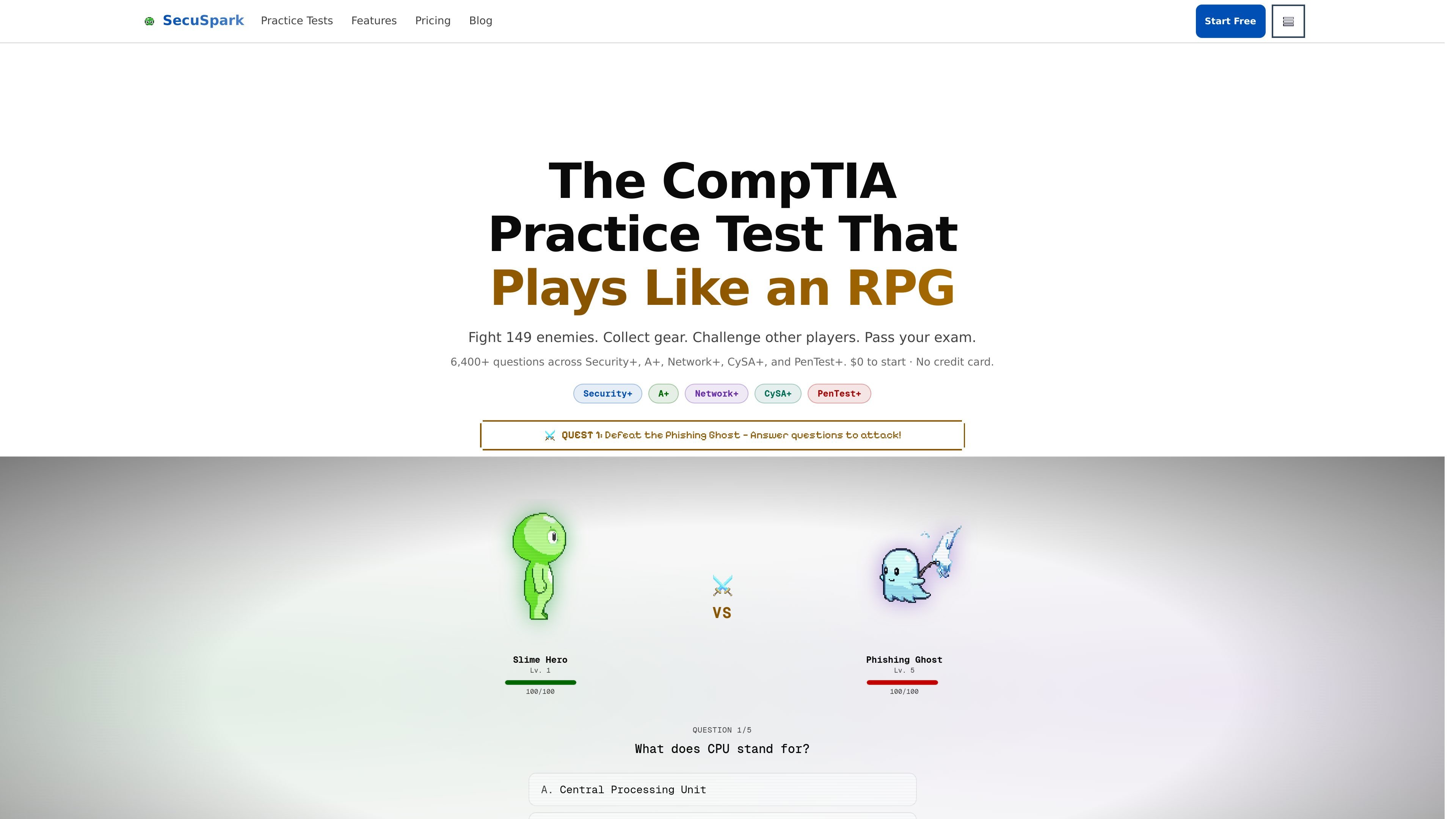
SecuSpark is a gamified CompTIA exam-prep platform built around practice questions, campaign-style study paths, flashcards, and competitive battle modes. It covers Security+ SY0-701, A+ 220-1101, Network+ N10-009, CySA+ CS0-003, and PenTest+ PT0-003.
The product’s core workflow is straightforward: pick a certification, work through domain-based questions, review mistakes as flashcards, and use AI study tools or readiness tracking when you need more explanation or a clearer sense of progress. A free tier is available, while paid plans expand access to unlimited energy, unlimited practice, and premium AI features.
SecuSpark turns CompTIA practice into campaign maps where each certification has its own path, domain nodes, and enemy encounters tied to official exam objectives.
The exam page lists 6,400+ practice questions across five CompTIA certifications, with separate question sets for Security+, A+, Network+, CySA+, and PenTest+.
Wrong answers can become flashcards, and the product uses spaced repetition so missed material returns more often until it is mastered.
Premium AI deep dives add multiple study modes, including Socratic guidance, quiz practice, and direct explanations for questions you missed.
The pricing page describes a readiness predictor that tracks accuracy and trend data so learners can judge whether they are ready before scheduling the exam.
The platform includes PvP and weekly leagues, with ranked matchmaking, ELO-style progression, and battle limits on the free tier.
Use the campaign maps to work through one CompTIA certification at a time and stay aligned with the official exam objectives for that exam.
Turn missed questions into flashcards and revisit them on a spaced repetition schedule when you want to reinforce weak areas.
Use the AI deep dives when a wrong answer needs a more detailed explanation, a guided hint, or a short quiz-style follow-up.
Check domain accuracy and readiness signals before booking an exam so you can identify gaps without guessing.
Compete in PvP battles or weekly leagues if you want practice sessions that add accountability and repeated exposure to the question bank.
SecuSpark offers a free tier with limited practice exams, energy, and features. Paid plans add unlimited energy, unlimited practice exams, premium AI deep dives, and broader access to study content.
The pricing page lists monthly and quarterly plans, with the quarterly plan shown as the better-value option. Both are billed on a recurring basis, and the pricing page says you can cancel anytime.
The source states that SecuSpark covers Security+ SY0-701, A+ 220-1101, Network+ N10-009, CySA+ CS0-003, and PenTest+ PT0-003.
No. The homepage says you can create a free account and start practicing in about 30 seconds, but it also notes that an account is required to save progress across devices.
The homepage and pricing page both indicate that progress saves across devices, and the register page shows Google, GitHub, and email sign-up options.

GameGrad turns PDF study material into quiz questions inside arcade games for active recall. Free tier for one PDF; Pro adds more uploads, questions, and explanations.

Lingofable is a story-based language learning app for reading at your level and reviewing new vocabulary in context. Spanish available; Android coming soon.

NerdSip is an AI microlearning app that creates custom 7-lesson courses on almost any topic, with quizzes, key takeaways and visual summaries.
BrainBurst is a free quiz platform for IQ practice and UPSC/SSC prep, with multiple modes, answer review, benchmarked results, and no registration.

LangPanda is a browser extension for learning languages from streaming video with instant subtitle lookup, flashcards, vocabulary tracking, and SRS for 36 languages.

recall is an AI flashcard app that turns reading and notes into study cards with Claude, ChatGPT, or another MCP client. One-time lifetime access with spaced repetition review.