

Solvea
Solvea is a no-code AI receptionist that answers real phone calls and customer inquiries, guides setup in minutes, and integrates with HubSpot & Slack.
What is Solvea?
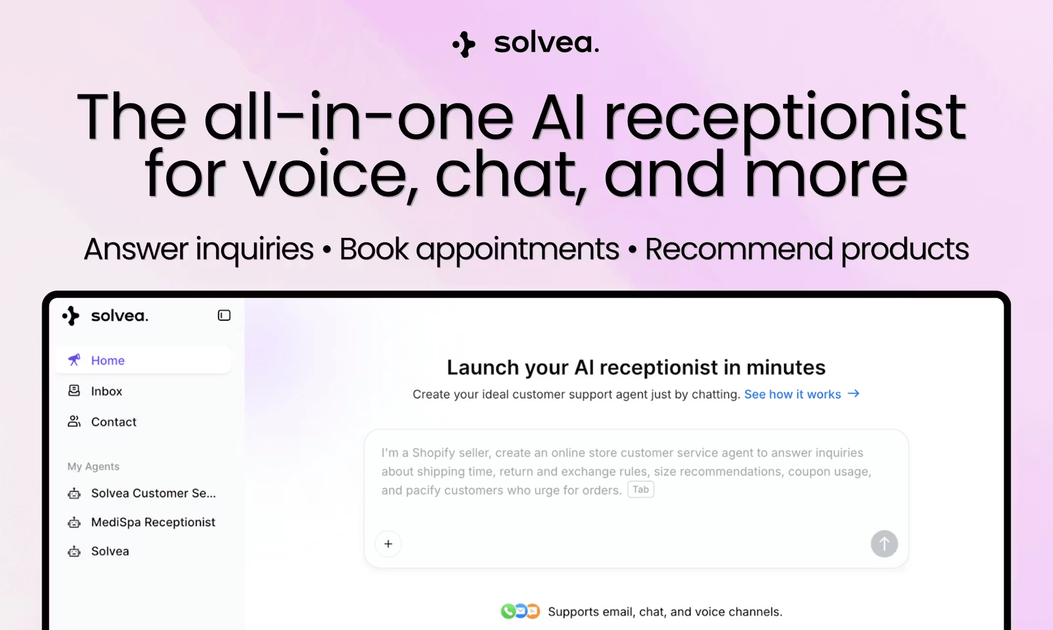
Solvea is a no-code AI receptionist that answers real phone calls and customer inquiries, guides setup in minutes, and integrates with HubSpot & Slack. The core purpose is to help businesses respond to customer inquiries and route/assist callers quickly, without requiring deep coding skills.
The product guides you through describing your agent, connecting the apps you already use, and letting Solvea manage conversations automatically. A free phone number option is also presented for testing before committing.
Key Features
- Deploy an AI receptionist in under 3 minutes, with “no setup required” messaging designed for quick trial and evaluation.
- Agent creation via plain-language instructions (“Describe your agent”), then automatic building of the agent based on what you specify.
- App connectivity through one-click integrations, enabling your AI receptionist to update systems, trigger workflows, and pass information across your stack.
- Fine-tuning of agent behavior in plain language so conversations follow your desired handling style.
- A memory feature and cross-channel capabilities aimed at keeping customer interactions consistent and personalized.
- Test-first approach using a free phone number for 7 days and a free allowance for handling customers (as stated on the page) before any committed usage.
How to Use Solvea
- Start a trial and sign up to access your Solvea workspace (the page points to a “Try for free” flow and credits for testing).
- Pick your industry and use Step 1 (“Describe your agent”) to tell Solvea how you want calls handled; the agent is built in minutes.
- Connect your existing tools in Step 2 using one-click integrations.
- In Step 3, let Solvea handle conversations automatically, using plain-language guidance to fine-tune behavior.
- Test the receptionist using the provided phone number option before you decide whether to continue.
Use Cases
- Customer support coverage for common inbound questions: businesses can use the AI receptionist to answer questions and keep responses consistent when callers contact them outside staffed hours.
- Lead qualification and booking for service businesses: the page’s medical director testimonial describes the agent acting as a 24/7 concierge, answering treatment questions and booking consultations overnight.
- Reducing manual workload for customer service teams: the Anker testimonial states Solvea helped them solve more than 70% of customer service work, supported by cross-channel capabilities and memory for consistent interactions.
- Handling calls for multi-tool business workflows: organizations can connect tools (for example, CRMs and messaging/workflow systems) so the receptionist can update records or trigger workflows during the call.
- Trials and validation before going live: the provided free phone number for 7 days and free handling credits support evaluating how the agent performs before committing.
FAQ
-
What is Solvea? Solvea is a no-code platform that helps you build and deploy an AI receptionist capable of handling phone calls.
-
How does the knowledge base work? The page includes a FAQ heading for this question, but it does not provide details in the supplied content.
-
Is it free to use? The page promotes a trial: a free phone number for 7 days and “11k free credits.” Full pricing after the trial is not described in the provided content.
-
What apps can Solvea connect to? The page lists one-click integrations including Google, HubSpot, Slack, and mentions “other tools” as well.
-
Do I need to know how to code to use Solvea? The page positions Solvea as no-code and states there’s no deep coding skills requirement.
Alternatives
- No-code customer service chat/voice bots: tools that let you build conversational agents for website and messaging, focused on non-phone channels or with optional phone integration.
- Call-routing and IVR platforms with AI options: platforms centered on telephony workflows (menus, routing) that may add AI for answering, but often require more configuration around call flows.
- Customer support automation platforms: systems that automate support workflows across channels (ticketing/CRM/messaging) using AI, typically used with an existing support stack rather than building a receptionist from scratch.
- AI copilots for customer support teams: assistants that help staff draft responses and summarize conversations; these may support human-in-the-loop workflows instead of fully autonomous reception.
Alternatives

Codex Plugins
Use Codex Plugins to bundle skills, app integrations, and MCP servers into reusable workflows—extending Codex access to tools like Gmail, Drive, and Slack.

PXZ AI
An All-In-One AI Platform that combines tools for image, video, voice, writing, and chat to enhance creativity and collaboration.

Gemma AI
Gemma AI is a smart application that calls you directly with personalized, intelligent voice reminders to ensure you never miss important tasks, appointments, or deadlines.

Make Real
Draw a UI and make it real using the tldraw SDK.

Spotit
Spotit is a macOS app that reads your screen and highlights exactly where to click, using voice questions and on-screen guidance.

AakarDev AI
AakarDev AI is a powerful platform that simplifies the development of AI applications with seamless vector database integration, enabling rapid deployment and scalability.