

Tabbit Browser
Tabbit Browser is an AI-native browser that understands page context, chats with webpages, and automates repeat browsing tasks with agents and custom Skills.
What is Tabbit Browser?
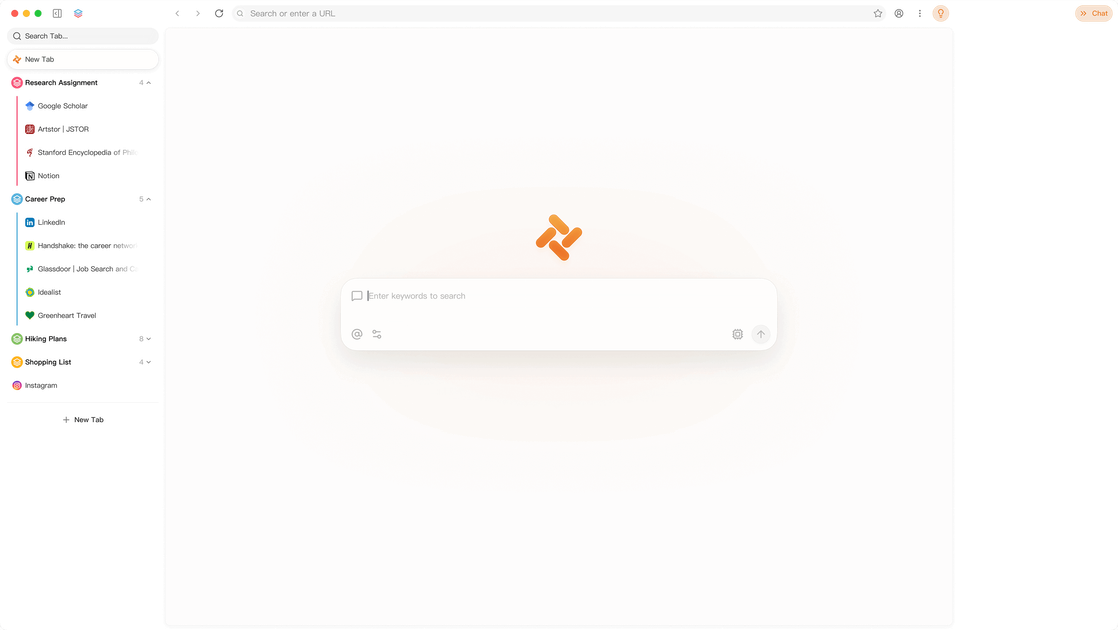
Tabbit Browser is an AI-native browser designed to understand the context of what you are reading and working on. It combines browser-based chat, an agent for automating tasks, custom Skills for repeatable workflows, and tools for organizing tabs and information across webpages, documents, and threads.
The product is built around contextual work rather than general web browsing. From the page content, Tabbit appears to support a mix of reading, extraction, summarization, organization, and task automation across sources such as webpages, podcasts, videos, papers, chats, and email threads. Its Skills system lets users turn recurring prompts or workflows into reusable actions.
Key Features
- Chat with webpages and browser context so you can ask questions about what is currently open without switching tools.
- Use an Agent to automate multi-step tasks, which is useful when a workflow requires more than a single query or click.
- Create custom Skills from recurring prompts or workflows so repeat tasks can be run again with a shortcut-like command.
- Organize tabs and threads automatically, including sorting by topic and surfacing the items most relevant to you.
- Work with structured extraction and summarization tools such as pulling quotes from podcasts, extracting tables from PDFs, or exporting chats and comments into clean markdown.
- Search and synthesize across saved or historical content, including past chat threads, reading caches, saved papers, and subscriptions.
How to Use Tabbit Browser
A typical workflow starts by opening a webpage, document, or thread in Tabbit and using the browser’s context-aware chat to ask what you need. For repeated tasks, users can turn a prompt into a Skill and reuse it later with a shortcut-style command.
From there, the browser can automate extraction, organization, or summarization tasks across sources such as articles, videos, papers, or conversations. Users can also save important material into their own knowledge store and revisit it later through cross-thread or library search.
Use Cases
- Summarizing long videos or podcasts by extracting the most relevant quotes, timestamps, transcripts, or comments into a single document.
- Managing a large volume of browser tabs, threads, or subscriptions by sorting, deduping, and surfacing the most relevant items.
- Building a personal research workflow for papers by saving PDFs, extracting tables, and asking questions across a library of sources.
- Reviewing conversations and content history by searching past prompts, chat threads, or reading caches to find something specific later.
- Converting recurring prompts into reusable browser Skills for tasks that happen often, such as summaries, extraction, or cleanup.
FAQ
Is Tabbit just a browser with chat? No. Based on the page, Tabbit combines browser chat with an agent, custom Skills, and workflow tools for extracting, organizing, and searching across content.
What kinds of content does Tabbit work with? The page shows support for webpages, videos, podcasts, PDFs, research papers, comments, chats, email subscriptions, and browser tabs.
Can I reuse tasks I run often? Yes. Tabbit includes a Skill system that turns recurring prompts into reusable actions.
Does Tabbit store my content? The page indicates that users can export chats and save material into their own memory or knowledge store, but it does not provide detailed storage or retention terms.
Alternatives
- Traditional browsers with extensions: These can add isolated AI or productivity features, but they usually do not center the entire browsing workflow around context-aware chat and reusable Skills.
- AI assistant apps: These can help with summarization and Q&A, but they generally sit outside the browser and may be less integrated with active tabs and browsing context.
- Research and knowledge-management tools: These are useful for saving, organizing, and querying sources, but they are typically not browser-first and may not include the same task automation model.
- Workflow automation tools: These can automate repetitive actions, but they often require more setup and are not specifically tailored to reading, browsing, and content synthesis.
Alternatives

Lasso
Lasso is an AI-first PIM for ecommerce teams that enriches product attributes and descriptions, processes supplier data, and monitors competitors via app or API.

Biji
Biji is a versatile platform designed to enhance productivity through innovative tools and features.

Tavus
Tavus builds AI systems for real-time, face-to-face interactions that can see, hear, and respond, with APIs for video agents, twins & companions.

HiringPartner.ai
HiringPartner.ai is an autonomous recruiting platform with AI agents that source, screen, call, and interview candidates 24/7, reducing time-to-hire from weeks to as little as 48 hours.

Decision Jar
Create virtual jars of options with Decision Jar—shake your phone to pick instantly, use AI suggestions, and view decision logs over time.

Planndu: Daily Task Planner
Planndu is an intuitive productivity application designed to help users organize tasks, manage projects, build routines, and enhance focus using tools like AI generation and a built-in Pomodoro timer.