
Real terminal engine
Terminal Candy runs inside a native macOS app and is described as a real terminal, not a mockup. The site says it uses SwiftTerm, a real PTY with VT emulation, scrollback, xterm mouse, true color, and multi-session support.

Terminal Candy is a native macOS terminal app for a real shell in custom skins, with community skins, image-based custom skins, and a free trial plus one-time license.
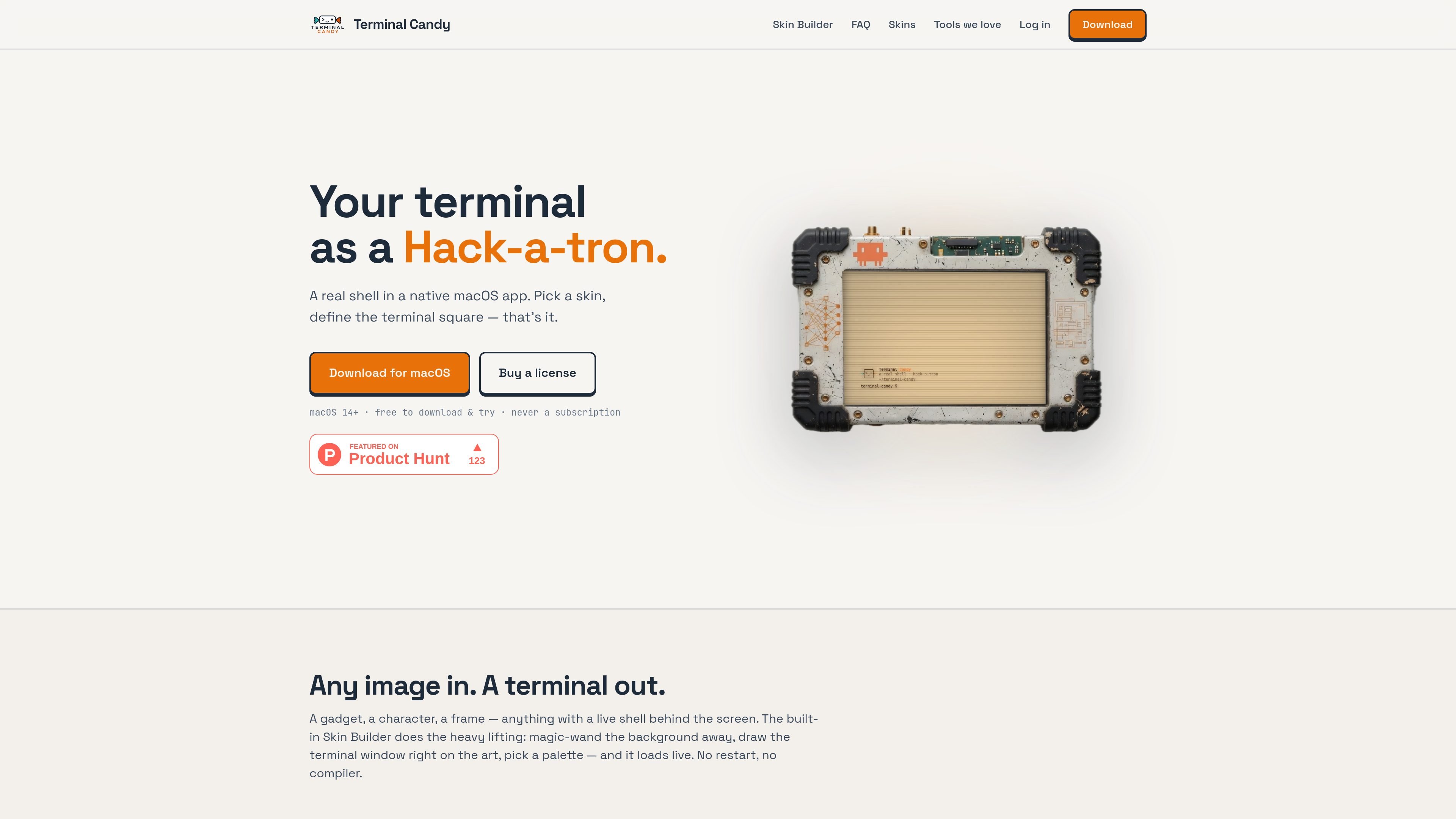
Terminal Candy is a native macOS terminal app for people who want a real shell inside a skinned interface. The product is positioned around running tools such as Claude Code, Codex, and Gemini CLI in a terminal that can be visually wrapped in custom artwork.
The core workflow is simple: choose a skin, define where the terminal window sits, and launch. Users can start with community-made skins or build their own from any image using the included Skin Builder. The site also says the underlying terminal remains fully functional, with real PTY behavior, VT emulation, scrollback, and multi-session support.
Terminal Candy runs inside a native macOS app and is described as a real terminal, not a mockup. The site says it uses SwiftTerm, a real PTY with VT emulation, scrollback, xterm mouse, true color, and multi-session support.
Choose a skin from the gallery and apply it live. The terminal changes appearance without restarting, and you can switch back to a standard terminal view with ⌘M while keeping the same session and scrollback.
The built-in Skin Builder lets you turn any image into a terminal skin. The workflow described on the site is to remove the background, define the terminal window area, choose a palette, and load the result live.
A global ⌥Space hotkey can bring the terminal forward over any app. The site says this works without needing Accessibility permission.
Community skins can be browsed and installed directly in the app. The gallery also supports uploading skins, with sorting and filtering options visible on the public skins page.
The app is offered as a free download and trial on macOS, with a one-time license available later. The pricing and download pages both emphasize that it is not a subscription product.
Useful for developers who spend time in Claude Code, Codex, or Gemini CLI and want a terminal that fits the look of their workspace without giving up a real shell.
Helpful for people who want a personalized terminal appearance for streaming, screenshots, or day-to-day use, especially when switching between a custom skin and a standard terminal matters.
Fits users who want to turn illustrations, photos, or other images into a terminal skin using the built-in Skin Builder rather than designing the whole interface from scratch.
Relevant for people who want quick access to a terminal over any application using a hotkey, without configuring Accessibility permissions.
Useful for users who prefer to start with ready-made community skins and install them directly instead of creating their own skin immediately.
Yes. The site describes Terminal Candy as a real terminal, using SwiftTerm under the hood with PTY support, VT emulation, scrollback, xterm mouse, true color, and multi-session behavior.
Terminal Candy runs on macOS 14 (Sonoma) and later. The site says the download is a universal binary and works on both Apple Silicon and Intel Macs.
You can pick a community skin and load it live with no restart, or use the built-in Skin Builder to turn an image into a terminal by removing the background, drawing the screen area, and choosing a palette.
The site says a global ⌥Space hotkey can drop Terminal Candy over any app, and it does not require Accessibility permission.
The download page says there is a 14-day free trial with up to 5 skin slots. After that, a one-time $10 license keeps the app running and unlocks unlimited skins and community membership.

ByteAsk is a terminal-first AI coding agent for C and C++ that edits repos and verifies changes with compilers, debuggers, sanitizers, and tests.

CreateOS Sandbox is an isolated compute environment for running code and agent workloads in Firecracker micro-VMs with private networking and SDK, CLI, or MCP control.

hob is an independent workspace for coding agents, with local control over sessions, terminals, history, routing, and follow-up work.

Manta AI is an autonomous web app testing tool that maps app behavior, catches regressions, and generates tests from a URL, no scripts or selectors needed.

Redline is a budgeting tool for Claude Code that paces sessions by time, tokens, cost, or plan percentage, helping them end with a usable result.

SonOf connects to your repo and PM tool, audits your codebase, and turns approved work into shipped tickets with senior engineering review.