
Life countdown display
The core view shows the days, months, and years you have left, turning the app into a time-focused countdown rather than a date reminder tool.

Time Left • Countdown is a free iPhone app with in-app purchases that shows a life countdown by days, months, and years. Private, simple, ad-free, no sign-up.
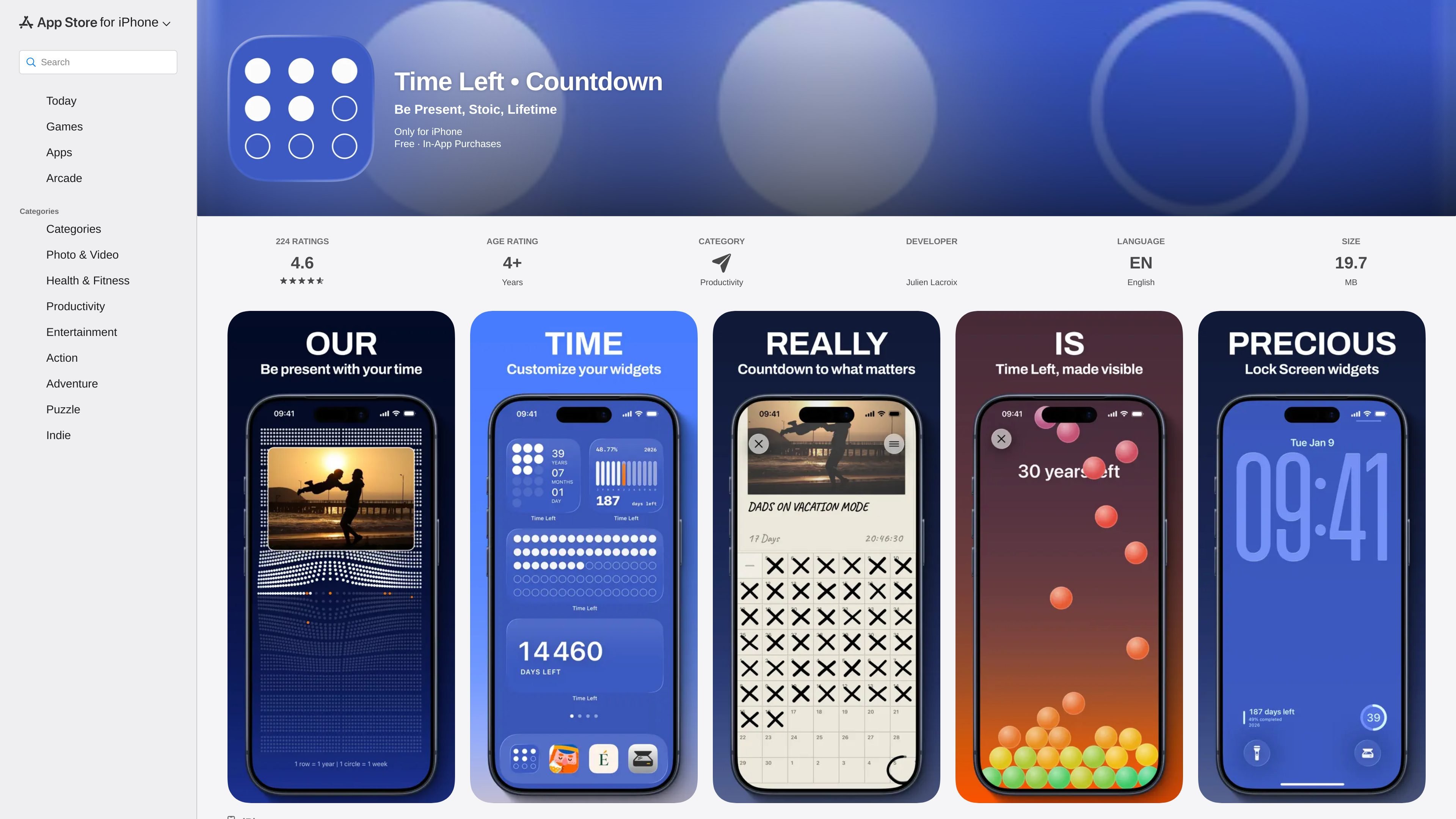
Time Left • Countdown is an iPhone productivity app that presents life as a countdown, showing the days, months, and years you have left. Its goal is not to manage tasks or appointments, but to give users a visual sense of time passing and the finite nature of a lifetime.
The App Store listing positions the app as simple and private: it has no notifications, no ads, and no sign-up. The developer says it was built without external frameworks so personal data such as birthdate stays private on the device.
The app is free with in-app purchases, and the paid Time Left Pro upgrade adds unlimited moments, Live Photos in Life Calendar, widgets, customizations, and access to future features. Review text also indicates the app is used as a home screen widget and valued as a minimalist memento mori calendar.
The core view shows the days, months, and years you have left, turning the app into a time-focused countdown rather than a date reminder tool.
The listing emphasizes that the app has no notifications, no ads, and no sign-up, which keeps the experience focused and lightweight.
The developer says the app was built without external frameworks and that birthdate data stays private on the device.
The app supports widgets, and review text confirms users place it on the Home Screen; the Pro upgrade specifically unlocks widgets and customizations.
Time Left Pro adds unlimited moments, Live Photos in Life Calendar, and automatic access to future new features and widgets.
The developer invites feedback by email and says every email is answered, which suggests an active, hands-on update loop for bug reports and suggestions.
Use the app as a daily reminder of time passing if you want a visual, reflective view rather than a task list or goal tracker.
Add the widget to the iPhone Home Screen so the countdown is visible during the day without opening the app.
Choose the Pro upgrade if you want more than the default experience, including additional moments, widgets, and customization options.
Use it as a minimalist memento mori calendar when you want a simple, non-subscription app with a focused purpose.
Send feedback or bug reports directly to the developer by email when you want a small app with an active solo-maintainer style of support.
The App Store listing shows the app on iPhone and describes it as free with in-app purchases. The listing does not document a separate signup flow, so the supported setup appears to start with entering your birthdate and using the app locally.
The app’s description says it shows the days, months, and years you have left, and the reviews mention a home screen widget. The listing also says Time Left Pro unlocks widgets and customizations.
The listing says the app is designed without external frameworks and that data such as birthdate stays private. The App Store privacy page is included as a source, but the app page itself specifically highlights no notifications, no ads, and no sign-up.
The product page presents Time Left Pro as the paid upgrade. It lists unlimited moments, Live Photos in Life Calendar, widgets, customizations, and automatic access to future new features and widgets, but does not show the exact pricing in the collected text.
MealTime is your personal, offline-first recipe companion designed to help you save, organize, plan meals, and generate smart grocery lists, all while keeping your data private.

Goldfish is an AI memory app for macOS that helps you reply, write, summarize, and continue with context already on your Mac. It stores memory locally and writes in your tone.

Biji is a versatile platform designed to enhance productivity through innovative tools and features.

Gemma AI is a phone call reminder app that calls you with scheduled reminders instead of push notifications, with Google Calendar sync and natural voice interaction.

Redline is a budgeting tool for Claude Code that paces sessions by time, tokens, cost, or plan percentage, helping them end with a usable result.

Claude Overlay is a Windows desktop overlay for Claude Code that reads your screen, so you can ask questions, inspect content, and request edits without leaving the app. Uses your existing Claude subscription via Claude CLI.