

VibeDream.ai
VibeDream.ai is a no-code AI app builder that generates and deploys full software apps from templates or ideas, with built-in Stripe payments.
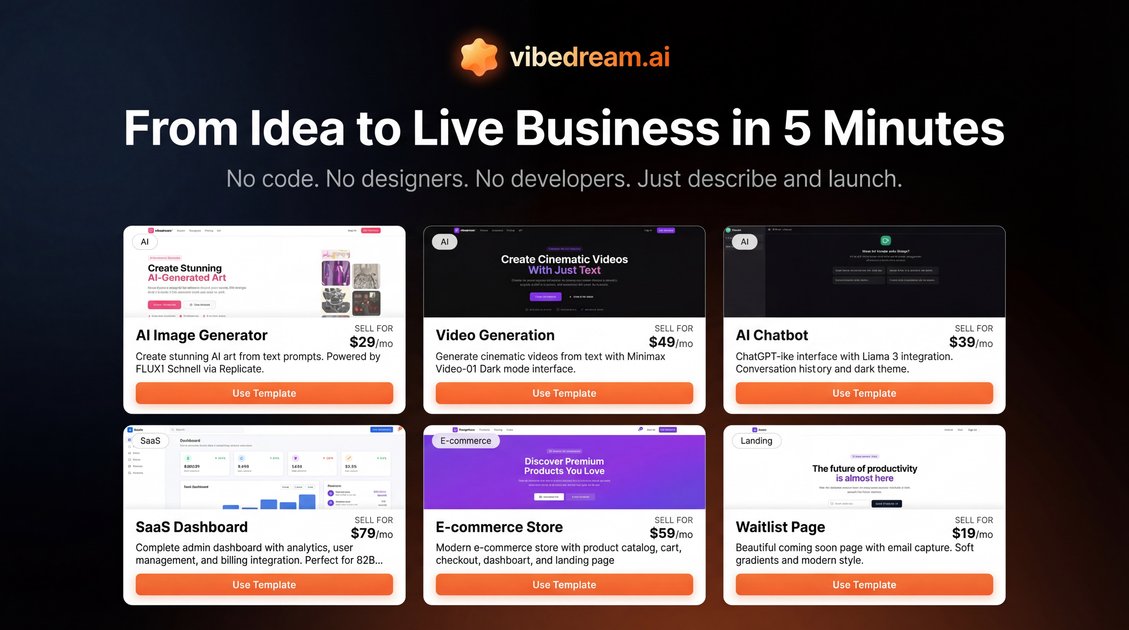
What is VibeDream.ai?
VibeDream.ai is an AI app builder that helps you create and deploy software—without coding—by generating an application from a template or from plain-English instructions. The goal is to turn an app idea into a working app with a built-in workflow for design, data, payments, and deployment.
It also provides access to AI models through a REST API, so you can embed AI features (such as text-to-image or video generation) into your app and pay per use.
Key Features
- No-code AI app generation from templates or plain English: Clone existing product templates (software, landing pages, funnels, and ecommerce stores) or describe what you want, and the AI generates the app.
- Built-in Stripe payments setup: Use one-click Stripe integration to add payment functionality, including subscriptions, and connect it to your Stripe account.
- Database + payments workflow for full-stack apps: Configure the app so that database and payment components are ready together for deployment.
- Deploy to a custom domain in minutes: Add your domain and go live quickly after the generated app is ready.
- Auto-generated backend pieces: The builder generates design/code/database and payment setup as part of the generated app output.
- Cloud storage integration for user files: Built-in universal storage integration powered by Cloudflare R2, with file uploads handled via the AI.
- 64+ AI models via a simple REST API: Access multiple model types (e.g., text-to-image, text-to-video, upscaling) through a single API key and one endpoint, billed per use.
How to Use VibeDream.ai
- Start a build: Choose a proven template (for software, landing pages, funnels, or ecommerce stores) or describe your app idea in plain English.
- Generate the app: Let the AI produce the app’s design, code, database, and payment setup.
- Connect services: Use one-click integration to connect Stripe for payments and Supabase for the database.
- Add domain and deploy: Connect your custom domain and deploy so your app is live.
- Add storage and AI capabilities (optional): Use the built-in storage integration to add file uploads, and use the REST API to integrate AI models if your app needs AI features.
Use Cases
- Clone a working product layout and launch quickly: If you see an existing product category that already converts, clone a matching template and deploy your own version with payments connected.
- Start an ecommerce or funnel-based SaaS: Use the provided template types (ecommerce stores and funnels) to generate an app structure, then integrate Stripe for subscriptions and checkout.
- Prototype a custom SaaS from a written description: Describe the software you want in plain English; the builder generates the full app package so you can start validating the idea sooner.
- Add user file uploads to your app: Include upload functionality using the built-in Cloudflare R2-powered storage integration so users can drag-and-drop or upload files.
- Embed AI image/video generation into your product: Call the provided REST API for models (e.g., text-to-image, text-to-video, upscaling) and charge usage per use without adding model-specific subscription workflows.
FAQ
Does VibeDream.ai require coding? No. The site describes building and deploying apps “without code,” where the AI generates the app output from templates or plain-English instructions.
What payment provider does VibeDream.ai support for app monetization? The page highlights Stripe with one-click integration, including subscriptions and checkout session setup.
Which database service is used in the app builder workflow? The integration flow described on the page connects Supabase for the database.
Is there an API for adding AI features to an app? Yes. VibeDream.ai provides access to 64+ AI models via a simple REST API with one API key and one endpoint, priced per use.
What storage option is available for uploaded files? The page describes built-in cloud storage integration powered by Cloudflare R2, intended for universal file upload and serving with no configuration required.
Alternatives
- No-code website and landing builders with payment add-ons: These can launch a marketing site and accept payments, but typically require more setup to generate full app logic and database/payment wiring.
- General-purpose no-code app builders (workflow + database platforms): Platforms in this category help build apps without code, but may not provide the same AI-driven “generate everything from plain English” workflow.
- AI model platforms with SDK/API access: If you mainly need AI image/video generation, these platforms can provide model access, but you would still need separate tools to build, connect databases, and deploy your application.
- Template-driven ecommerce/funnel platforms: These are focused on commerce and funnels; you may get faster catalog/payment setup, but fewer capabilities for generating a full app backend from an AI description.
Alternatives

FigPrompt
FigPrompt is an AI Figma plugin builder that generates production-ready plugin logic from your description—no code, in seconds.

RapidNative
RapidNative builds React Native screens from plain-English descriptions (or sketches/screenshots) so you can test, share, and publish for iPhone & Android.

VibeDream
VibeDream is an AI-powered app builder that allows users to create and launch profitable software without any coding skills in just minutes.

Glide
Glide makes it easy to build and deploy powerful custom apps powered by AI with no code.

NoCode-零代码应用生成平台
NoCode-零代码应用生成平台 lets you generate usable personal productivity tools, product prototypes, and interactive pages via natural language chat.

Make Real
Draw a UI and make it real using the tldraw SDK.