

Waitlister
Waitlister is no-code waitlist software to launch pre-product waitlists with landing pages, referrals, email automation, integrations, and an API.
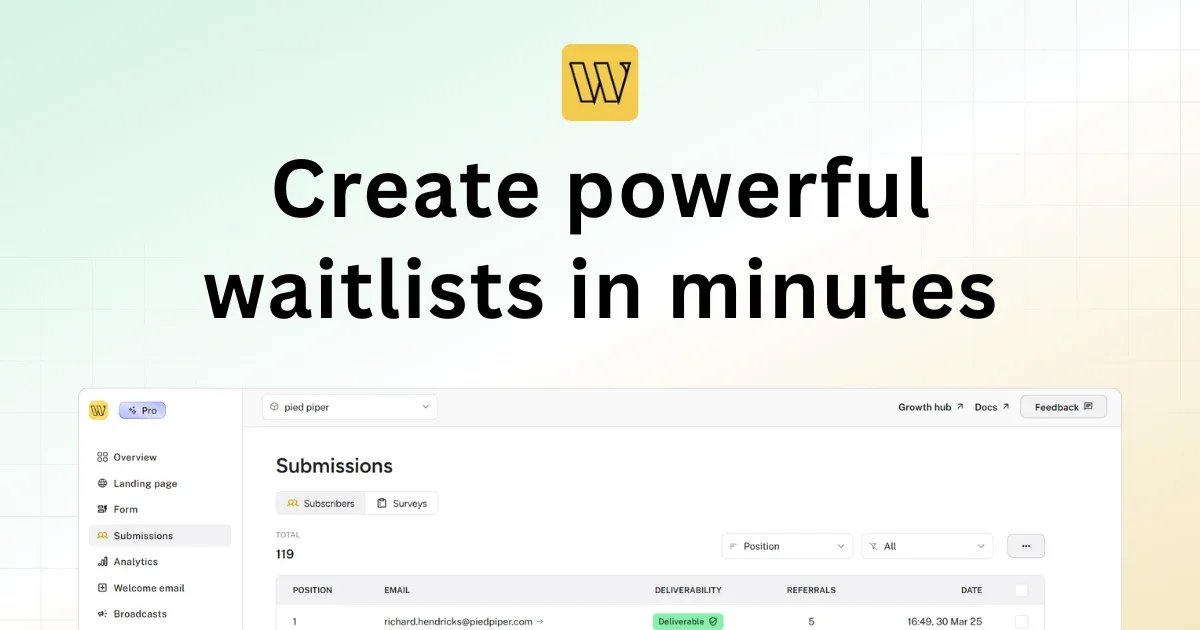
What is Waitlister?
Waitlister is no-code waitlist software for launching a product pre-launch campaign. It helps you create waitlist landing pages or forms, collect signups, and run engagement flows like referrals and email automation so you can build an audience ready to purchase.
The core purpose of Waitlister is to replace custom waitlist builds with a workflow you can set up quickly, including signup capture, referral-based viral growth, analytics, and subscriber email communications.
Key Features
- No-code waitlist builder: Create waitlist pages and forms without coding, using templates or designing from scratch.
- Landing pages and embeddable forms: Build customizable waitlist landing pages and add signup forms to existing websites.
- Custom success (thank-you) page: Customize what visitors see after they submit the form.
- Points-based referral system: Turn subscribers into promoters using a points-based mechanism that can move participants up a waitlist; includes leaderboard and referral metrics.
- Email automation for engagement: Send automatic welcome emails, broadcasts, and updates using customizable templates.
- Analytics dashboard: Track views, sign-ups, referrals, and conversion rates, including growth and referral metrics and geographies.
- Spam prevention for signups: Includes automatic CAPTCHA protection and email validation to reduce fake or bot submissions (paired with double opt-in)
- Integrations and embedding: Works with Webflow, Framer, Shopify, WordPress, and 10+ other platforms.
- Developer tools (API): Offers full REST API access and webhooks with full documentation for custom integrations and workflows.
How to Use Waitlister
- Choose how you want to create the waitlist: Start with a landing page, an embeddable form, or use the REST API for a custom integration.
- Customize the experience: Adjust the page/form to match your brand, including a custom success (thank-you) page.
- Launch and collect signups: Publish your waitlist and enable referrals so participants can earn points by sharing.
- Track and engage: Use the dashboard for analytics and manage subscribers; send welcome emails, broadcasts, and updates.
Use Cases
- Pre-launch product waiting list: Create a branded waitlist landing page and collect signups so you can notify interested users when the product launches.
- Growth through referrals: Enable the points-based referral system to encourage sharing, then use referral metrics and a leaderboard to monitor performance.
- Embedding into an existing site: Add an embeddable waitlist form (or integrate via supported platforms like Webflow/Framer/Shopify/WordPress) without replacing your site.
- Email-driven onboarding: Automatically send welcome emails and run broadcast updates to keep waitlist subscribers engaged over the pre-launch period.
- Custom workflows for teams/devs: Use the REST API and webhooks to build bespoke waitlist integrations and manage waitlist data in your own systems.
FAQ
-
Does Waitlister require code to set up a waitlist? No. Waitlister is positioned as a no-code waitlist builder for creating landing pages and embeddable forms.
-
What options do I have to publish a waitlist? You can create a waitlist landing page, use an embeddable form on your site, or integrate via Waitlister’s REST API.
-
How does spam protection work? Waitlister includes automatic CAPTCHA protection and email validation against fake or bot signups, and supports double opt-in.
-
Can I connect Waitlister to platforms I already use? Yes. The page states it works with Webflow, Framer, Shopify, WordPress, and 10+ other platforms.
-
Is there support for custom integrations? Yes. The site mentions full REST API access and webhooks, with full documentation.
Alternatives
- Hosted landing page builders with email capture: These can collect signups using forms and email marketing tools, but may require more setup to add referral mechanics and waitlist-specific workflows.
- Referral and rewards platforms: Tools focused on referral campaigns can replace the referral piece, but you still need a separate solution for waitlist landing pages, signup capture, and engagement emails.
- Custom-built waitlist systems: Building from scratch gives maximum control but typically requires more development time across design, signup capture, analytics, emails, and subscriber management.
- Other waitlist/waiting list tools: Adjacent waitlist products provide similar signup capture and pre-launch workflows, often differing in the strength of referral features, analytics, and integration options.
Alternatives

LIAM
LIAM is an AI copilot that drafts email replies, organizes your inbox with auto-labels and prioritization, and schedules meetings from your calendar.

Make Real
Draw a UI and make it real using the tldraw SDK.

Podium
Podium is an AI-powered lead generation and management platform designed to help businesses convert more leads and increase revenue.

AgentMail
AgentMail is an email inbox API for AI agents to create, send, receive, and search email via REST for two-way agent conversations.

Clawcard
Clawcard: AI agents get a real inbox, phone number & virtual credit card for OpenClaw. Secure, autonomous agent operations.

Replymer
Replymer is an AI reply agent that monitors X and Reddit, scores mentions for relevance, and drafts context-aware replies that can mention your product.