
Agent-driven development workflow
ZCode combines AI agents with the existing development toolchain so users can stay in a familiar workflow while moving through planning, coding, review, and release steps.

ZCode is a GLM-5.2-adapted development tool that uses AI agents for planning, coding, review, and release in a familiar workflow.
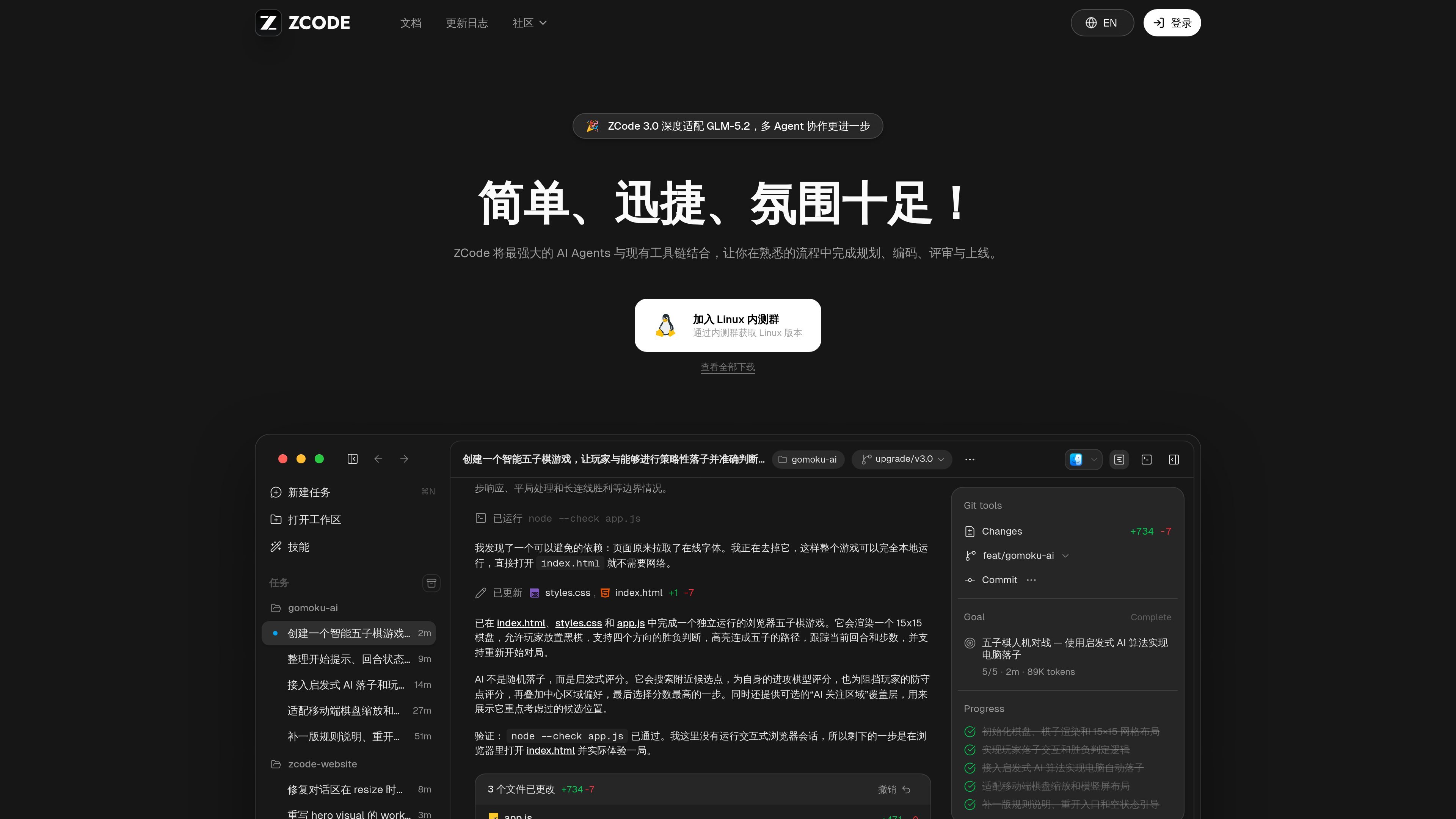
ZCode is a GLM-5.2-adapted development tool that applies AI agents inside an existing software workflow. The public site positions it as a way to move through planning, coding, review, and release without leaving the tools and processes developers already use.
The site content and changelog suggest a workspace-oriented product that can inspect a project, create files, manage tasks, and preserve context while work continues. A visible configuration guide also points to support for skills, plugins, MCP, and AGENTS.md, which indicates the product is designed to fit into a configurable developer environment rather than replace it outright.
ZCode combines AI agents with the existing development toolchain so users can stay in a familiar workflow while moving through planning, coding, review, and release steps.
The product pages describe a configuration guide for skills, plugins, MCP, and AGENTS.md, giving users a place to understand and tune the agent setup.
The changelog mentions plugin management, including the ability to update or uninstall built-in plugins and add custom plugins in beta.
ZCode can retain input drafts and attachments when switching tasks, which helps preserve context during multi-step work.
The demo workflow shows the tool creating and editing files directly in a workspace, with progress tracked through searches, file operations, and confirmations.
The changelog includes fixes and improvements for remote workspaces, session recovery, compression, and diagnostics, indicating support for more complex development sessions.
Use ZCode when you want an agent to inspect an existing workspace, identify the current project structure, and begin implementing changes directly in files.
Use it for iterative coding tasks where you need a generated solution, followed by reviewable file updates and validation checks inside the same flow.
Use the product when you want a task to keep its context across switches, including drafts and attachments that would otherwise need to be re-entered.
Use ZCode in environments that rely on skills, plugins, MCP, or AGENTS.md so the assistant can follow local conventions and configured tooling.
Use it for remote or longer-running development sessions where session recovery, compression, and clearer diagnostics matter.
ZCode is presented as a GLM-5.2 officially adapted development tool that combines AI agents with an existing toolchain. The public pages show it supporting planning, coding, review, and release in a familiar workflow.
The source pages show ZCode working from a development workspace and completing tasks directly in files, but they do not list a full supported IDE matrix or installation requirements. The changelog does mention desktop-specific fixes for Windows, macOS, and Linux, which suggests the product is available across those platforms.
The site describes support for skills, plugins, MCP, and AGENTS.md configuration via a built-in configuration guide. The changelog also mentions plugin management, custom plugin addition beta, and a trusted default for workspace MCP servers.
The pricing page at /pricing currently returns a 404, so the public sources here do not confirm a pricing model. Based on the available pages, pricing details should be treated as unavailable rather than assumed.
The source shows ZCode keeping task context such as drafts and attachments when switching tasks, and it supports session recovery and timeline compression improvements in the changelog. Beyond that, the public pages do not give a full account of collaboration features or team workflows.

SonOf connects to your repo and PM tool, audits your codebase, and turns approved work into shipped tickets with senior engineering review.

ByteAsk is a terminal-first AI coding agent for C and C++ that edits repos and verifies changes with compilers, debuggers, sanitizers, and tests.

CreateOS Sandbox is an isolated compute environment for running code and agent workloads in Firecracker micro-VMs with private networking and SDK, CLI, or MCP control.

hob is an independent workspace for coding agents, with local control over sessions, terminals, history, routing, and follow-up work.

Manta AI is an autonomous web app testing tool that maps app behavior, catches regressions, and generates tests from a URL, no scripts or selectors needed.

Ghost is a terminal-based AI assistant for chatting, code generation, and CLI tasks. Includes free models, supports Linux, macOS, Windows, and is open source.