

zero
Deploy any Docker image to your own server in one command with automatic HTTPS, health-checked zero-downtime switching, previews, and rollback.
What is zero (ShipZero)?
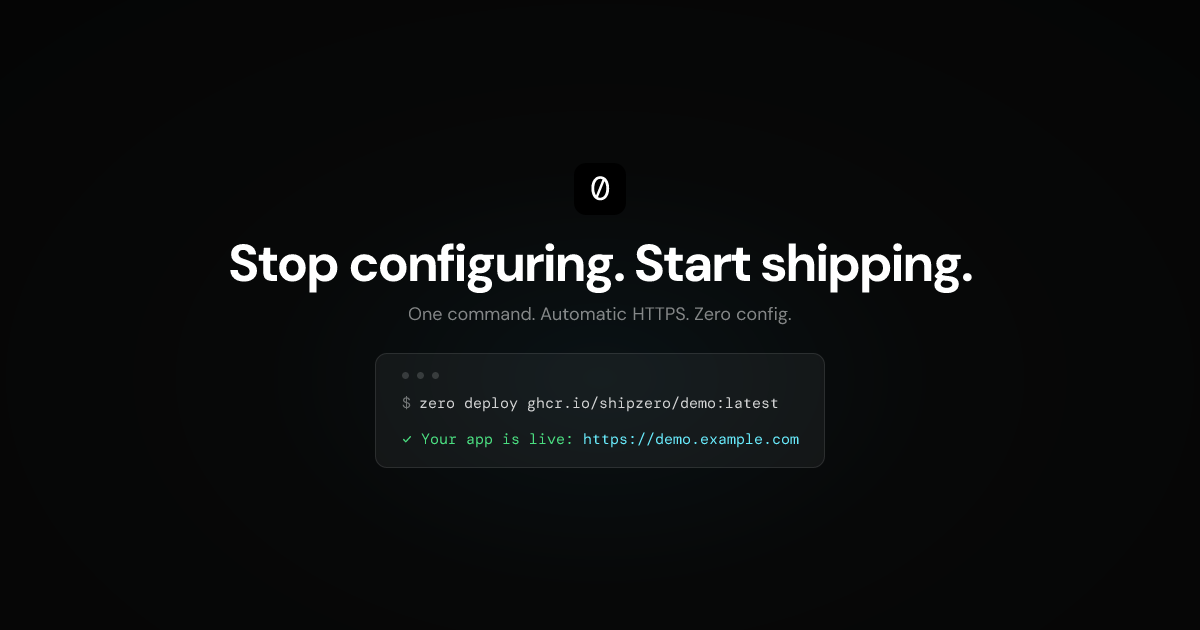
zero is a single-server deployment engine for running Docker images on your own infrastructure. It provides a command-line workflow to deploy an image, automatically provision HTTPS, and route traffic after a health check.
The core purpose is to remove common setup tasks involved in going from a container image to a live endpoint—without requiring config files, a web UI, or YAML. It also supports preview deployments and rollback with the same command-driven approach.
Key Features
- 1-command deploy from a container image: Deploys any Docker image from a registry (e.g.,
ghcr.io/...) usingzero deployand handles detection of the application port. - Automatic HTTPS with HTTP redirects: Provisions HTTPS via Let’s Encrypt and enables HTTP → HTTPS redirects as part of the deployment flow.
- Zero-downtime traffic switching via health checks: Starts a new container on an ephemeral port, runs a TCP or HTTP health check, and only swaps traffic if the check passes.
- Preview environments: Use
--preview <name>(example:pr-21) to create a temporary deployment with its own subdomain; preview deployments are described as expiring automatically. - Instant rollback:
zero rollback <app>starts the previous image, health-checks it, and swaps traffic back; if the health check fails, changes are not applied. - Live terminal metrics and logs: Streams CPU, memory, and network stats to the terminal, and can stream server logs with
zero logs --server. - Webhook auto-deploy: Verifies signed webhook requests using HMAC-SHA256 and can trigger deploys from registry events; non-matching tags create preview deployments.
- Docker Compose support for multi-container apps: Deploys a Docker Compose file by specifying the entry service and name, while handling pulling, starting, health-checking, and routing.
How to Use zero
- Set up a server: You need a Linux VPS and a domain.
- Install zero:
- On the VPS:
curl -fsSL https://shipzero.sh/install.sh | sudo bash - On your machine (CLI):
curl -fsSL https://shipzero.sh/cli/install.sh | bash
- On the VPS:
- Connect via SSH:
zero login <email-or-identifier>(as shown:zero login [email protected]). - Deploy an image:
zero deploy <image-reference>(example:zero deploy ghcr.io/shipzero/demo:latest). - Verify the output: After health checks, zero prints the live URL (based on the domain and detected app port).
For previews, deploy with --preview (example: zero deploy demo --preview pr-21). For rollbacks, run zero rollback <app>.
Use Cases
- Deploying a single Dockerized web app: Build an image, push it to a registry, then run
zero deploy <image>:latestto get an HTTPS endpoint with health-checked traffic switching. - Pull-request preview links for reviews: Create a preview deployment per PR by passing
--preview <identifier>and share the resulting subdomain URL with reviewers. - Safe rollback during releases: If a new container fails health checks or behaves incorrectly, run
zero rollback <app>to revert while keeping downtime at zero (traffic swap only occurs after health checks). - Continuous deployment from registries: Configure a webhook endpoint URL and secret, then let a signed POST trigger deployments; tags can map to normal deployments vs preview deployments.
- Deploying multi-container services: When an app is described by Docker Compose, use
zero deploy --compose <file> --service <name> --name <stack>to deploy all services defined in the compose file and route traffic for the specified entry service.
FAQ
-
What does “zero-downtime” mean here?
The described flow starts a new container, runs a TCP or HTTP health check, and only then swaps routes atomically. If health checks fail, traffic stays on the previous version. -
Does zero require config files or YAML?
The page states there are no config files and no web UI and that the typical workflow avoids YAML. -
How does zero enable HTTPS?
It provisions HTTPS automatically using Let’s Encrypt, and it also performs HTTP redirects. -
Can I deploy multiple containers, not just a single image?
Yes. The page describes Docker Compose support, where you pass the compose file, an entry service, and a deployment name. -
How are previews created and managed?
Preview deployments are created by passing--preview <name>, resulting in a live subdomain URL. The page notes previews expire automatically.
Alternatives
- Traditional PaaS (platform-as-a-service): These services manage HTTPS, previews, and deployment flows, but typically run on a platform rather than your own server; you may trade off flexibility and “owning the server” control.
- Self-managed reverse proxy + manual container orchestration: You can achieve similar HTTPS and routing using your own tooling, but the workflow is more manual (you’d handle service start/stop, health checks, routing swaps, and certificates yourself).
- Generic container deployment tooling (CLI-based orchestrators): Tools that deploy containers to a single host can cover similar steps, but may require more configuration files, custom routing, or manual health check and rollback logic.
- Kubernetes for multi-node deployments: If you need multi-node orchestration, RBAC, or a web dashboard, Kubernetes is positioned as a different fit than a single-server deployment engine like zero.
Alternatives

MakerLoft
MakerLoft is an AI app builder for non-developers that connects to your GitHub repo to generate working apps with auth, payments, files, jobs.

Codex Plugins
Use Codex Plugins to bundle skills, app integrations, and MCP servers into reusable workflows—extending Codex access to tools like Gmail, Drive, and Slack.

ClawTick
ClawTick is a CLI-first AI agent automation platform for scheduling webhook tasks on cron with monitoring, alerts, retries, and execution logs.

Falconer
Falconer is a self-updating knowledge platform for high-speed teams to write, share, and find reliable internal documentation and code context in one place.

OpenFlags
OpenFlags is an open source, self-hosted feature flag system with a control plane and typed SDKs for progressive delivery and safe rollouts.

AakarDev AI
AakarDev AI is a powerful platform that simplifies the development of AI applications with seamless vector database integration, enabling rapid deployment and scalability.