
xcstrings import and export
Import a .xcstrings file, let AppUFO translate it, and export the result back into Xcode. The product is positioned around a direct localization loop for iOS apps.

AppUFO is a macOS tool for localizing iOS app strings with AI. It imports .xcstrings files, translates them into 36+ languages, and exports the result back into Xcode.
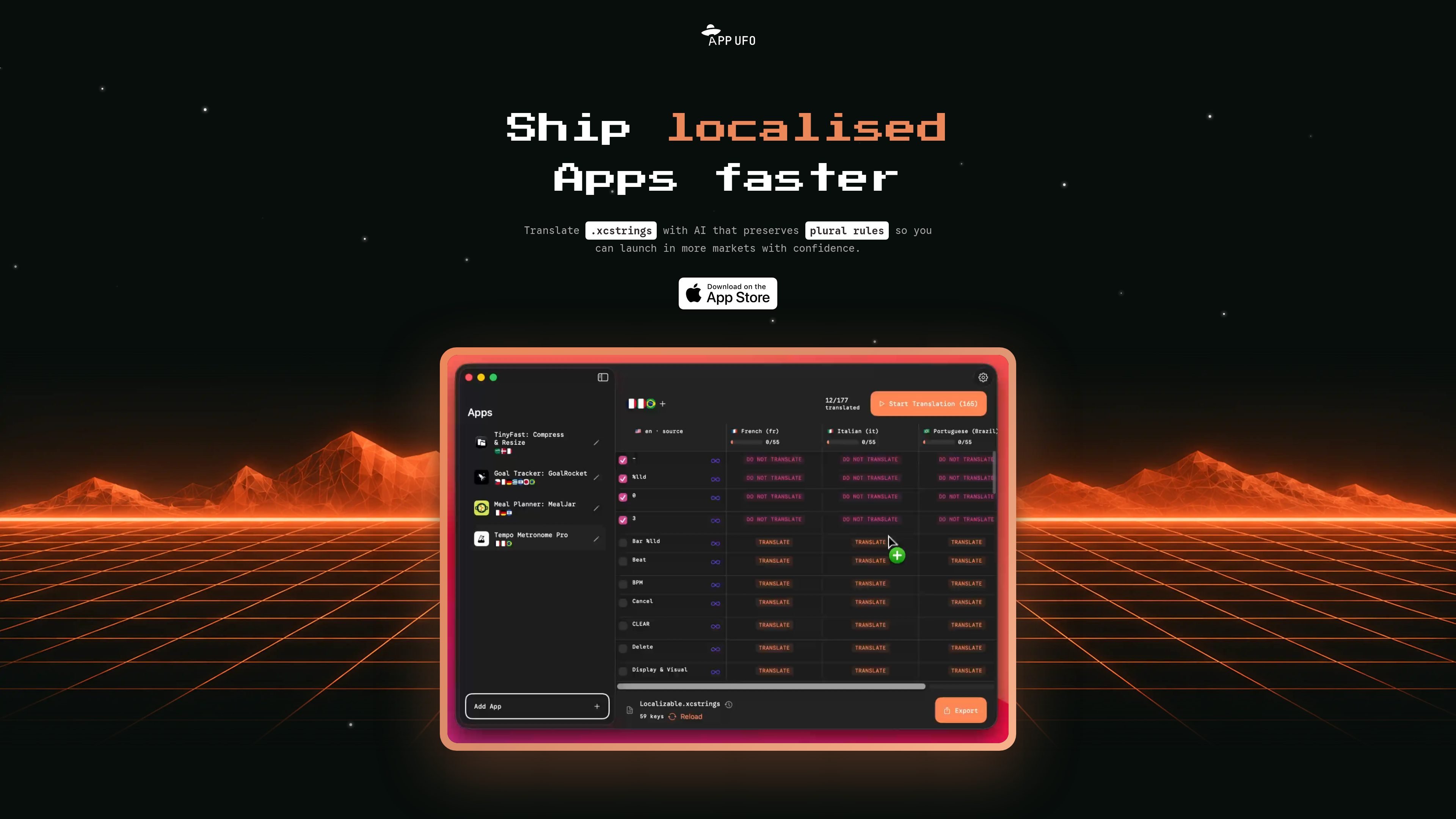
AppUFO is a macOS tool for localizing iOS app strings with AI. The homepage says it imports .xcstrings files, translates them into 36+ languages, and exports the result back into Xcode.
It is designed for app developers who want a faster localization workflow without manually handling every string. The page emphasizes preserving placeholders, keeping brand names untranslated when needed, and using character limits to help translated text fit in the UI.
Import a .xcstrings file, let AppUFO translate it, and export the result back into Xcode. The product is positioned around a direct localization loop for iOS apps.
The homepage says translations use AI context and preserve placeholders, which is important for strings that include variables or formatting tokens.
Set character limits on phrases so translations are more likely to fit inside the UI where they will appear.
Keep specific words untranslated, such as brand names, across all languages to preserve naming consistency.
Use Apple Translate to reverse-check phrases when you want to verify meaning in a language you do not read.
The product is marketed as supporting unlimited apps and 36+ languages, so it is aimed at repeated localization work rather than a single one-off file.
A developer can drop a .xcstrings file into AppUFO, translate the strings with AI context, and export them back into Xcode without rebuilding the workflow from scratch.
When translated copy risks overflowing buttons or labels, the character limit setting can be used to keep phrases within UI constraints.
If a product name or branded term should stay unchanged across languages, AppUFO lets you keep those words untranslated.
For languages the developer cannot read, reverse translation can be used to check whether the meaning still looks correct after translation.
Teams managing several apps can use the unlimited-app positioning to translate more than one project in the same tool.
AppUFO is built around importing .xcstrings files, translating them with AI, and exporting the updated file back into Xcode. The homepage also says you can use Apple Translate to reverse-check phrases.
The homepage says AppUFO supports 36+ languages and lets you translate all of your apps in a few minutes. It is presented as a macOS app for iOS developers.
Yes. The pricing section says you can keep untranslated phrases, protect brand names, set character limits so phrases fit in your UI, and use reverse translation to check output.
The homepage says you can translate unlimited apps. It does not provide a separate team or workspace feature on the collected pages.
The collected pages show three pricing options on the homepage: monthly, yearly, and lifetime. The separate /pricing page returned a 404 Not Found, so there is no active standalone pricing page in the collected evidence.

MakerLoft is a chat-first AI app builder for non-developers who want to create static sites or full-stack apps from a GitHub repository. It supports a free GitHub Pages path and a DigitalOcean-backed app path with sign-ins, payments, and an admin dashboard.

ByteAsk is a terminal-first AI coding agent for C and C++ that edits repositories and verifies changes with the real compiler, debugger, sanitizers, and tests before showing a diff. It offers a free tier plus paid plans, with editor connectors and zero-retention handling described in the source.

CreateOS Sandbox is an isolated compute environment for running code and agent workloads inside Firecracker micro-VMs. It is designed for workflows that need machine-level isolation, private networking between sandboxes, and programmatic control through SDK, CLI, or MCP.

hob is an independent workspace for coding agents that keeps agent sessions, terminals, history, and follow-up work organized around the tools and providers you already use. It is aimed at developers who want local control over routing, history, and workspace structure rather than a bundled model stack.

Ably Chat is a chat API platform for building custom realtime chat applications. It supports room-based messaging, typing indicators, presence, reactions, and message updates, with usage-based pricing options for different deployment stages.

Manta AI is an autonomous web app testing tool for teams that want to map application behavior, catch regressions, and generate tests without writing scripts or maintaining selectors. It works from a URL and supports plain-English test flows, run results with screenshots, and scheduled or deployment-triggered checks.