
Issues, projects, cycles, and roadmap views
Track work in issues, projects, cycles, and a roadmap-style plan so teams can organize both short tasks and longer delivery efforts in one place.

Aruvi is a workspace for software teams that combines issue tracking, docs, knowledge, and AI agent workflows in one system. It helps small product and engineering teams manage work and connect AI coding tools inside the same review trail.
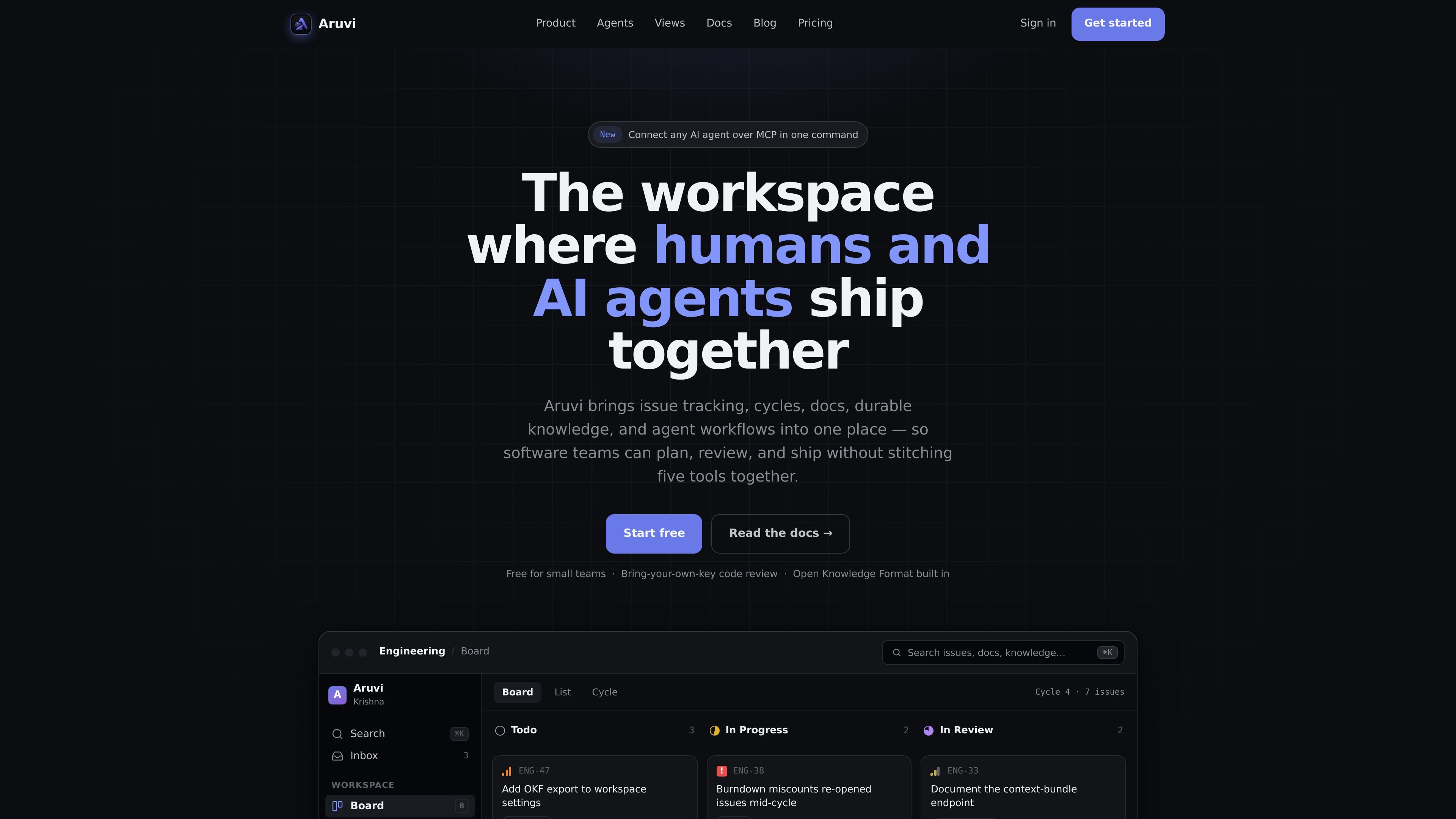
Aruvi is a workspace for software teams that unites issue tracking, docs, knowledge, and AI agent workflows in one system. The product is positioned for humans and agents to ship together rather than splitting planning, context, and execution across separate tools.
Its docs describe Aruvi as a fast issue tracker and lightweight wiki where AI agents act as first-class teammates. Teams can organize work with issues, projects, cycles, and docs, then connect AI tools such as Claude Code, Codex, or Kiro through the MCP endpoint so agents can participate in the same workflow and review trail.
Track work in issues, projects, cycles, and a roadmap-style plan so teams can organize both short tasks and longer delivery efforts in one place.
Keep durable context in docs and a knowledge store so the rationale for work stays attached to the workspace instead of splitting across chat threads and separate tools.
Treat AI agents as first-class teammates with assigned work, scoped access, comments, and a shared review trail alongside human contributors.
Use scoped API keys, assigned-only guardrails, and attribution to control what agents can access and make agent activity easier to trace.
Connect external AI tools through the MCP endpoint, including Claude Code, Codex, and Kiro, to place agent work inside the workspace workflow.
Use built-in integrations for GitHub, Slack, and Discord to connect work and communication channels around the same workspace.
Use Aruvi when a team wants a single place to plan work, write docs, and keep context near the issues that depend on it.
Use the workspace when AI coding tools should receive real assignments, work within scoped access, and leave a visible trail for review.
Use the docs and knowledge area to preserve decisions, definitions, and working context that would otherwise get lost in chat or ad hoc notes.
Use cycles and roadmap-style planning when a team wants to time-box work and maintain focus on a defined delivery window.
Use the GitHub, Slack, Discord, and MCP connections when teams want their tracker and AI tools to sit alongside existing collaboration channels.
Aruvi is set up as a workspace for small product and engineering teams that want issues, projects, docs, knowledge, and AI agent access in one place. The docs describe AI tools such as Claude Code, Codex, and Kiro as supported workflows through the MCP endpoint.
The docs say you can go from sign-in to your first agent-ready issue in about five minutes. The pricing page also points to creating a workspace, then using issues, docs, and connected AI agents from there.
Aruvi centers work in one workspace where issues, projects, cycles, docs, and knowledge stay close together. Agents can be assigned work, leave comments, and ship in the same review trail as human teammates.
The pricing page shows Free and Pro plans. Free includes usage caps, while Pro removes those caps; both plans include the same features, including agents, docs, and integrations.
The pricing page lists GitHub, Slack, Discord, and MCP integrations for Claude Code, Kiro, and Codex. The docs also mention connecting an AI tool through the MCP endpoint.

Goldfish is an AI memory app for macOS that helps you reply, write, summarize, and continue using the context already on your Mac. It stores memory locally and writes in your tone.

Lasso is an ecommerce product data platform for enriching catalog records, processing supplier files, generating product content, and monitoring competitors. It combines a web app with a REST API, SDK, and MCP server for teams and developers.

Biji - это универсальная платформа, разработанная для повышения продуктивности с помощью инновационных инструментов и функций.

Struere is an AI-native platform for turning spreadsheet data into structured operational software with dashboards, alerts, and automations. It is aimed at teams that want to replace manual spreadsheet workflows without building custom tools from scratch.

Ably Chat is a chat API platform for building custom realtime chat applications. It supports room-based messaging, typing indicators, presence, reactions, and message updates, with usage-based pricing options for different deployment stages.

garden-md is an open-source Node.js CLI that turns meeting transcripts into a local company wiki. It links entities across transcripts, keeps the original text intact, and renders the result as a browsable wiki.