
Closed-loop workflow structure
Maskin positions each workflow as a loop that starts from a trigger, moves through agent roles, and ends with a measured outcome that updates shared memory.

Maskin is an open-source workspace where teams and AI agents run connected workflows from signal to shipped outcome. It supports self-hosted or managed deployment and connects with tools like Slack, GitHub, Linear, Intercom, PostHog, and HubSpot.
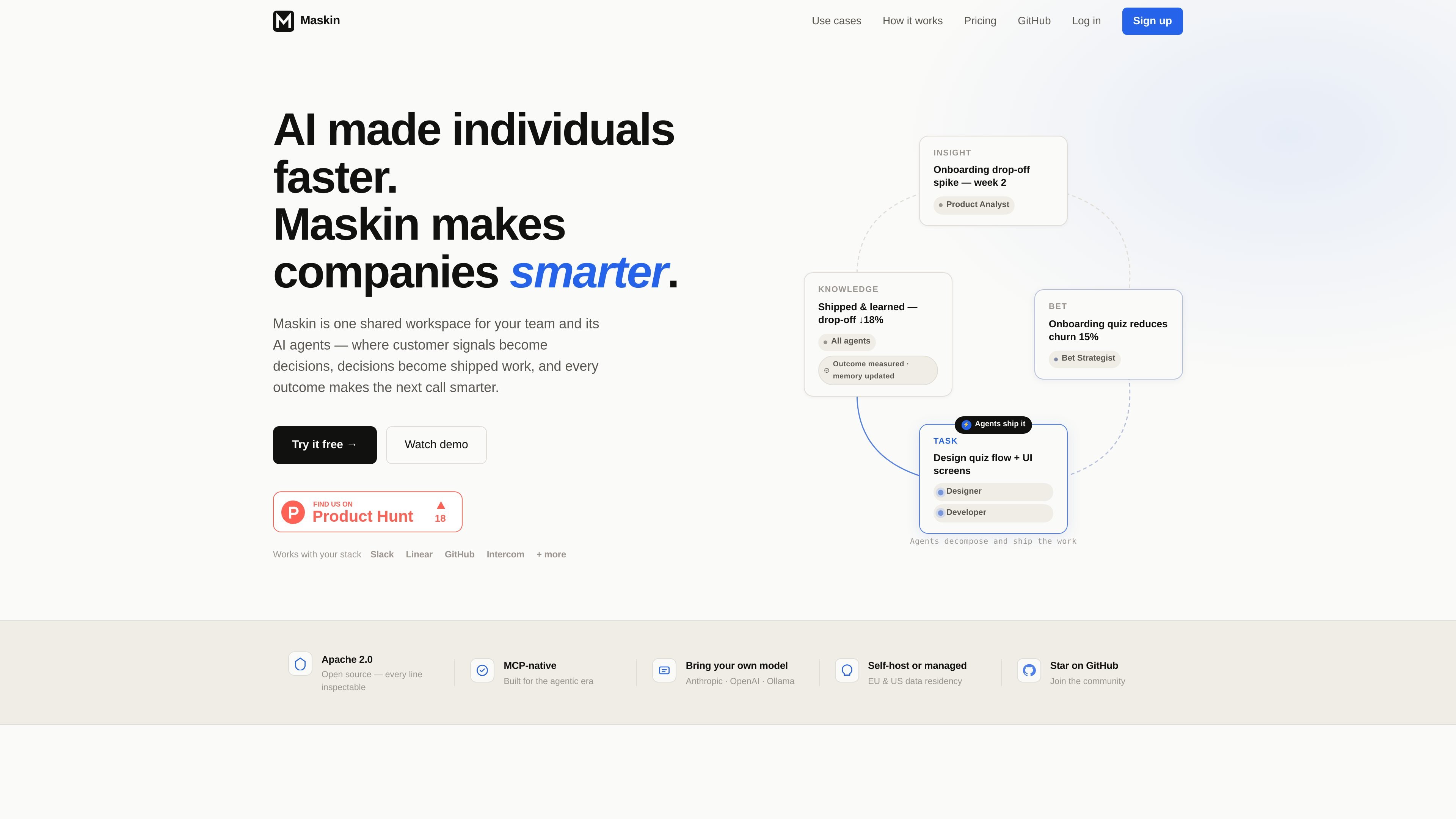
Maskin is an open-source, MCP-native workspace for teams and AI agents to manage work as a connected loop rather than a set of disconnected chats. The product is built around a shared system where customer signals, internal decisions, shipped tasks, and measured outcomes stay linked so the next decision starts with context.
The homepage and docs describe Maskin as useful for workflows that begin with a signal and end with a shipped result: competitor monitoring, lost-deal analysis, churn detection, customer feedback, and custom team processes. Humans approve and shape the bet, while agents handle the work and preserve memory across cycles.
Maskin positions each workflow as a loop that starts from a trigger, moves through agent roles, and ends with a measured outcome that updates shared memory.
The product defines roles such as Feedback Monitor, Bet Strategist, Developer, and other named agents so work can move from signal to insight, bet, task, and knowledge.
Humans and agents post to the same thread, keeping the rationale, approval, and shipped result attached to the work instead of splitting context across chats.
The platform connects with Slack, GitHub, Linear, Intercom, PostHog, and HubSpot through integrations and MCP tools, so teams can work with existing systems.
Maskin can be used with Anthropic, OpenAI, or Ollama, and the source says teams can bring their own model key.
The platform is available open source, with options to self-host or use managed hosting, and the source says EU and US data residency is available.
Track competitor changelogs, pricing pages, and job postings, then route the resulting signal to product or sales as a feature-gap note or battlecard update.
Convert closed-lost reasons from HubSpot into product insights, weight them by ARR, and turn recurring patterns into roadmap bets.
Watch for usage drops, login gaps, and error spikes, then alert the right person with context so customer success can act before an account churns.
Turn customer feedback from Slack or Intercom into an insight, shape it into a bet, build the fix, and notify the customer when it ships.
Define your own closed loop when your team has an established workflow that does not fit the prebuilt examples, using your own agents, objects, and handoffs.
Maskin is open source and can be run self-hosted or as a managed service. The docs also point to a setup flow for connecting Claude over MCP on a self-hosted instance.
The source describes Maskin as a shared workspace for humans and AI agents, with shared memory, decisions, and outcomes in one system. It is designed for teams that want signals, approvals, and shipped work to stay connected.
The homepage and docs describe a signal-to-bet-to-task-to-knowledge loop. In practice, work can start from triggers such as Slack messages, customer feedback, lost deals, competitor changes, or market signals, then move through agents and human review.
The source lists Slack, GitHub, Linear, Intercom, PostHog, and HubSpot, and says agents connect through integrations and MCP tools. It also mentions 'and more,' but does not provide a complete catalog.

BotBoard is a task-management layer for AI agents that helps teams assign work, track progress, and review output. It supports CLI, MCP, and HTTP connections for tools like OpenClaw, Codex, Claude Code, and Cursor.

Biji - это универсальная платформа, разработанная для повышения продуктивности с помощью инновационных инструментов и функций.

Codex Plugins bundle reusable skills, app integrations, and MCP servers into workflows you can install in the Codex app or use from Codex CLI. They help extend Codex with connected-service tasks, reusable instructions, and shared team workflows.

Struere is an AI-native platform for turning spreadsheet data into structured operational software with dashboards, alerts, and automations. It is aimed at teams that want to replace manual spreadsheet workflows without building custom tools from scratch.

Wallie is an open-source AI streamer that watches your screen, hears chat, and generates live commentary in a configurable persona. It runs locally on your machine with your own keys and is aimed at faceless content, autonomous streams, and real-time reactions.

OpenFlags is an open-source, self-hosted feature flag platform for modern JavaScript teams. It supports local evaluation, targeted rollouts, and controlled launches while keeping flag data in your own infrastructure.