
Unified CLI workspace
Keep Claude Code, Codex CLI, Gemini CLI, other CLI tools, and plain shells in one sidebar. Group projects into folders and name sessions by role.

CLI Manager is a macOS desktop app for organizing Claude Code, Codex CLI, Gemini CLI, other CLI tools, and terminal sessions in one workspace. It helps developers manage parallel agent work, Git worktrees, diff review, and optional supervised AI control.
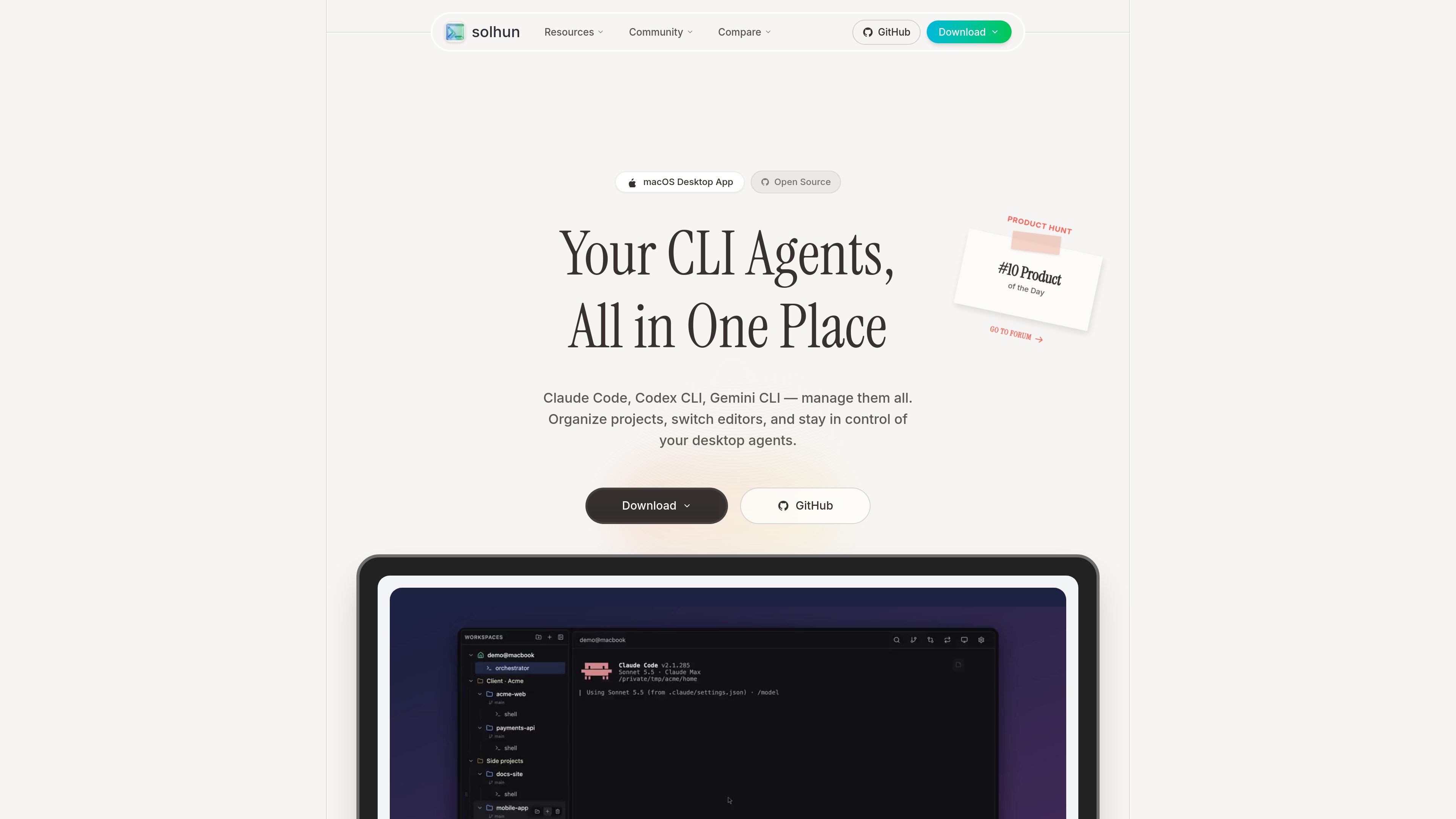
CLI Manager is a macOS desktop application for organizing multiple command-line AI agents and terminal sessions in one workspace. It supports Claude Code, Codex CLI, Gemini CLI, other CLI tools, apps, and plain shells, with project folders and named sessions for keeping related work easy to find.
The app combines terminal-based agent management with Git workflows and review tools. Users can create separate worktree workspaces, monitor agent state, inspect diffs, and send line-specific feedback back to an agent’s terminal. An optional AI Control API also allows an agent or script to operate visible sessions locally, while a person can observe, type, disconnect the AI, or take over.
Keep Claude Code, Codex CLI, Gemini CLI, other CLI tools, and plain shells in one sidebar. Group projects into folders and name sessions by role.
Create Git worktrees as separate workspaces, run agents on different branches, and use the built-in panel to stage, commit, push, browse history, and compare changes.
Open workspace diffs, select lines, and send comments with file and line numbers back to an agent’s terminal. Worktree comparisons include new files and compare against the forked branch.
Use official Claude Code and Codex hooks for session status, distinguishing permission prompts from completed work. Usage alerts indicate approaching five-hour or weekly limits.
Enable the local AI Control API to let Claude Code, Codex, or scripts open sessions, run templates, send prompts, read screen output, wait for idle, and release or close sessions through MCP or REST.
Attach a memo pad to each session. Memos save as you type, persist across restarts, and can be read by an AI working through the Control API.
Keep several agent sessions for the same codebase in one project folder, name them by role, and switch between them without closing sessions that are still running.
Create a worktree for an isolated branch, assign an agent to it, then inspect the resulting diff and return file- and line-specific comments before merging.
Let Claude Code, Codex, or a script launch a visible terminal session, send a task, wait for the agent, and read its output while retaining the ability to answer prompts or take control.
Use hooks, status indicators, and usage alerts to distinguish active work, permission requests, and completed sessions when several agents are running.
CLI Manager is currently available for macOS, with downloads for Apple Silicon (ARM64) and Intel (x64). Windows is planned, while Linux is not currently on the roadmap.
You can manage Claude Code, Codex CLI, Gemini CLI, and plain shells. The product also says that other CLI tools and apps can be added.
Yes. CLI Manager is free and open source under the MIT license since version 1.5.0. The site does not list paid tiers or usage charges.
Enable AI Control API in Settings > Agents. It provides a localhost-only, bearer-token-protected MCP and REST API that can open sessions, send prompts, read terminal output, and wait for completion. You can disconnect the AI or switch the API off to end access.
Yes. Sessions opened through the AI Control API appear as ordinary terminals in the sidebar, with an AI-connected indicator. You can read the screen, type into the session, take it over, or disconnect the AI.

CreateOS Sandbox is an isolated compute environment for running code and agent workloads inside Firecracker micro-VMs. It is designed for workflows that need machine-level isolation, private networking between sandboxes, and programmatic control through SDK, CLI, or MCP.

GitBot is a local browser-based workspace for creating reusable coding bots powered by Claude Code, Codex, or OpenCode. It helps developers run those agents across repository folders with persistent threads and configurable permissions.

ByteAsk is a terminal-first AI coding agent for C and C++ that edits repositories and verifies changes with the real compiler, debugger, sanitizers, and tests before showing a diff. It offers a free tier plus paid plans, with editor connectors and zero-retention handling described in the source.

hob is an independent workspace for coding agents that keeps agent sessions, terminals, history, and follow-up work organized around the tools and providers you already use. It is aimed at developers who want local control over routing, history, and workspace structure rather than a bundled model stack.

Manta AI is an autonomous web app testing tool for teams that want to map application behavior, catch regressions, and generate tests without writing scripts or maintaining selectors. It works from a URL and supports plain-English test flows, run results with screenshots, and scheduled or deployment-triggered checks.

SonOf connects to your repo and PM tool, audits the codebase and surrounding product context, and turns approved work into shipped tickets with senior engineering review. It is aimed at founders and engineering leaders who need backlog help without hiring a full team immediately.