
Photo-based problem capture
Upload a math problem from a textbook, notebook, or exam paper and let OCR read handwriting and formulas from the image.

MathPal is a browser-based AI math tutor that turns a photo of a problem into a step-by-step explanation, practice, and progress review. It is positioned for grade 6-9 students, while the site also shows broader learner examples.
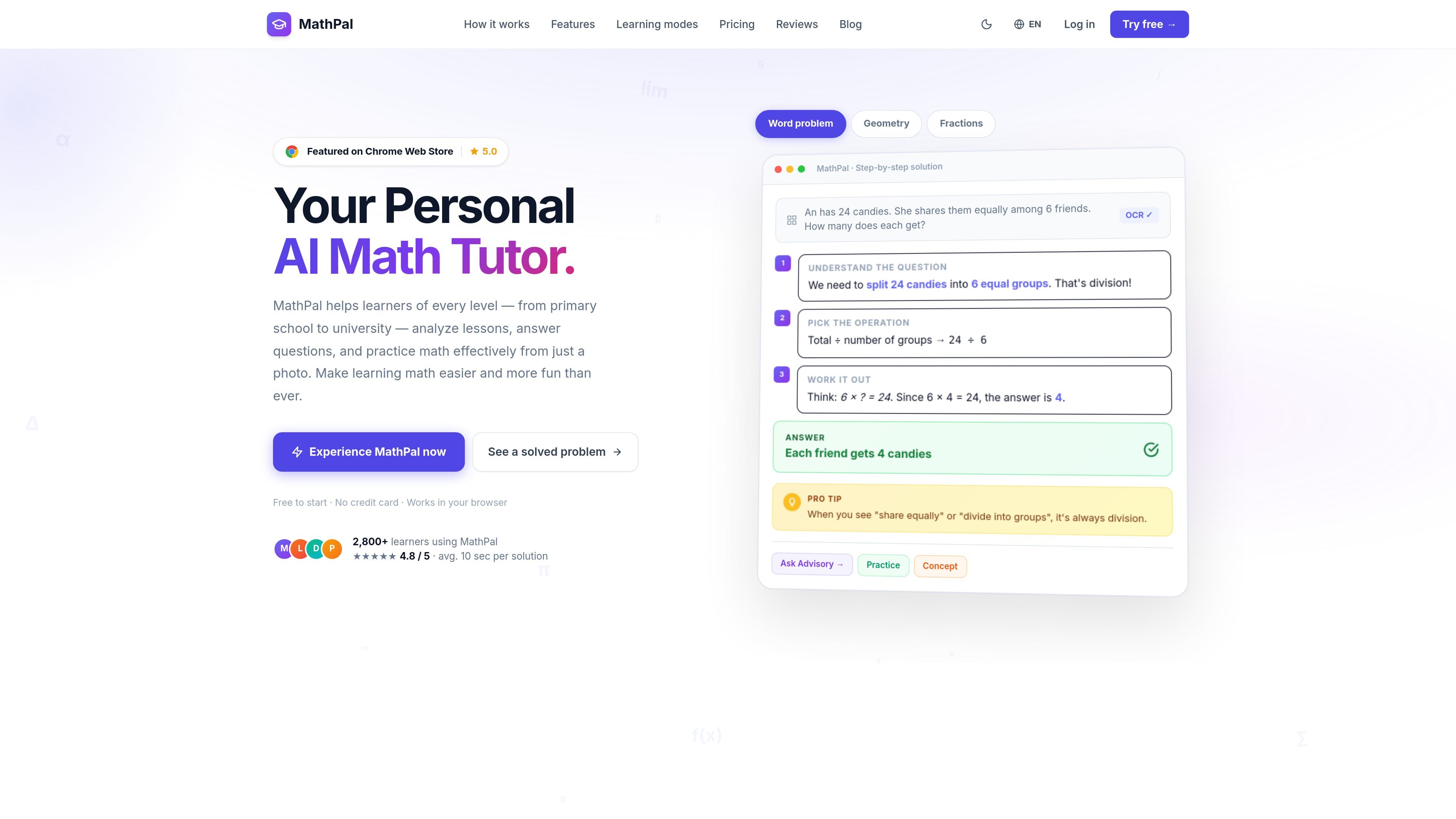
MathPal is an AI math tutor focused on helping students work through math problems step by step from a photo. The site describes it as a browser-based tool for learners from primary school through university, with a stronger emphasis in the page copy on grade 6-9 math support.
The product centers on understanding as well as solving: users can upload a problem, get a worked explanation, and review the formula, concept, and tips tied to that solution. The pricing page also shows a tiered plan structure with a free trial, a Pro plan, and a Premium plan, plus cancellation and refund language for paid plans.
Upload a math problem from a textbook, notebook, or exam paper and let OCR read handwriting and formulas from the image.
Get a worked solution that breaks the problem into steps rather than returning only the final answer.
Review the formula, core concept, and tips that were used in a solution so you can understand the reasoning behind it.
Use Advisory Mode for guided, Socratic-style prompts instead of direct answers when you want more support in thinking through a problem.
Generate practice questions at three difficulty levels and receive instant grading.
Track learning over time with a knowledge radar, searchable history, and auto-classified sessions for later review.
A student can photograph a homework problem and use the step-by-step explanation to work through the solution before checking the final answer.
When a learner wants to understand the method rather than copy the result, Advisory Mode can guide them with questions that lead toward the solution.
After a lesson or quiz, a student can generate practice problems at different difficulty levels and use the grading feedback to reinforce weak areas.
A learner can return to past sessions through the searchable history and knowledge radar to see which topics need more attention before an exam.
MathPal uses an energy-based usage model. The pricing page says each plan comes with a certain amount of energy that can be used across Concept, Formula, Practice, Advisory, and QA features, and that energy resets at the start of each billing cycle for paid subscriptions.
Yes. The pricing page says you can upgrade from Free to Pro or from Pro to Premium at any time.
MathPal is meant to be used in a browser and the site also references a Chrome extension, so it appears to support browser-based use. The source text does not provide additional platform details beyond that.
The pricing page says paid plans can be canceled anytime and mentions a 7-day refund policy.
Premium includes higher limits than Pro, all Pro features, Advisory Mode, advanced AI model access, early beta access, and VIP support. It is a one-time purchase with optional yearly updates after the first year.

GameGrad turns PDF study material into quiz questions that appear inside arcade games, so users can practice active recall while they play. It offers a free tier with one PDF and a Pro plan with more uploads, more questions, and answer explanations.

LangPanda is a browser extension for learning languages from streaming video and other supported sites. It combines instant subtitle lookup, flashcard creation, vocabulary tracking, and spaced-repetition review for 36 languages.

recall is an AI flashcard app that turns reading and notes into study cards through Claude, ChatGPT, or another MCP client. It uses one-time lifetime access pricing and spaced repetition review.

Snapmark is a VS Code extension that lets you annotate clipboard screenshots before pasting them into AI chats. It supports blur redaction, numbered callouts, and automatic resizing for large images.

Arduino VENTUNO Q is an edge AI computer for AI and robotics applications. It combines AI inference and deterministic control on a single board and is designed to work with Arduino App Lab.

Talkpal is an AI-powered language learning web and mobile app for practicing speaking, listening, writing, and pronunciation. It offers guided courses, roleplays, and call-style conversation practice across 130+ languages.